
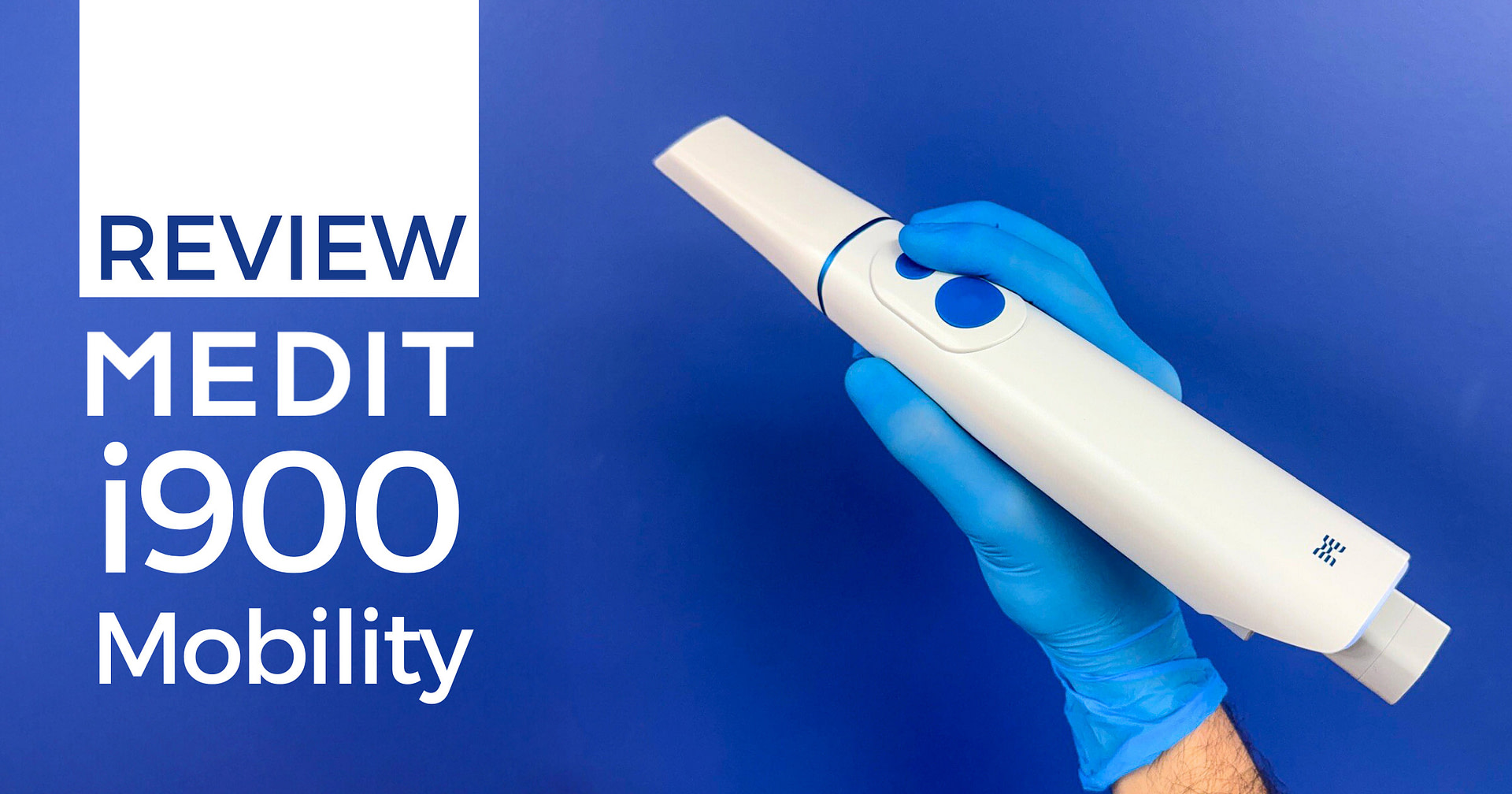

The Medit i900 Mobility represents something genuinely new in the mainstream intraoral scanner market - the first iPad-native scanning solution. Not cloud or browser-based like Primescan 2, but a purpose-built app for iPad workflows built from the ground up.
Otherwise, the i900 M scanner preserves everything that made the original i900 excellent while addressing its one obvious limitation - the cable. For practices seeking a wireless solution, Medit now offers one for its flagship, and it's a big upgrade over the last wireless scanner from the company - the i700 Wireless.
With this new scanner, Medit didn't simply make a wireless i900 - they reimagine 'mobility'. For those interested in iPad-based scanning, the i900 M delivers a compelling proposition. However, it comes with some compromises in physical size that are worth understanding before committing.

As always, this review maintains complete independence. The Institute of Digital Dentistry is committed to objective analysis and providing you with information you can trust. This is all based on my own clinical testing and experience.
Enjoy the review.
Review At a Glance
The Medit i900 Mobility successfully transitions the excellent i900 platform to wireless operation with a genuinely impressive iPad-native application. While physically larger than most wireless scanners on the market, the scanning performance and software experience make this somewhat forgivable. It is genuinely enjoyable to use on the iPad, and I feel like this will be the next market trend.
Pros:
Cons:
Download the Full PDF Review
View as a flipbook online or download a copy to read it later.
What's New - The Mobility Difference
The i900 Mobility is the same excellent scanner as the original i900 - same optical system, same accuracy, same scanning performance. We covered all the aspects of the i900 comprehensively in our original i900 review here, so this review focuses specifically on what's different - the wireless implementation and the iPad-native software experience.
If you want detailed information about scan speed, accuracy, software apps, or the comprehensive Medit ecosystem, read the original i900 Classic review. I covered it in extreme detail. Everything discussed there applies equally to the i900 Mobility.

The iPad-Native Scanning App
This is where the i900 Mobility diverges from every other Medit scanner and from basically every other wireless scanner on the market. Medit hasn't simply made its desktop software Medit Link work on iPad via a browser or adapted its existing application. They've created Medit Link Express - a completely new, iPad-native application designed specifically for mobile workflows.
And it works well.
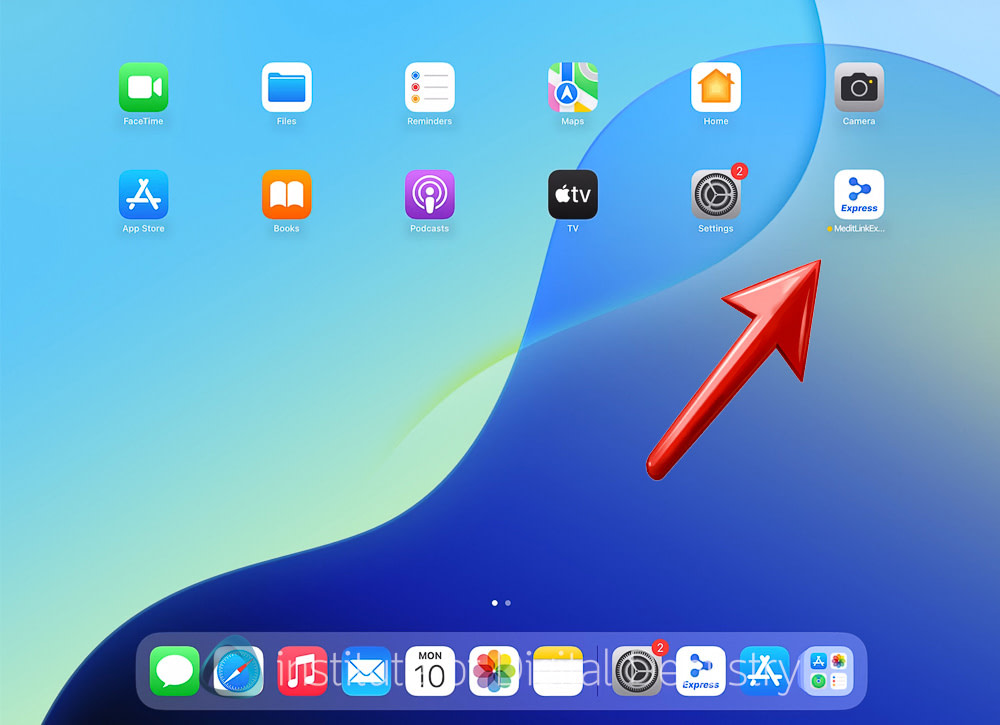
This distinction matters. Primescan 2 runs on an iPad via a browser-based DS Core, which introduces its own compromises. The i900 Mobility runs natively, taking full advantage of iPad hardware and interface conventions.
It also does all the post-processing on the iPad and syncs with your Medit Link cloud account so all your scans are in once place.

The result is buttery-smooth, responsive scanning that feels purpose-built rather than adapted. The interface is clean, simplified, and optimized for touchscreen interaction. I was genuinely surprised by how well it worked - scanning felt fluid, responsive, and natural on the iPad. Even better than my Windows laptop. Apple products are just great like that.
Medit Link Express - Simplified Software
Medit Link Express is Medit's solution to a problem many scanner companies face - software feature bloat.
Over the years of development, Medit Link has accumulated countless features, tools, and options. For power users, this is excellent. For day-to-day chairside scanning, it can feel cluttered and messy, as you generally just use the same buttons every day. For new users, it can feel overwhelming.
Medit tried to fix this with the 'Simple UI' button on Medit Link, but this is new Medit Link Express software is built from the ground up to be simple and to the point.
Medit Link Express strips away the complexity, providing:
- Simplified scanning workflows focused on essential functions
- Clean, modern interface optimized for iPad
- Automatic syncing with full Medit Link on desktop - although you cannot edit or rescan any case you did on the iPad using the desktop/laptop software.
Additionally, the software applications (Model Builder, ClinicCAD, Smile Design, etc.) are not yet available on the iPad version. Your scans automatically sync with Medit Link, so you can open cases on your laptop if you need access to those applications. I wouldn't be surprised if they come in the future.


The simplified approach works remarkably well. Rather than cramming every feature onto the iPad, Medit has identified what clinicians actually need during scanning and designed around that core use case.
Creating a patient file is easy, and setting up the lab form is now based on workflows - Restoration, Implant Scan, or Ortho Scan. This workflow-based scanning is something we are seeing across the entire market and is a maturation of the traditional lab form. Everything works very well on the iPad.
Download the Full PDF Review
View as a flipbook online or download a copy to read it later.
Medit i900 Mobility Scan Speed
The i900 Mobility inherits all the excellent scanning performance of the original i900. Once again, because I covered this comprehensively in the original i900 review, I'll provide only a brief overview here.
Scan Speed and Ease of Use
Full-arch scans are completed quickly and efficiently, benefiting from the large 18 x 15mm field of view. This is one of the fastest Medit scanners available, and the wireless implementation introduces no noticeable performance penalties. i900 is much better than i700 in my opinion, and a worthy upgrade. It now just depends on whether you get the Classic or wireless Mobility version.
The scanner handles all standard clinical indications with ease. Single crowns, bridges, implant restorations, orthodontic cases, and edentulous scanning. The accuracy remains excellent, matching the wired i900's performance. One of the most accurate scanners on the market, based on my testing, even for full arch implants using horizontal scan bodies.
iPad Performance Exceeded Expectations
I'll admit I was skeptical about iPad scanning performance. Hardware limitations compared to laptops, potential lag, and reduced functionality were all concerns going into my hands-on clinical experience with the i900 Mobility.
The reality exceeded expectations. Scans are responsive, the interface remained fluid even during active scanning, and everything ran smoothly without the compromises I anticipated. This didn't feel like a compromise or a "lite" version - it felt like scanning software designed specifically for this use case.
The simplified Medit Link Express interface contributes significantly to this impression. By focusing on core scanning functionality rather than trying to replicate every desktop feature, Medit has created an experience that feels appropriate and complete for iPad workflows.
Also, I just have to say how nice it is to use an iPad with a scanner. No power cable required. iPad Pros these days are so thin that they feel like they shouldn't be able to scan. The resolution, colours, and sharpness on an iPad rival any laptop. And lastly, it makes it very easy to hand the iPad to the patient after a scan and engage with them, compare it to handing a patient a laptop.
One thing to note is that the i900 M only connects to the iPad via WiFi. So you will need a WiFi connection. Nothing crazy fast is required, but a connection is needed nevertheless - you can even use a hotspot from your mobile. Also, there has been the occasional hiccup with the software during testing, but Medit are responsive and working on updates and ironing out any kinks.
Design, Build Quality, and Ergonomics - i900 M
The i900 Mobility comes with 2 boxes, like the old days of Medit scanners - a scanner box and an accessory box.


The size of the scanner is the area that needs the most improvement. The i900 Mobility is large for a wireless scanner. It is not ridiculously heavy, nor does it feel uncomfortable to hold. Weighing 242g (excluding battery and tip) or roughly 319g–328g with the battery and tip included, it is the same as the i700 Wireless (328 g) and heavier than the TRIOS 5 or 6 (~300 g). Notably, the Elite Wireless, a wireless scanner lighter than the i900 M, weighs 194 grams. Thus, the i900 Mobility is actually quite a heavy wireless device. An area that needs improvement.
Also, the physical dimensions of the scanner. It is obviously wider, longer, and generally larger than its competitors. One thing to note is that the size could be forgiven because, unlike other wireless scanners, Medit has built a WiFi adapter into the scanner itself. This allows it to communicate with an iPad with nothing but the scanner.


To be honest, in clinical use, the size is noticeable but not a deal breaker. The scanner remains comfortable for extended scanning sessions, and the ergonomics are good. Weight is not back-heavy, but the size may be a nuisance for smaller hands. I was having too much fun with the iPad scanning to be too bothered.
Build Quality and Design Improvements
The i900 Mobility features improved design elements compared to the original i900. This includes:
LEDs: New LED indicators located on the back of the scanner provide clear status information. The LEDs change color based on scanner status - scanning active, tracking lost, etc.
Buttons are back: It is safe to say that the touchpad era for Medit is probably over. The i900 Mobility has 2 buttons, one for scanning and one for navigating the software.
This feels better designed than the somewhat tacked-on large blue button of the Medit i900 Classic.


Redesigned batteries: The battery system has been completely redesigned from the i700 wireless days. The new batteries feel more premium and integrate better with the overall design. They also have LEDs at the back that show battery status, no doubt inspired by TRIOS 5. There is also a power button on the battery itself, which is how you turn on the scanner - I think this is a nice addition to prevent the scanner from turning on accidentally and draining the battery.
Each battery offers about 1 hour of continuous scanning per charge, the company says. Three batteries come with the scanner in the box.


Improved charging system: The battery charger is significantly smaller than the i700 Wireless and also features an LED to show charging status. Like the i700 Wireless, it can charge two batteries simultaneously via USB-C and a power brick that is included in the box. This is a practical improvement that reduces desk clutter. Each battery takes about 2 hours to fully charge from empty.

Modernized scanner cradle: The scanner cradle has also improved for the new Medit flagship. It is smaller and more modern-looking than previous Medit wireless implementations.
Unlike some wireless scanners, the cradle doesn't charge the scanner when docked. That is done with the separate battery charger. However, the scanner cradle can act as a TP-Link dongle if you don't want to use WiFi to connect the scanner.
There is a small USB port on the side of the cradle that you can plug directly into your laptop to connect the scanner. This is only for using the i900 Mobility with Medit Link on a laptop or desktop. For iPad use, you need WiFi and the Medit Express app.


Overall, the build quality throughout feels premium and well-executed. This is clearly a considered design rather than a rushed wireless adaptation. Consider that the last Medit wireless scanner was released in 2022.

Wireless Connectivity - i900 M
The i900 Mobility utilizes Wi-Fi 6E for direct connection to an iPad or a laptop. Importantly, no separate wireless hub is required - the scanner connects directly to the iPad, with the cradle serving as a backup option to use with a laptop when plugged in via USB-C.
The Medit Express App does a great job of guiding you through connecting the scanner, and the process is quite simple. Like many similar electronic devices, you need to first connect the i900M to the iPad via Bluetooth, then to the clinic's WiFi to establish a connection to the Medit i900 M.
I have fast WiFi in New Zealand (600 Mbps+), and the connection was stable and reliable during my testing, with no noticeable lag or dropouts. It seems to work without issues as long as you have good Wi-Fi. As mentioned above, there was the occasional software glitch as this is completely new, but Medit has been updating and sorting things out.

Download the Full PDF Review
View as a flipbook online or download a copy to read it later.
Medit i900 M Scanner Tips
The i900 Mobility uses the scanner tips as the original i900. The scanner includes four tips in the box: two large and two medium; pediatric tips are available separately.

The large tips feature a scanning window measuring 18 x 15mm, making them among the largest FOV tips available on any intraoral scanner. This represents a significant increase from Medit's previous generations (the i700 had 14 x 13mm).
I'm a big fan of large FOV scanning tips, as mentioned in the i900 Classic review, and this is becoming a clear market trend for good reason - they're simply better to scan with as long as it fits in the mouth.
The larger capture area means fewer individual images are needed to complete a scan, resulting in faster overall scan times and reduced cumulative error compared with smaller scanner tips - especially for full arch implant cases.
These tips can be autoclaved up to 150 sterilization cycles at 134 degrees Celsius. At approximately $70 USD per tip, this works out to roughly $0.47 per patient scan. The tips feel well-constructed and durable. As expected from a premium scanner.
One aspect worth noting: the large tip size, combined with the scanner's larger overall physical dimensions, can make the scanner feel extra bulky.
Medit i900 M Calibration
The i900 Mobility maintains the same calibration requirements as other Medit scanners - calibration is recommended every 3 months using the included calibration tool.
Most new scanners are calibration-free, and this is an area where Medit's technology hasn't kept pace with market trends. Calibration takes approximately 1-2 minutes and is straightforward, but it's still an additional maintenance step that some competing scanners don't require.
The software provides clear notifications when calibration is due and guides you through the process with on-screen instructions. The scanner can still be used when calibration is overdue, but this isn't recommended because it may affect accuracy.

Medit Software Updates
The i900 Mobility maintains full compatibility with Medit's comprehensive software ecosystem, which remains one of the best in the industry. I covered the complete Medit software suite extensively in the i900 Classic review, including details on Medit SmartX for All-on-X workflows, the enhanced orthodontic suite, ClinicCAD, and the dozens of integrated applications.
For the Mobility, the key distinction is how software functionality is distributed between mobile and desktop:
Medit Link Express (iPad): Streamlined, mobile-optimized scanning interface focused on core scanning functionality. This is what you use chairside on the iPad - clean, fast, and purpose-built for patient scanning without unnecessary complexity.
Medit Link (Desktop): The complete software ecosystem with all applications and advanced features. All scans from the i900 Mobility sync automatically with Medit Link, providing access to the full suite of tools - Model Builder, ClinicCAD, Smile Design, SmartX, Splints, Orthodontic Suite, and more - whenever you need them on your desktop.
This division makes sense. You don't need every feature during chairside scanning, and the simplified Medit Link Express interface is better suited to that use case. When you need advanced applications or comprehensive design tools, they're available on a desktop where they work best.
The Medit software platform remains one of the scanner market's strongest competitive advantages, with arguably the most comprehensive feature set available. Since I published the i900 Classic review, another feature has been added...
Medit AuraVue - AI Diagnostics Integration
One of the most interesting developments for Medit in 2025 is AuraVue, a multimodal web-based consultation app that displays intraoral scans and X-rays alongside AI-powered diagnostic insights.
AuraVue is a partnership between Medit and Overjet AI, an FDA-cleared artificial intelligence system for dental diagnostics. Critically, Medit's AuraVue itself does not perform AI diagnosis - all AI-based findings are generated by Overjet's FDA-cleared system and displayed within Medit's interface. The application combines:
- Intraoral scan data from Medit scanners
- X-ray images (imported by user)
- AI-analyzed diagnostic insights from Overjet
- Integrated patient communication tools

Key Features
AI-Assisted X-ray Annotations: Real-time X-ray visualization powered by Overjet AI, which detects and outlines decay, PARL, calculus, quantifies bone levels, and delivers practice analytics.
Multimodal Display: Shows X-ray findings and 3D scan data side by side on a single screen, eliminating the need to switch platforms during patient consultations.
Patient Communication Tools: Combine 3D scans, radiographs, and clinical notes into a single interactive report. Visual data helps patients see and understand their conditions, improving confidence and treatment acceptance.
Shareable Reports: Generate and share PDF or QR-based patient reports for easier consultation and patient review at home.
Note: AuraVue is currently only available in the United States. The company says there are plans to expand the service to other regions in the future, but is it not known when.
Overall, AuraVue is Medit's fascinating response to the rise of AI diagnostic capabilities in scanners, such as 3Shape's TRIOS 6 with Dx Plus. While 3Shape develops its AI capabilities in-house, Medit has partnered with Overjet, an established, FDA-cleared AI company.
Applications Suite
The i900 Mobility maintains full compatibility with Medit's comprehensive software ecosystem - when used on a laptop, or scanned on an iPad, and then opened on a laptop. All scans from the i900 Mobility sync automatically with Medit Link, providing access to this complete suite of applications on the desktop when needed.
The Medit platform includes:
- Medit Link: Comprehensive cloud-based platform with 40+ verified integrations
- Medit Checkpoint: Patient communication and consultation tool
- Model Builder: Industry-leading digital model creation
- ClinicCAD: Chairside CAD for crowns, bridges, and more. Subscription or pay-per-use.
- Smile Design: Aesthetic treatment planning on 2D images
- Splints: Occlusal splint design
- Orthodontic Suite: Comprehensive ortho planning tools
- Crown Fit: Prosthetic verification and quality control
For a full breakdown of the apps, read our i900 review.
Medit i900 Mobility Price + Ongoing Costs
The i900 Mobility is priced at $21,999 USD (scanner only).
This positions it well in the premium scanner segment. Notably below the TRIOS 6 ($27,900 USD), and around the same cost as the Elite Wireless ($22,000 USD).
For context within Medit's current lineup:
- i600: $10,500 USD with 1-year warranty (entry-level)
- i700: $13,500 USD with 1-year warranty (mid-range)
- i700 Wireless: $15,500 USD with 1-year warranty (mid-range wireless)
- i900 Touch / Classic: $18,999 USD with 3-year warranty (premium wired)
- i900 Mobility: $21,999 USD with 3-year warranty (premium wireless)
- i900 Mobility + iPad Pro or Laptop = $23,999 USD with 3-year warranty
The approximately $3,000 premium over the wired iPad 900 Classic is worth noting and represents the cost of wireless of iPad-native capabilities. Whether this premium is justified depends entirely on how much value your practice places on mobility and iPad-based workflows.
Running Costs of the i900 Mobility
Operating costs remain competitive:
- Scanner tips: $70 USD each, autoclavable up to 150 cycles (~$0.47 per patient)
- Software: All Medit apps included, no subscriptions required for core functionality. ClinicCAD has a subscription if you want to use it or a pay per tooth model.
- Cloud storage: Basic 2GB free, premium tiers available ($9.99/month for 10TB)
Market Positioning and Strategy
The i900 Mobility represents Medit's ambitious entry into the premium wireless scanner segment with a genuinely differentiated approach. Rather than simply making their existing scanner wireless, they've bet on iPad-native workflows representing the future of mobile scanning. Notably, this is Medit's most expensive scanner yet, even more than the original price of the i900 before they reduced it.
Medit's iPad-native strategy is bold and potentially the next market trend. If iPad-based workflows gain traction in dentistry, Medit has positioned itself ahead of competitors that rely on browser-based solutions or laptop-adapted software.
I do think they may be onto something. Think about this, many dentistry applications are coming to the iPad. We are seeing applications such as photogrammetry on an iPad from TruAbutment. Face scanners. Various apps, etc.
Perhaps Medit can integrate this into a single, seamless platform now that they have a truly native iPad app? A Medit face scanner built into Medit Express - it wouldn't surprise me.
The question is whether practices will embrace iPad scanning or continue preferring traditional laptop-based workflows. The technology works impressively well, but market adoption remains to be proven.
Conclusion
The Medit i900 Mobility successfully delivers on its promise of genuinely mobile, iPad-native scanning. After extensive in-clinic testing and experiencing the Medit Link Express interface, I can confidently say this isn't simply "wireless i900" - it's a reimagining of what mobile scanning can be.
From a scanning performance perspective, the Mobility inherits all the excellence of the original i900. The large 18 x 15mm field of view, excellent accuracy, and comprehensive clinical versatility remain unchanged. If you liked the i900's scanning performance, you'll like the Mobility's performance.
Where the scanner truly differentiates itself is in the iPad-native software experience. Medit Link Express represents the most thoughtfully designed iPad scanning application available. It's not adapted desktop software - it's purpose-built for mobile workflows. The simplification works beautifully, providing exactly what you need for chairside scanning without the complexity of desktop software.
The physical size represents the primary trade-off. At around 320g, it's not ridiculously heavy, but it has larger overall dimensions than any other wireless scanner. The i900 Mobility is one of the largest scanners available, in fact, in terms of length and shape. Also it costs six thousand more than the i900 Classic.
AuraVue adds an interesting dimension for US-based practices. The Overjet AI integration provides diagnostic value and patient communication capabilities that may rival 3Shape's Dx Plus offering. The US-only limitation is disappointing for international practices, but for those who can access it, the feature adds meaningful value.
At $24,999 USD, the i900 Mobility sits in premium wireless territory. The $6,000 premium over the wired i900 Classic buys you a wireless scanner, but more critically, iPad-native capabilities. Whether that's justified depends entirely on your practice's priorities and workflow preferences.
Let's face it, the future of intraoral scanning likely involves increased mobility and simplified workflows. The i900 Mobility demonstrates what that future could look like when executed thoughtfully. The iPad + Mobility combination opens genuinely new workflow possibilities, from chairside patient consultations to more flexible operatory configurations + all the things Medit can do with an iPad.
For practices seriously considering mobile scanning workflows, especially those intrigued by iPad-based dentistry, the i900 Mobility deserves strong consideration. It's not just another wireless scanner - it's a different approach to mobile scanning that works impressively well in practice.
Evaluation Ratings
Scanning Speed
Scanning Flow
Scanner Size
Ease of Use
Scanner Software
Investment Cost
Additional Features
Wireless Scanner
Wireless and iPad scanning app.
Caries Detection
Overjet AI diagnostics (USA only)
Software Apps
A huge number of different apps
CAD/CAM Software
ClinicCAD, Splints,
and Model Builder.
Subscription Requirements
Optional subscription for increased cloud storage
Autoclavable Tips
150 times per tip