

Here is the thing about a bad scan or a poorly done tooth prep. A lot of clinicians don't realize it at the chair. You find out days later, when the lab calls or emails, or weeks later, when the crown does not seat properly, has an open margin, or you are adjusting the occlusion for 10 minutes.
The scan you thought looked fine on the screen. The prep looked fine to the eye. The problem was not obvious until it became a waste of chair time or an expensive remake. Medit is trying to close that gap.
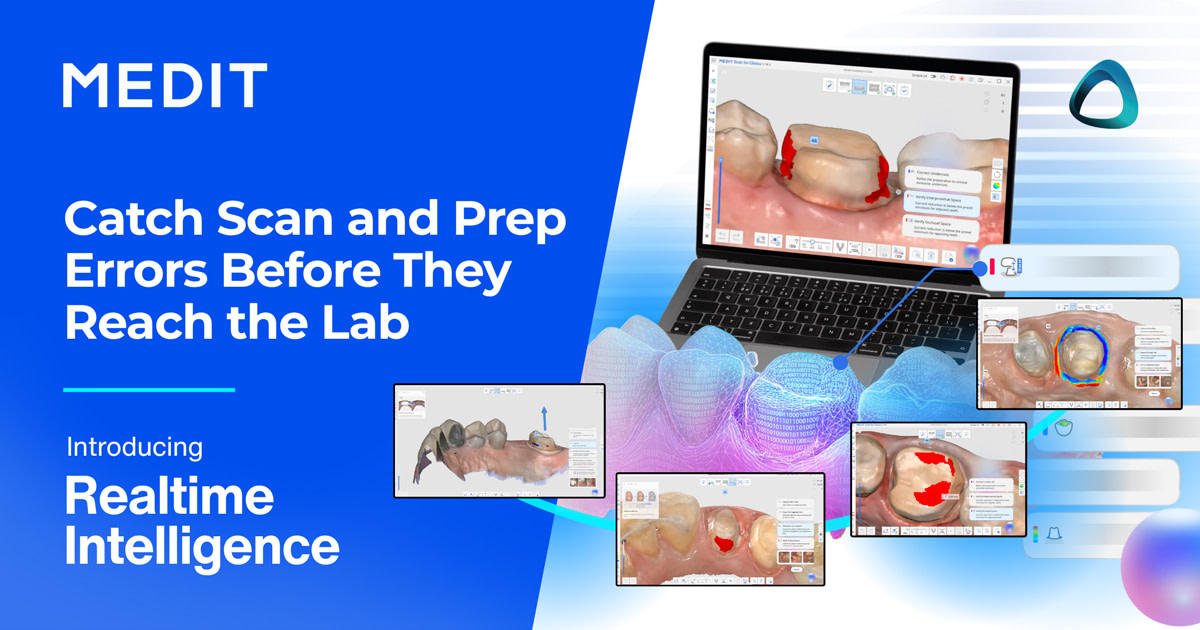
They just announced the launch of Realtime Intelligence, a software feature seamlessly integrated into the Medit scan workflow. It checks your scan and preparation after you finish scanning, then shows you what needs attention. It is officially available globally.
According to Medit and feedback from Realtime Intelligence beta testers, clinicians reported improvements in scan quality assurance and workflow efficiency. Nearly three-quarters (73%) said they experienced fewer remakes, re-scans, or recalls, while 91% reported that the technology helped them identify issues earlier than before. Additionally, 91% felt more confident in their staff’s scan quality, and 95% indicated they were likely to continue using Realtime Intelligence, suggesting high user satisfaction and perceived clinical value.
I have been asking for something like this in scanner software for a long time. AI in scanner software has been used in diagnostics, AI reports, and CAD, but preparation and scan analysis make so much sense for the mass market. Therefore, I was keen to put it to the test.
Below is a full overview of what it does, how it fits the workflow, what it costs, and my early impressions from the clinic. As always, this overview reflects our own analysis. The opinions and conclusions here are entirely my own. I always strive to give you honest, useful information so you can make your own decisions.
Medit Realtime Intelligence at a Glance
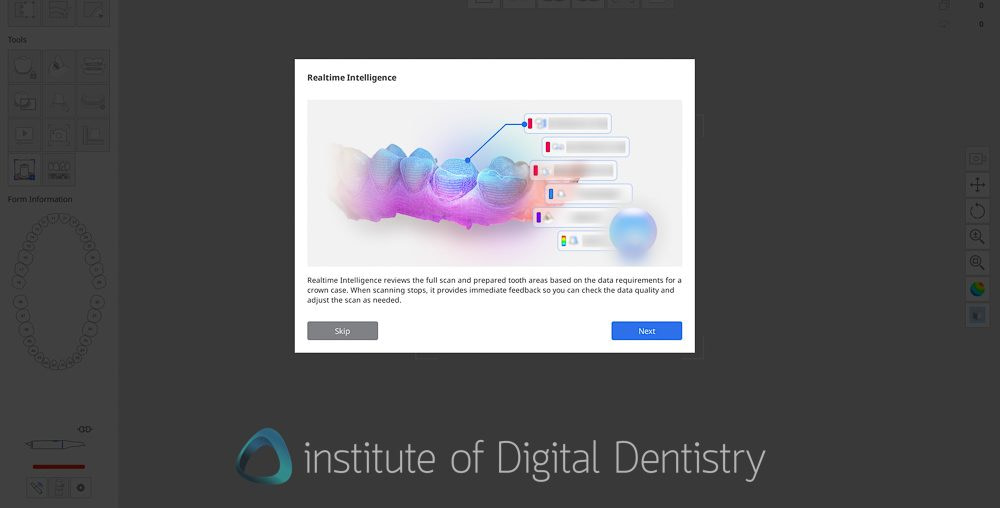
In short, Medit Realtime Intelligence is a feature built into the Medit scanner software, which reviews your scan and preparation in real time and flags what needs attention. It evaluates the scan data against a few key metrics, including clearance, preparation quality, occlusion, and overall scan quality.
Here is the quick summary.
- What it checks:
- Prep Quality, such as Undercut detection, distance to adjacent teeth, distance to antagonist (clearance), and preparation margin detection
- Scan Quality, such as missing-data detection, overlapping-data detection, and occlusal-contact check.
- Auto HD Image capture - automatically captures high-resolution images of the prepped teeth up to 5 angles.
- Indications - Crown and inlay cases for now. Bridges and veneers are planned for later.
- Supported scanners - All Medit scanners except i500. This includes i900 family, i700, i700w, and i600.
- Price - Free and included with the i900 scanners. $2,000 USD one-time license for i700, i700w, and i600, with free access through December 31, 2026. i500 not supported.
- Availability - Global, launched today via a Medit Link update.
How Medit Realtime Intelligence Works
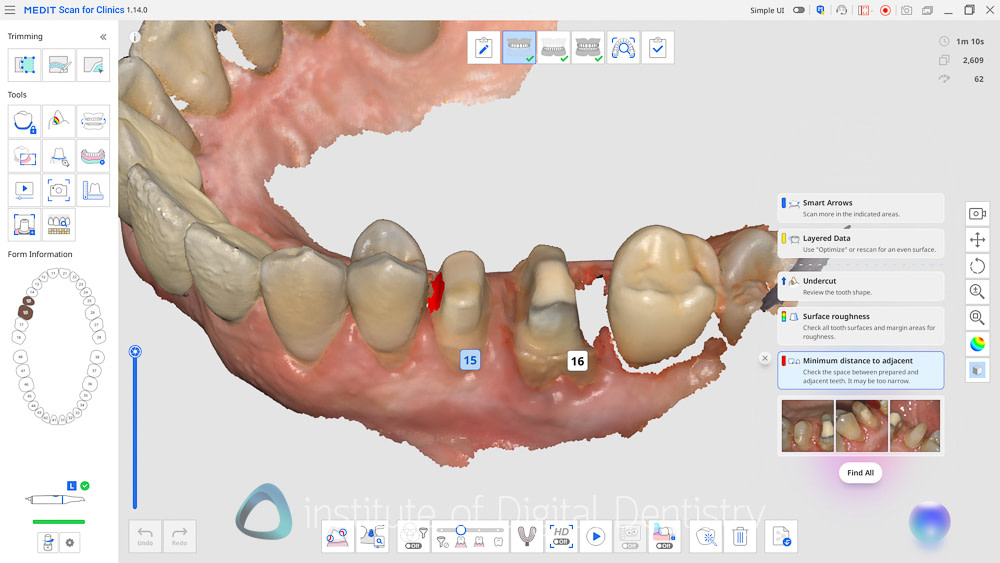
After you finish scanning, Realtime Intelligence automatically detects the prepared teeth (without manually marking them) and runs its analysis. It then shows a set of review cards, each one flagging something worth a look. It groups into three areas, plus automatic imaging.
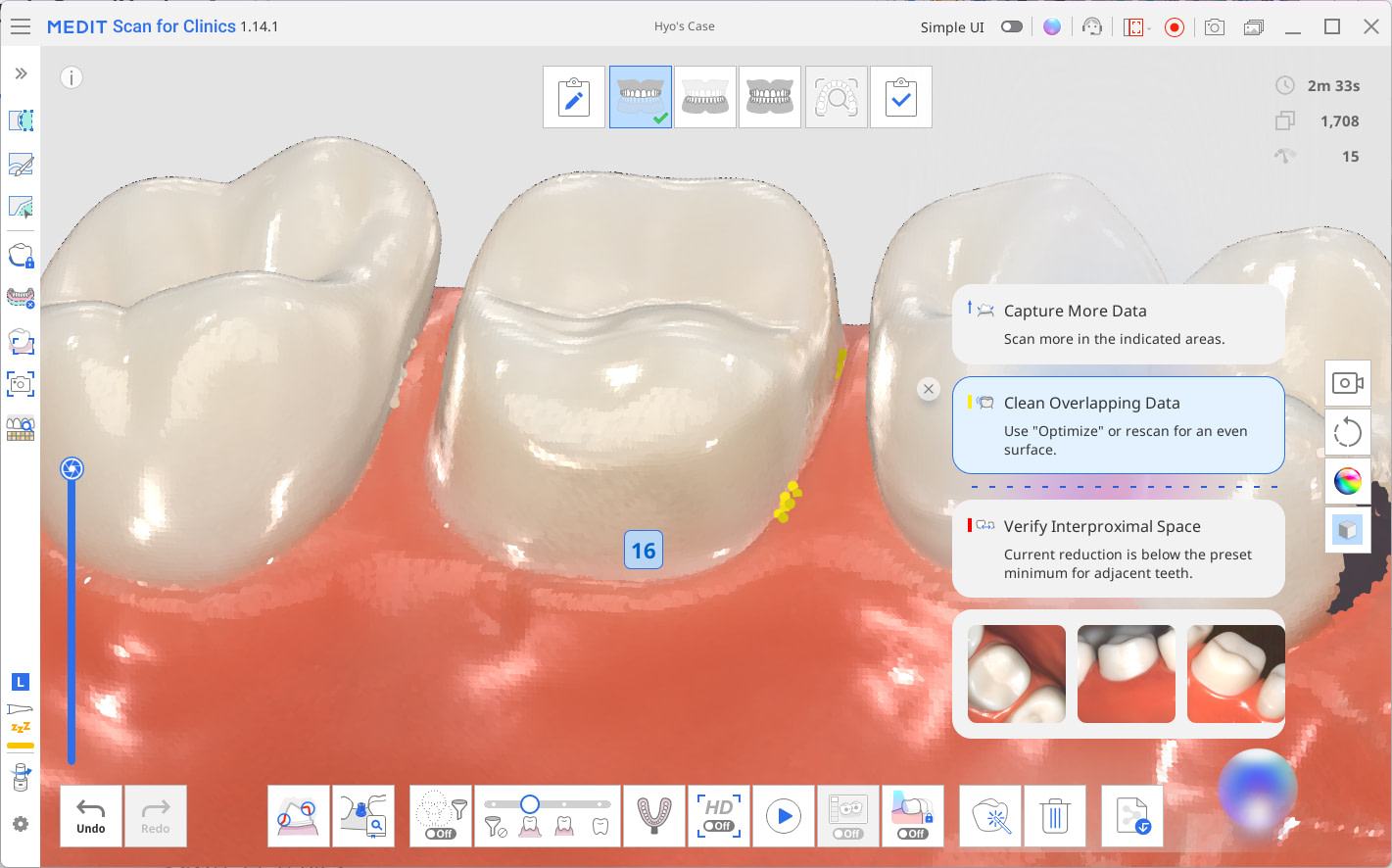
Scan Review
This is about data quality, the foundation on which everything else depends.
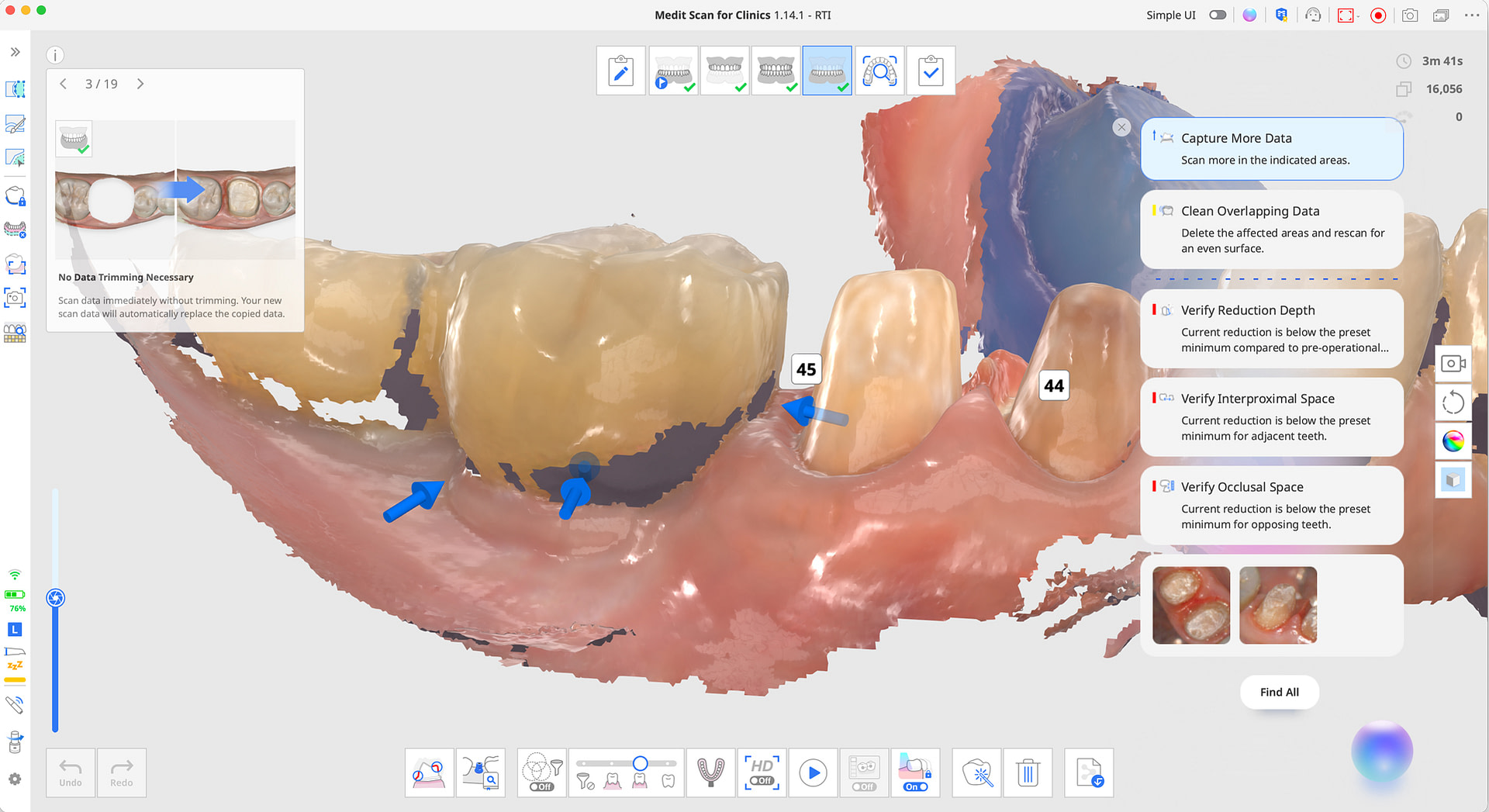
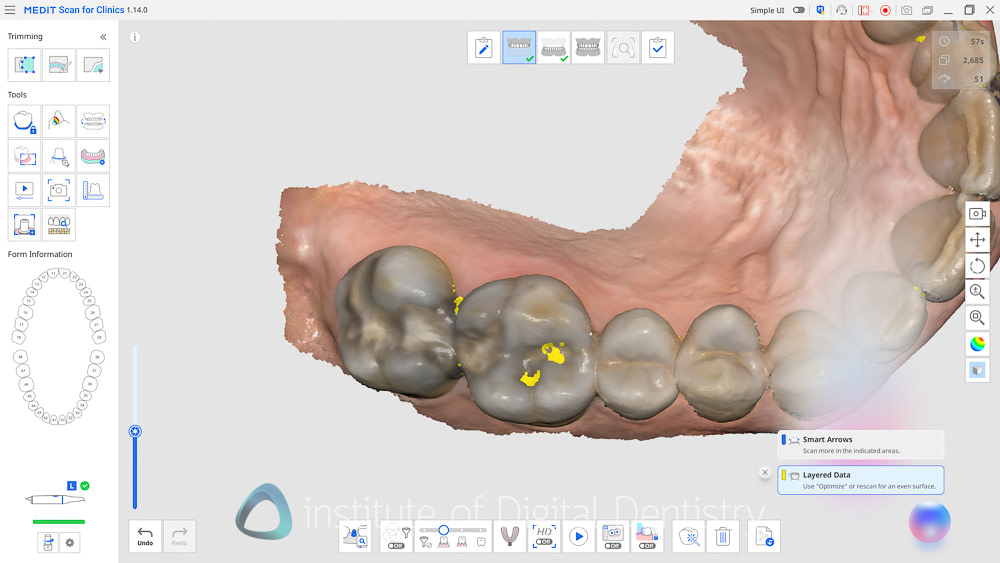
- Capture More Data. Highlights areas where there are gaps in the scan and points directional arrows toward the gaps. When the arrows disappear, you have enough data.
- Clean Overlapping Data. Flags layered or stitching issues, the kind you get from blood, saliva, movement, or a less-than-ideal scan path. You can delete and rescan the area, or use the Optimize function to realign.
Preparation Review
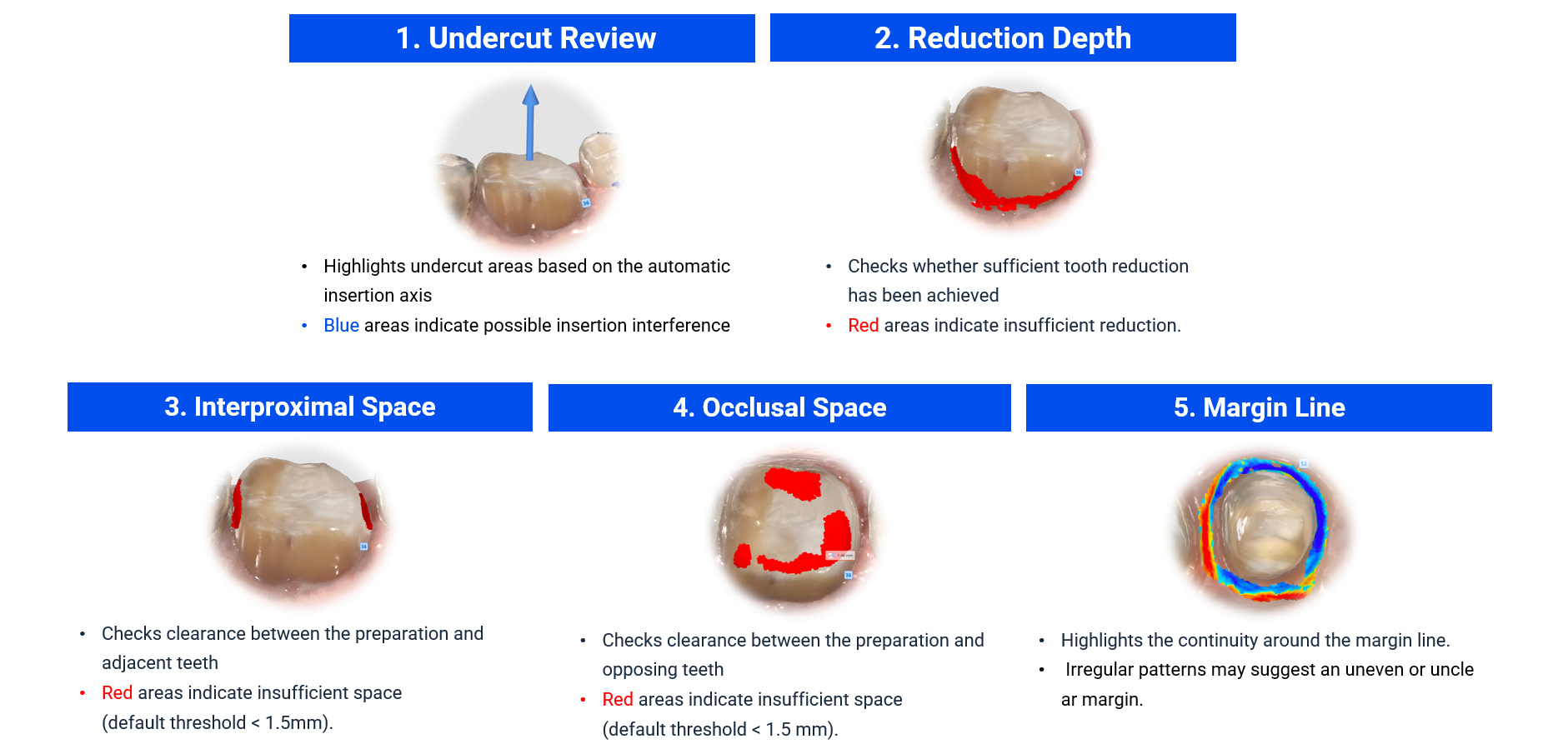
This is the part I find most useful, because it is the feature no other scanner currently does in real time. This includes:
- Undercut Review. Maps undercut areas in blue based on an automatic path of insertion, so you can see where a prosthesis might catch.
- Reduction Depth. Compares your prep against the pre-operative data and flags areas in red where the reduction may be insufficient. This one requires a pre-op scan. The default threshold is under 1.5 mm and can be adjusted in settings.
- Interproximal Space. Checks clearance to adjacent teeth and flags tight contacts in red, helping avoid thin crowns or lack of interproximal restorative space.
- Occlusal Space. Checks clearance to the opposing teeth so the crown has sufficient thickness. This needs occlusion data.
- Margin Line. Visualizes the curvature around the margin to show whether it reads as continuous and clean, or uneven and unclear.
Occlusion
- Check Occlusion Balance. Detects over-contact, anterior overload, or left-to-right imbalance.
- Analyze Occlusal Patterns. Maps the interference between the arches as a color map. Medit notes that this follows the same concept as the existing Occlusion Analysis feature.
Auto HD Image Capture
Additionally, as you scan, the software automatically captures multiple high-resolution images of your tooth prep from various angles, providing a comprehensive view of the prep. Medit states these images are upscaled to sixteen times the resolution of the existing HD camera.
They save in a clear "tooth number and direction" format to Medit Link Attachments, so they are sent to the lab with the case. For records and lab communication, having clean prep photos generated without a separate step is a nice touch.
How It Fits Into Your Workflow
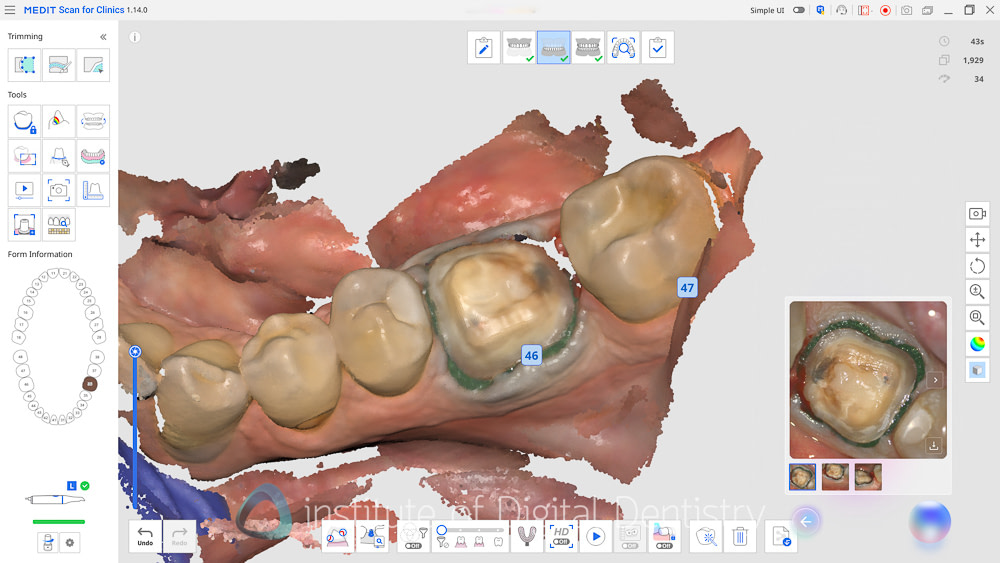
What I like most about this is that it does not change how you scan or add extra steps. This is not another software app.
Realtime Intelligence runs in the background during a normal scan and only presents results when you stop the scan. Medit says it does not slow scanning because the analysis occurs at scan stop rather than continuously.
In their FAQ, they note that calculation speed depends more on the number of prepared teeth and the review scope than on raw shot count.
A few practical points worth knowing.
- It works in the Pre-operation, Operation, and Occlusion stages. It will not appear in unsupported stages, such as Scan Body or Face Scan.
- It runs in Simple UI mode and in Offline mode, since it does not need an internet connection.
- It requires 'Use GPU' to be switched on in the settings. If your GPU is off, the feature is disabled.
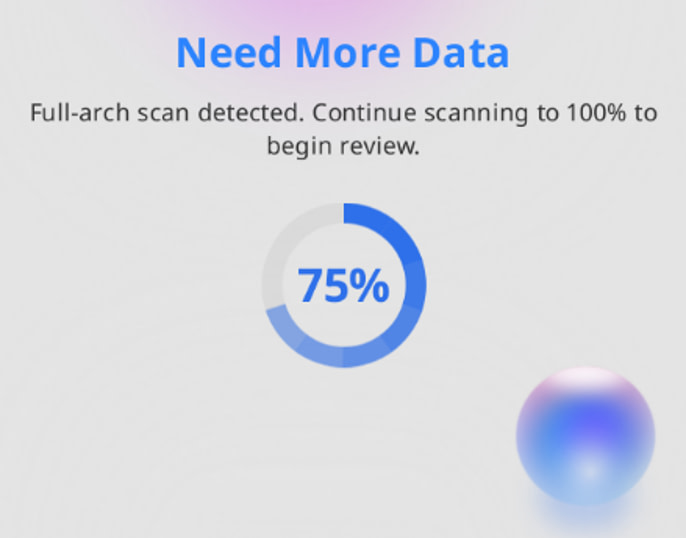
- The review initiates automatically once sufficient scan data has been captured, and the current progress is clearly displayed in the software UI.
- For the most complete review, Medit recommends placing the scan stage with the prepared tooth last in your workflow. Stages can be rearranged by drag-and-drop. This is because you need occlusal scan data to do some of the analysis.
First Impressions From the Clinic
So I have been testing this for some time, and overall, I like it. I think this will be something we see in more and more scanner software, and it is great for Medit as they are one of the first to do this.
As we all know, scanners are becoming commoditized. For simple indications, basically any mainstream scanner will work. What is differentiating scanners now is software and workflows. And one part of this is scan-preparation analysis.
It makes a lot of sense to use software to provide clinicians with feedback about their preps, as one of the most common issues labs face is insufficient tooth reduction or unclear margins. The data we capture with a scanner is right there, and it is perfect to be able to identify any issues before sending to the lab.
This new feature is unobtrusive to the main purpose of the scanner - taking a scan. It only shows up after you are finished at the bottom right-hand side of the screen. Medit has designed a new purple circular icon to indicate Realtime Intelligence. After a few seconds, once the scan is complete, little cards appear showing various items you may want to check in the preparation analysis. I like the UI and how the cards are presented.
I have to say one of my favorite features of this is the HD photo capture. I imagine it is very useful for labs, especially in areas where the margin may not be 100% clear. These pictures are taken automatically, similar to how iTero does them, but only around the tooth preparation areas.
Then, of course, there are all the analyses, such as whether there is enough occlusal clearance and proximal clearance with the adjacent tooth - something that is not thought about as much as occlusal reduction.
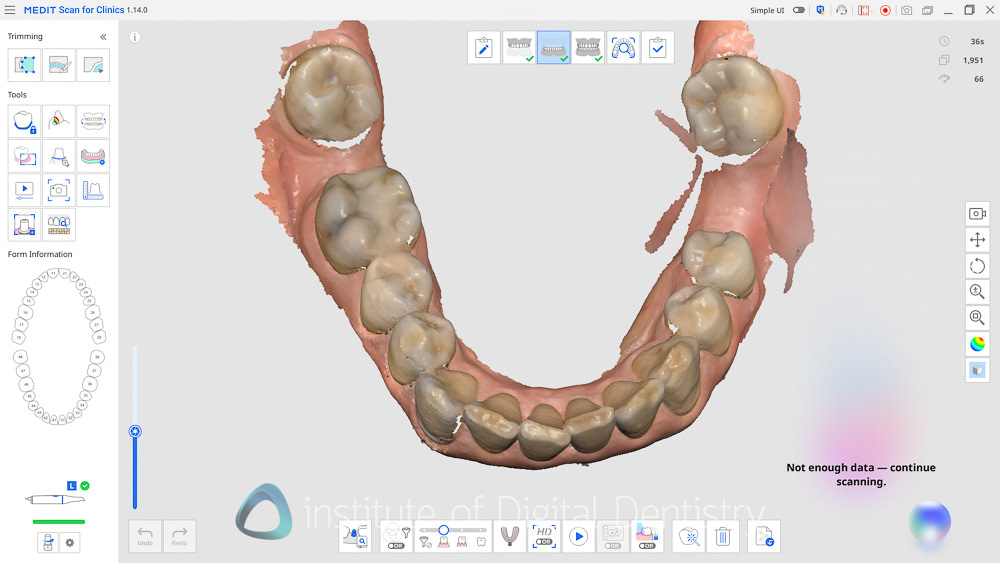
For all the features to work well, you do need to complete both upper, lower, and occlusal scans for obvious reasons, and then go back to your prep scan window to check what the Realtime Intelligence icon shows. This is why Medit suggests changing the order of the scan windows to have the prep last, so you don't have to backtrack to see what the software picks up.
Alternatively, and this is something I liked more, after the scans are complete, there is a new window called Smart Scan Review, which is like your standard scan review step, but now with the AI preparation-check features showing. It shows you any issues with layered data (stitching issues), insufficient data scanned, and analysis of your preparation. All in one UI.
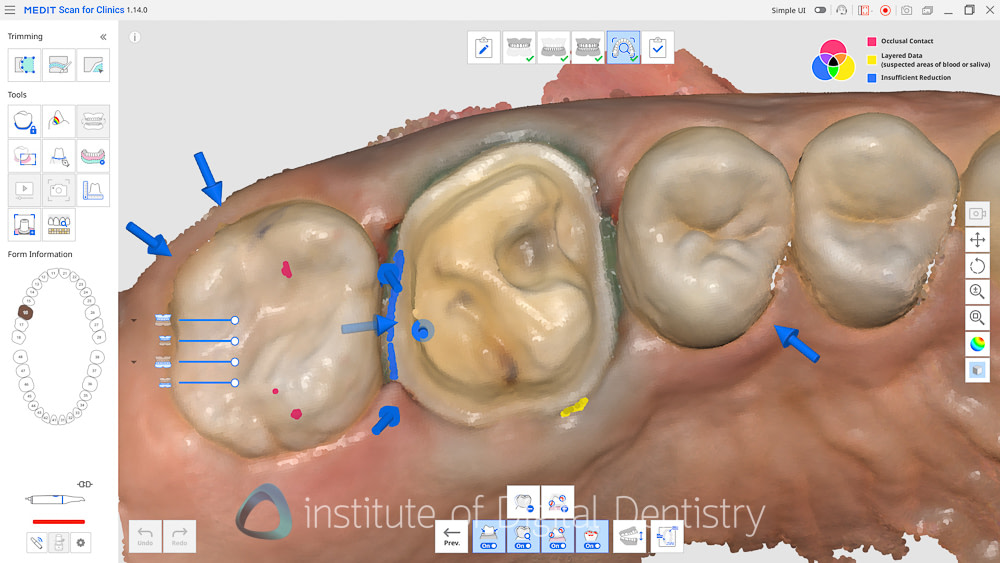
The one thing I did notice is that the AI does a great job picking up occlusion reduction issues or if the prep is too close to the adjacent tooth, but still does not highlight areas where the margin is obscured by blood or tissue, which I would say would be great to be the next advancement of this feature. It is also not 100% perfect each time. But this is expected with any type of guidance feature.
Overall, it is a nice addition to the Medit software and for Medit users. This is one of those useful software additions, and I am glad they baked it into the scanning stage rather than making another app for this.
Availability and Pricing
Realtime Intelligence is licensed per device and tied to the scanner's serial number, so the license cannot be moved between scanners. The cost depends on your scanner:
- i900 family. Free and included from launch. No license to buy and nothing to activate separately.
- i700, i700w, and i600. A USD 2,000 one-time license. As a launch promotion, access is free through December 31, 2026, after which a one-time license fee applies if you want to continue using it.
- i500. Not supported.
If you are on a current i900, this lands at no extra cost, which is a strong position for Medit to take. If you are on an i700 or i600, you have until the end of 2026 to use it for free and decide whether it earns the USD 2,000 for your practice.
For context on the hardware itself, see our reviews of the Medit i900, the i900 Classic, and the Medit i700.
What to Keep in Mind
No tool is all upside, so a few honest caveats.
It is crowns and inlays only for now. Bridge and veneer support is on the roadmap but not here yet, so for most indications, the prep review will not apply at launch.
It is guidance, not a verdict. Every flag is a prompt to look, not an instruction to act, and Medit makes it clear that the clinical decision remains with the clinician. You can dismiss any card. The default clearance threshold sits at under 1.5 mm and is adjustable, so the flags are only as relevant as the threshold you set.
The early data is Medit's own. In Medit's internal beta across multiple clinics in Europe, Latin America, and the Asia Pacific, 76 percent of users said they would recommend it to a colleague, and usability scored 4.22 out of 5. Those are encouraging numbers, but they are Medit's internal beta figures, not independent data, so treat them as an early signal rather than proof. As this is a brand-new release, independent data simply does not exist yet, and that is worth being upfront about.
I personally agree. It's a cool feature. Usability is great, and you don't really do anything extra to trigger it - just scan. I will say there is a minimum number of scan images before the Realtime Intelligence triggers, and if you're very efficient at scanning, you will find you just have to do some extra scanning to make it trigger.
In Summary
Most scanner intelligence so far has lived downstream, in soft-tissue filtering, diagnostics, in CAD, and in simulation apps like smile design and orthodontics. Realtime Intelligence moves software analysis upstream to the moment of capture, and it is the first tool I have used that reviews preparation in real time, not just the scan quality.
For a new scanning operator, or for a practice where several people scan, and quality varies among them, the value is obvious. A second set of eyes that can potentially flag a poorly done prep before the patient leaves. For an experienced operator, it may catch fewer things, but a system-level check that is consistent regardless of who is holding the scanner is still worth having.
It is early, it is crown and inlay only, and the clinician still makes every call. But the direction I feel is right, and it is great to see verification arrive at the scan stage rather than after it. Realtime Intelligence is rolling out now via Medit Link. If you are on a supported scanner, it is worth turning on and trying on your next crown or inlay case.
If you have any questions about how it fits your workflow, please leave them in the comments below. Thanks for reading!
What is next for intraoral scanners?
Great review, thanks! I always appreciate your honest opinions and down-to-earth thinking. I have been using this new feature for some time now and I really like how it automatically reviews my scan without touching my mouse. Also, I wasn’t aware of overlapping areas to be fixed by rescanning or optimizing. Too bad it will be a paid feature on my i700 starting 2027.
Thank you for your kind words! I’m glad you found the review helpful.
The automatic scan analysis was one of the features that stood out to me as well, especially since it helps identify areas that might otherwise be missed without interrupting the workflow.
It’ll be interesting to see how the feature develops and whether the additional value justifies the cost over time.
Thanks again for taking the time to share your experience!