

Phrozen has long been a familiar name in the dental 3D printing space, but perhaps not for the reasons they would prefer. For years, dentists and lab technicians bought the consumer-grade printers, tinkered with settings, hacked together profiles, and got results that ranged from impressive to frustrating.
The brand had the performance potential, but the dental market needs more than potential. It needs reliability, validated workflows, and a system that does not require a hobbyist's tolerance for trial and error. It is also very much a materials game now.
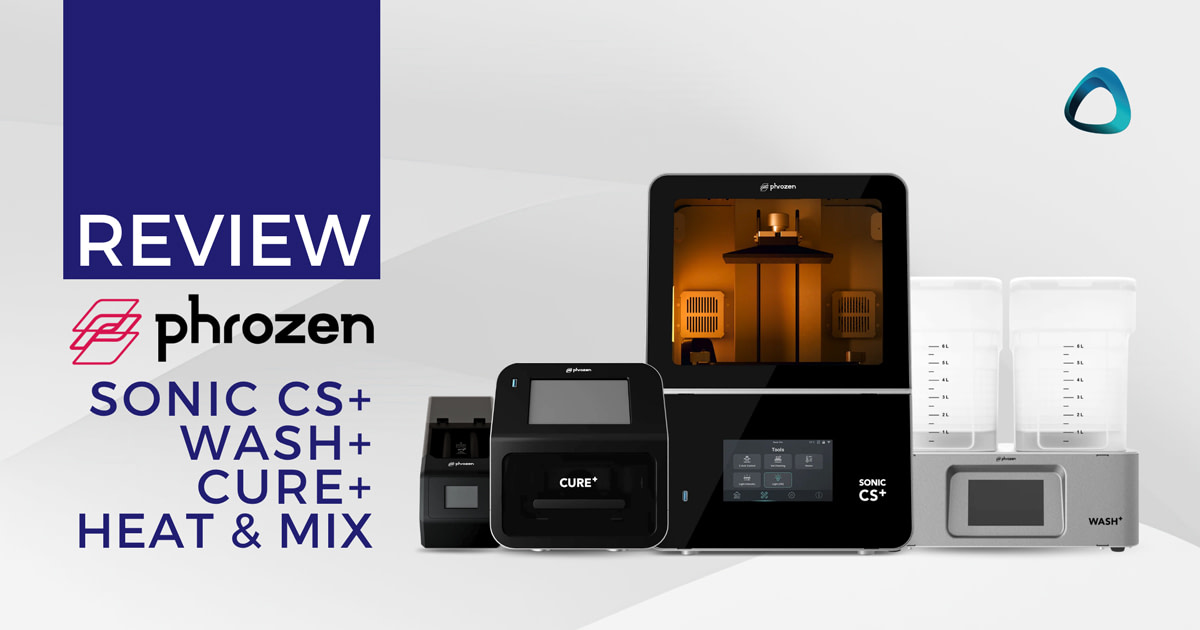
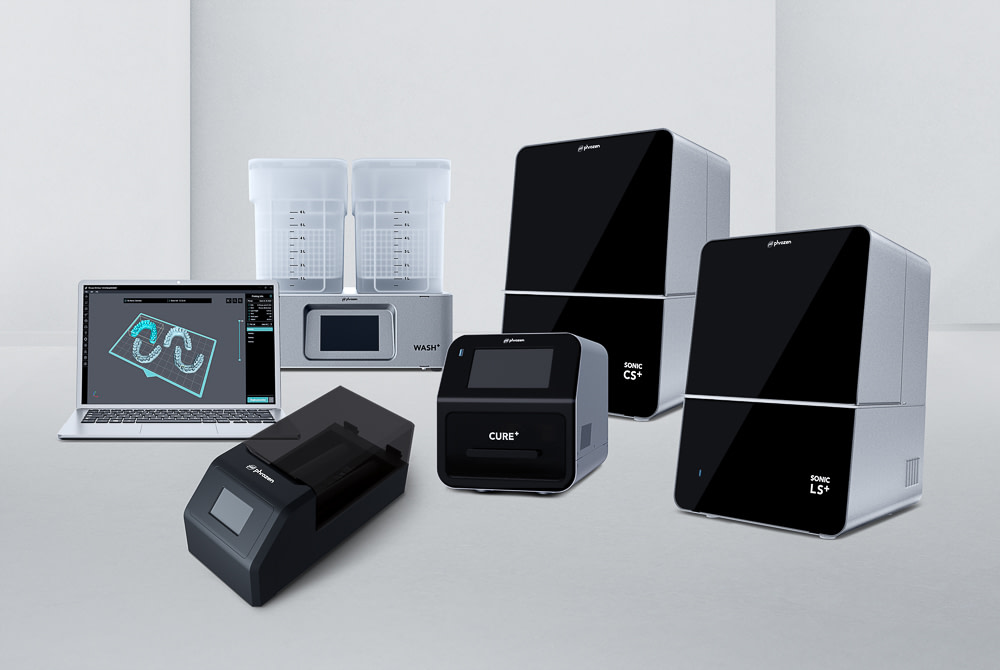
With the CS+, Wash+, Cure+, and Heat & Mix, Phrozen is making a clear statement: we are serious about dentistry. The question becomes, have they backed that statement up with substance?
We have been running the full Phrozen dental workflow in our clinic and lab for nearly a year, and in this review, I share everything we found. As with all iDD Reviews, this review is fully independent. Phrozen has not sponsored or had any editorial input into this piece. All findings are our own.
Review At a Glance
CS+ Printer
- Price: ~$4,000 USD
- Technology: 385 nm LCD
- XY Resolution: 22 µm
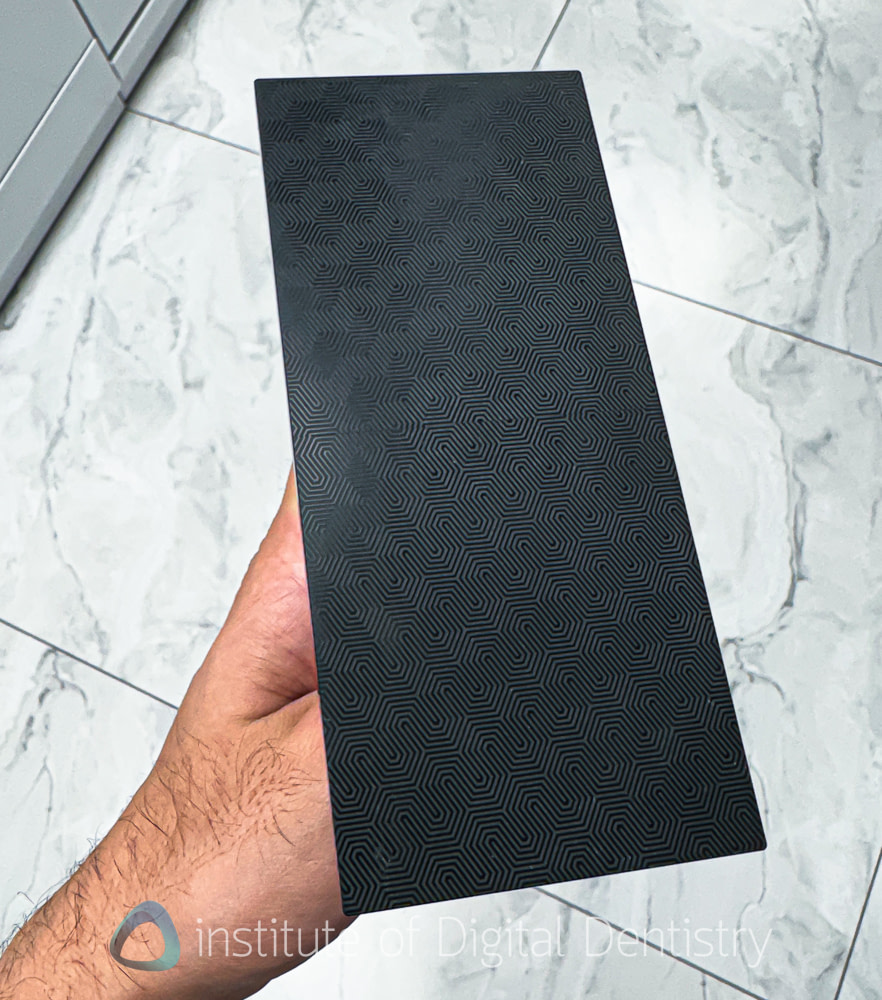
- Build Volume (Standard Plate): 16.5 x 7.1 x 17.5 cm — rectangular and narrower than most dental/lab build plates. Can fit 2-3 models or 6 full arch restorations.
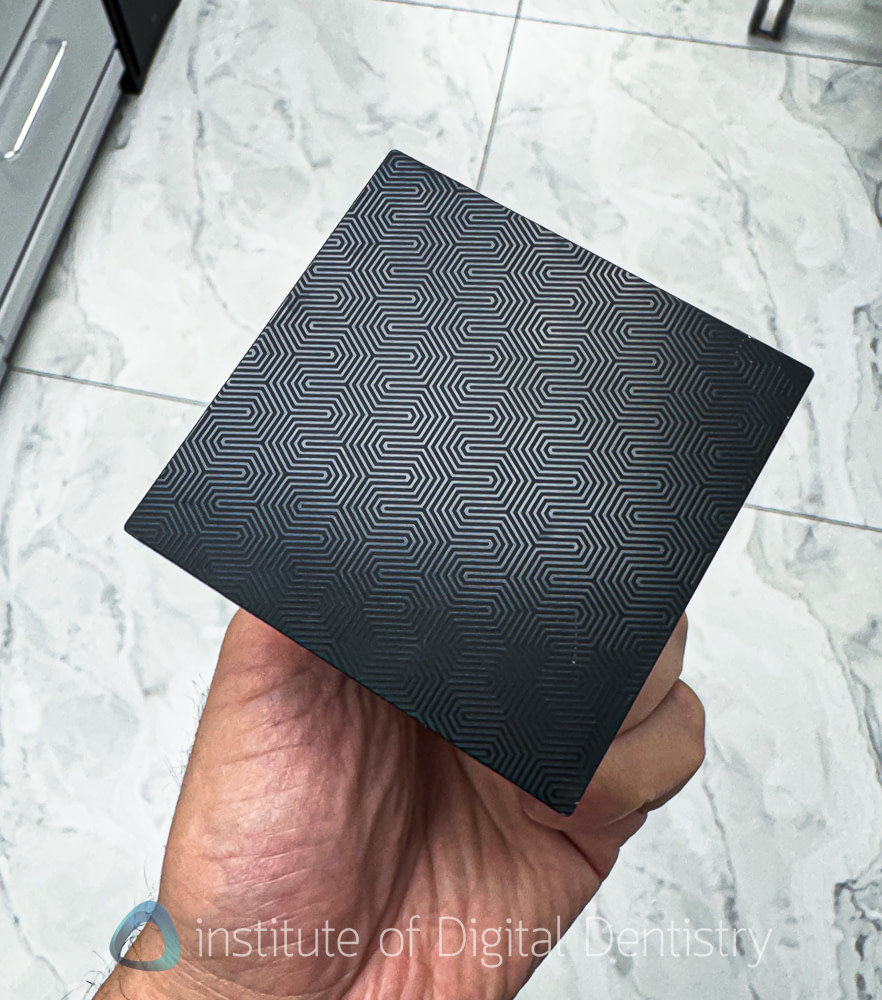
- Build Volume (Mini Plate): 7 x 7 x 17.5 cm — ideal for single crowns and bridges, not full-arch, etc
- Heating: Dual (chamber + vat)
- Slicer: Phrozen DS Slicer (USB dongle required)
Wash+
- IPA wash station
- Bundled in full workflow package
Cure+
- Multi-wavelength UV curing: 365, 385, and 405 nm
- Controlled heating: 60°C
- Bundled in full workflow package
Heat & Mix
- Multidirectional rolling with heat
- Designed for highly filled ceramic resins
- Bundled in full workflow package
Full Workflow Bundle: ~$6,200 USD
Pros
- Roughly half the price of Formlabs, a quarter of SprintRay Pro 2
- Fully open resin system, build your own profiles, open system.
- Real build quality upgrade over previous Phrozen printers
- Support generation in DS Slicer is actually very good
- Solid post-processing suite, dual chamber/vat heating is a nice touch at this price
Cons
- Relatively slow, 35-45 minutes for a full arch in Turbo Mode
- Standard plate is not really suitable for high volumes
- Dongle-locked software, USB firmware updates, no cloud, no nesting
- Materials although open, are limited compared to some others
The CS+ Printer
Build Quality and Setup
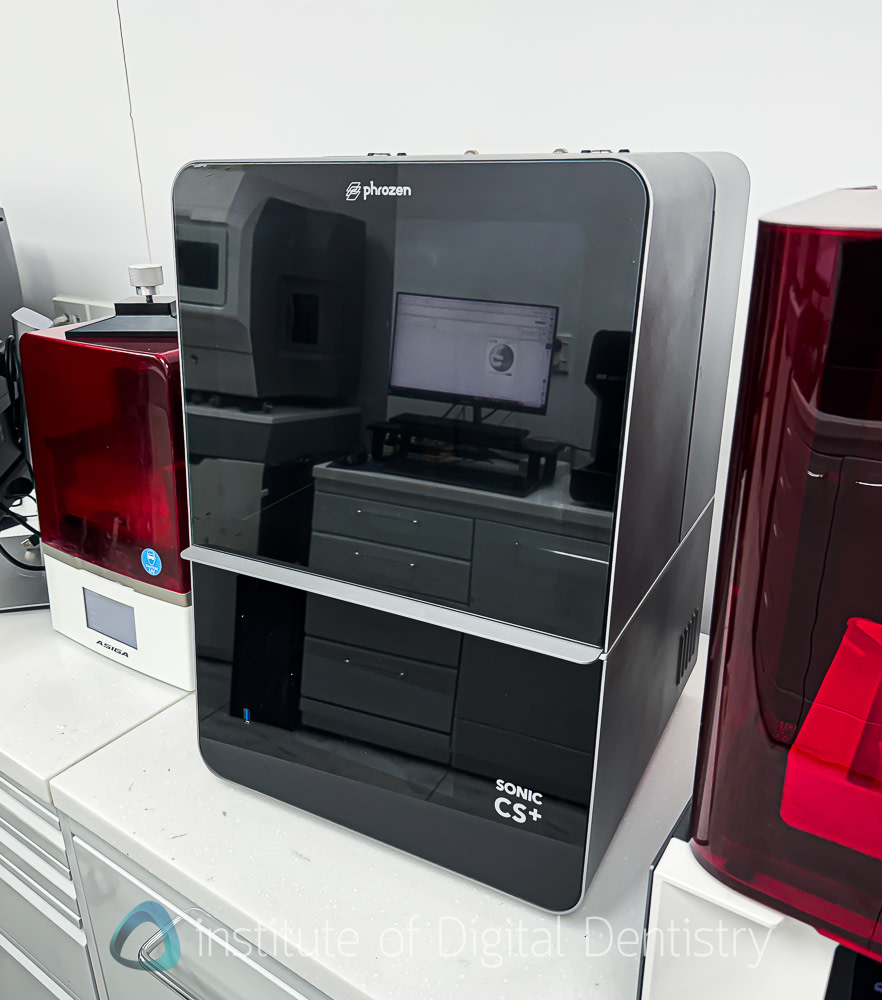
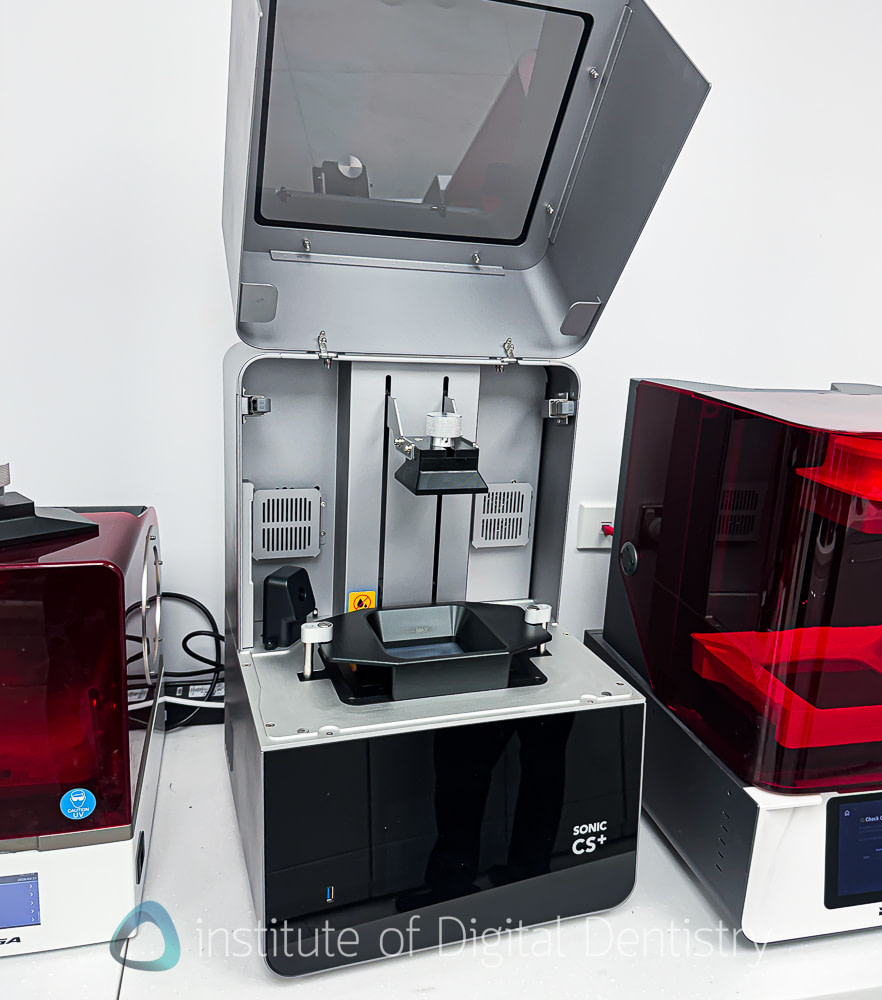
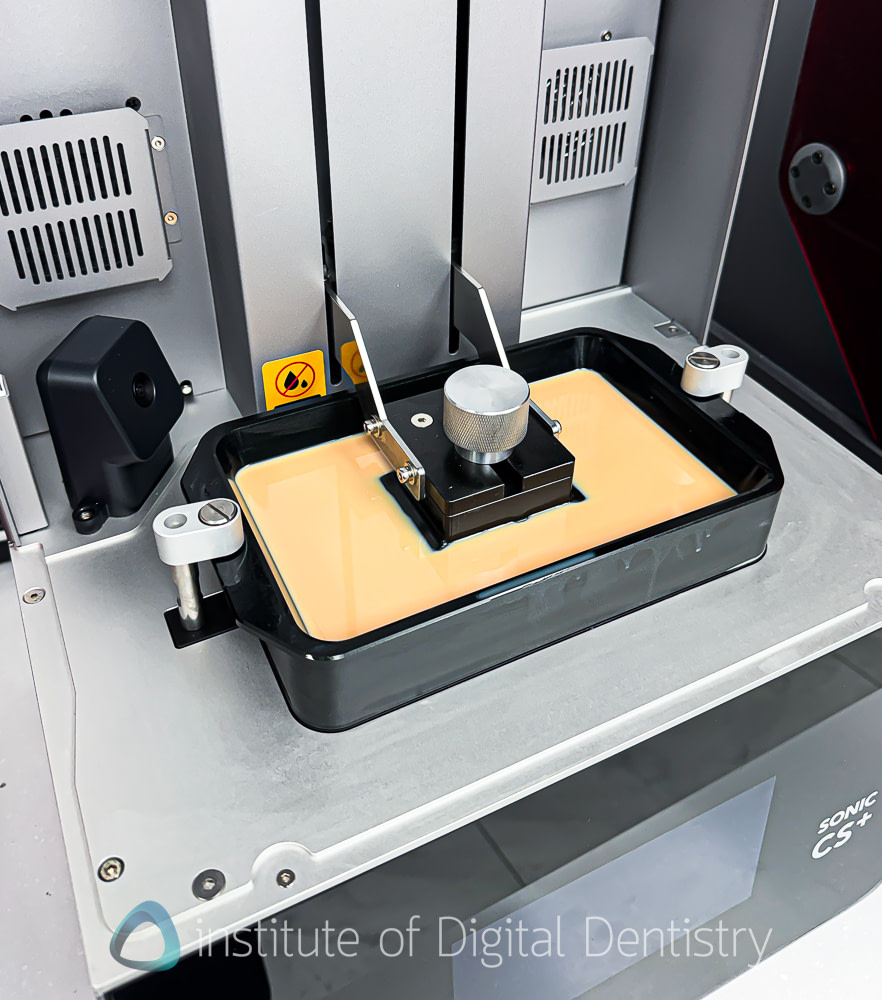
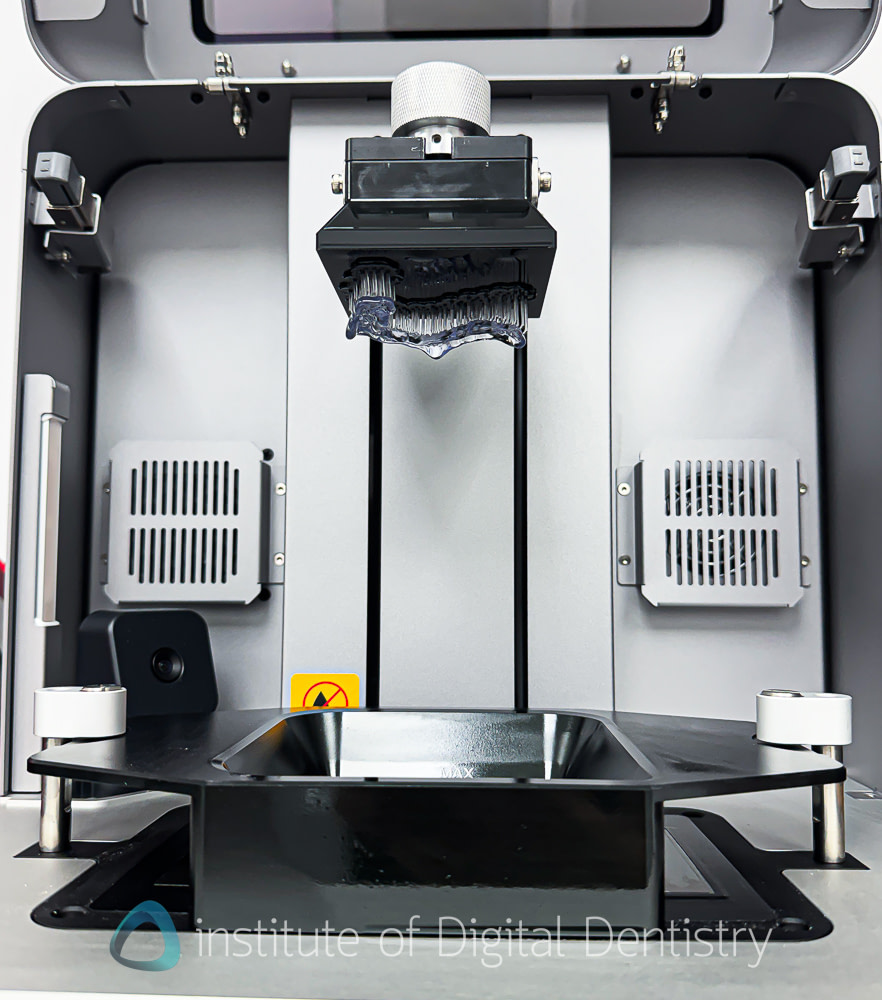
Right away, the CS+ feels like a more considered product than its predecessors. The build quality is noticeably improved. The anodized build plates have a sloped design that makes cleaning easier, and crucially, there are no exposed hex screws that could trap resin during plate changes. That might sound minor, but it matters for cross-contamination control in a clinical or lab environment.
The resin vats are made of metal, a nice touch at this price point, and slot in and out easily using a simple two-latch mechanism. No screwing, no fiddling. The build platform follows a similar philosophy: in and out with a standard screw mechanism, familiar to anyone who has used a resin printer before, but executed with good rigidity. There is very little play in either the vat or the platform, and the whole assembly feels solid and well-constructed. It gives the printer a quality feel that goes beyond what the price tag might suggest.
Setup is guided by an automatic wizard on first power-on, and the Smart Calibration tool simplifies subsequent Z-axis leveling, but proper manual calibration the first time is still recommended. One thing to note: switching between the standard and mini build plates requires re-leveling each time, which can be annoying.
Do not miss the Wi-Fi antenna on the back of the unit. Easy to overlook, but without it, you lose wireless connectivity to DS Slicer entirely. Firmware updates currently require manually downloading files onto a USB stick and inserting it into the printer. In 2025/2026, this feels like unnecessary friction. The DS Slicer also requires a physical USB dongle to operate. I understand the licensing rationale, but compared to other dental 3D printers we've reviewed, it feels a little old-school.
The CS+ is not a small printer. At 360 × 380 × 550 mm and 22 kg, it sits in roughly the same physical footprint as a SprintRay Pro 2 or Pro 55S, worth being aware of if you are planning a chairside setup or have limited bench space, particularly given that the build platform it encloses is considerably smaller than those of its competitors.
Overall, the build quality, form factor, and technology you get at this price point are a pretty good deal.
Printer: Speed
Print speed is one of the CS+'s most honest limitations, and it is worth addressing directly.
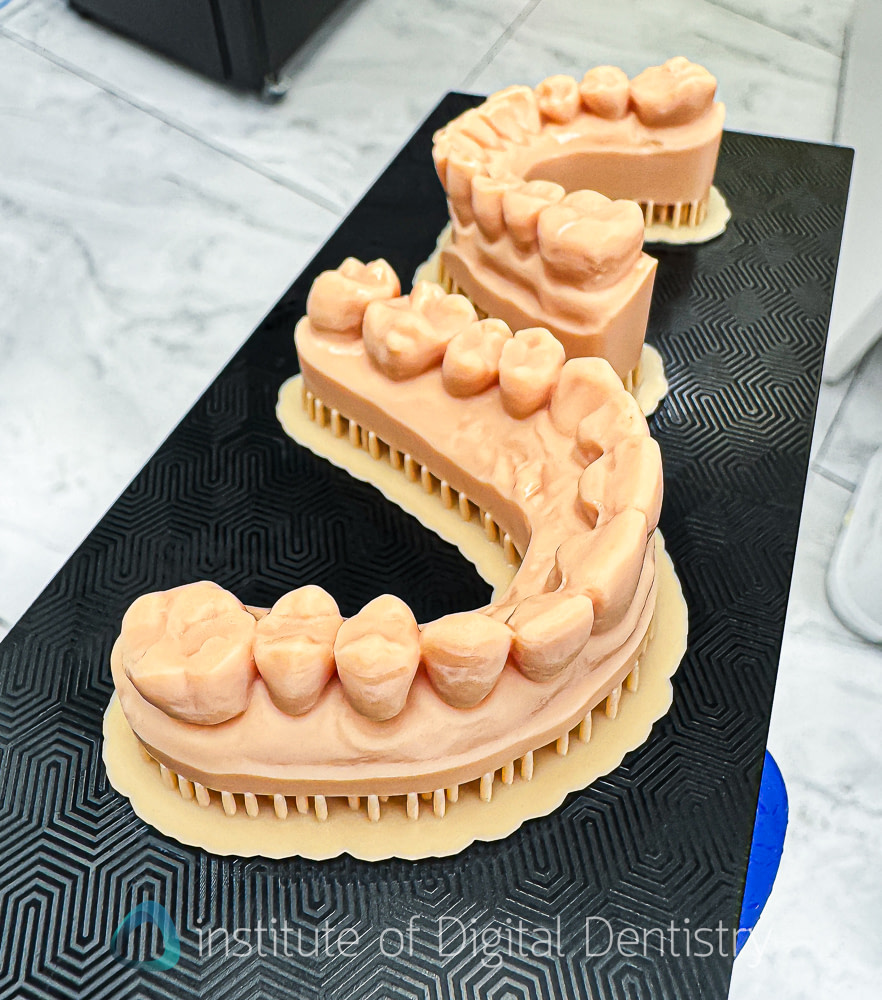
In Turbo Mode at 100 µm layers, a full-arch model positioned horizontally on the standard plate takes around 35 to 45 minutes. Standard speed pushes that to approximately 60 minutes. On the mini plate, a single central incisor oriented vertically with Rodin Sculpture 2.0 takes around 20 to 25 minutes in Turbo Mode. A single crown can be printed in roughly 15 minutes on the mini plate, and that is where Phrozen's marketing headline of a 45-minute print-to-patient workflow comes from. That figure is achievable, but only in the most optimized single-unit scenario.
For context, higher-end printers priced at roughly twice the CS+ will outpace it in throughput. Formlabs, for instance, publishes specific batch print times for each indication, and SprintRay is notably faster too.
Another time cost worth noting is that with most printers, the Heat & Mix preheat step for ceramic-filled resins adds 15 to 45 minutes before printing even starts. That is workflow time that does not appear in the printer speed numbers.
The honest summary is that this is a low-to-medium volume printer. If you are printing a few models, splints, or guides per session, the speed is perfectly adequate - for example, a dental clinic setting. If you are running a high-volume lab session or need a fast turnaround on multiple restorations back-to-back, you will feel the constraint.
Printer: Build Plate Size
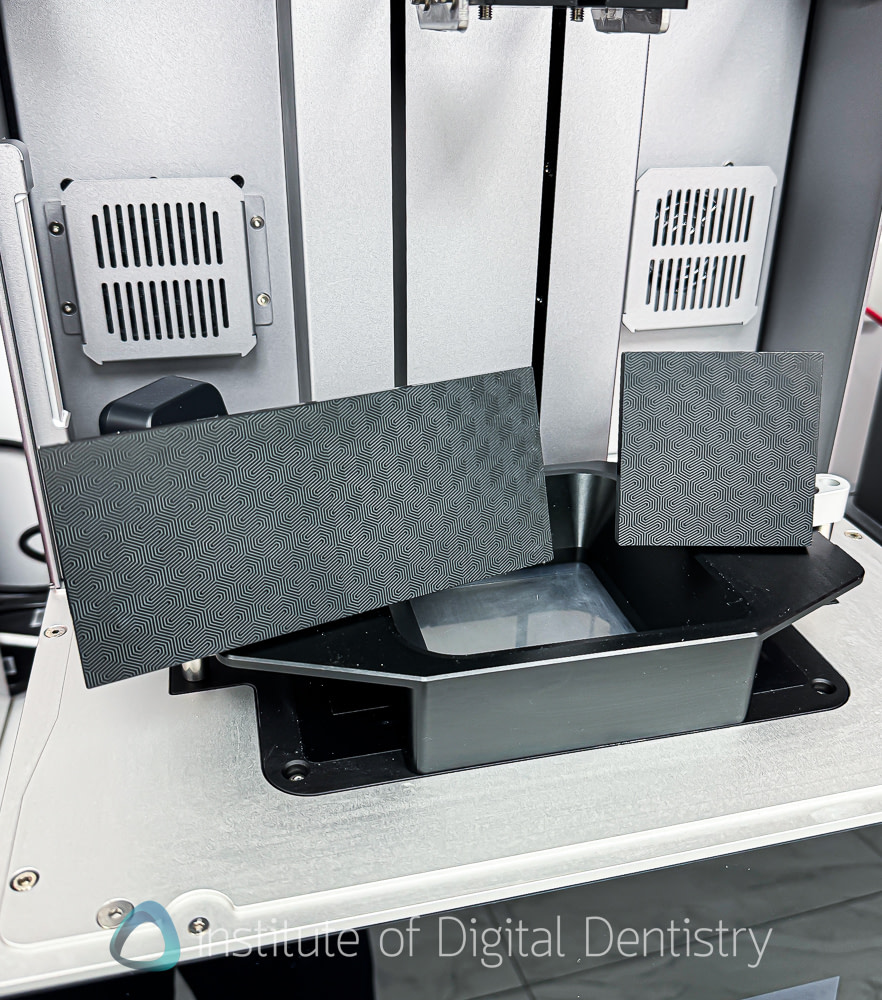
The standard build plate measures 165 × 71 mm. The relatively narrow 71 mm Y-axis is the main limiting factor. In my testing, it comfortably accommodated 2–3 full-arch dental models per build, which aligns with what most users should expect for routine model production. While Phrozen advertises capacities of up to six full-arch units, this figure applies to specific applications such as All-on-X workflows, where the printed parts occupy considerably less space than full dental models. I was unable to obtain six full-arch dental models on the standard plate.
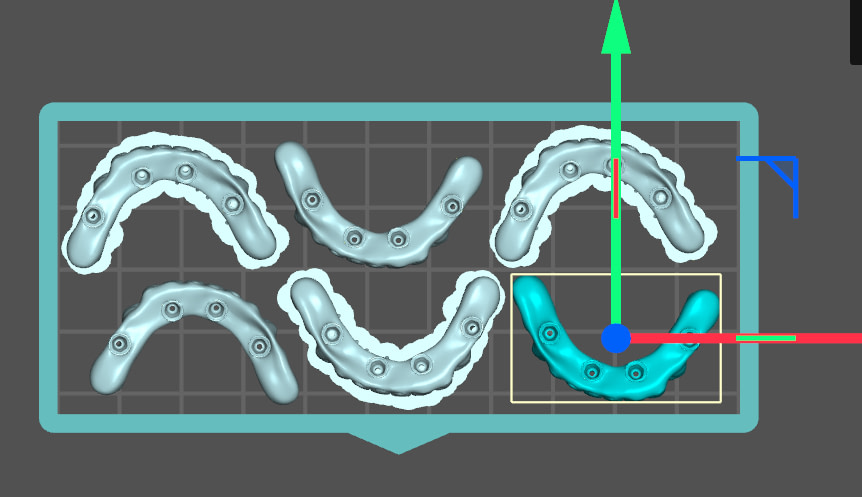
Phrozen also offers an optional mini build plate measuring 70 × 70 mm. This is better suited for smaller applications, including single crowns, bridges, surgical guides, small-batch restorative work, and full-arch implant restorations, where a compact build area can improve efficiency and reduce resin consumption.
Print Quality
The print quality from the CS+ is decent, especially for the price.
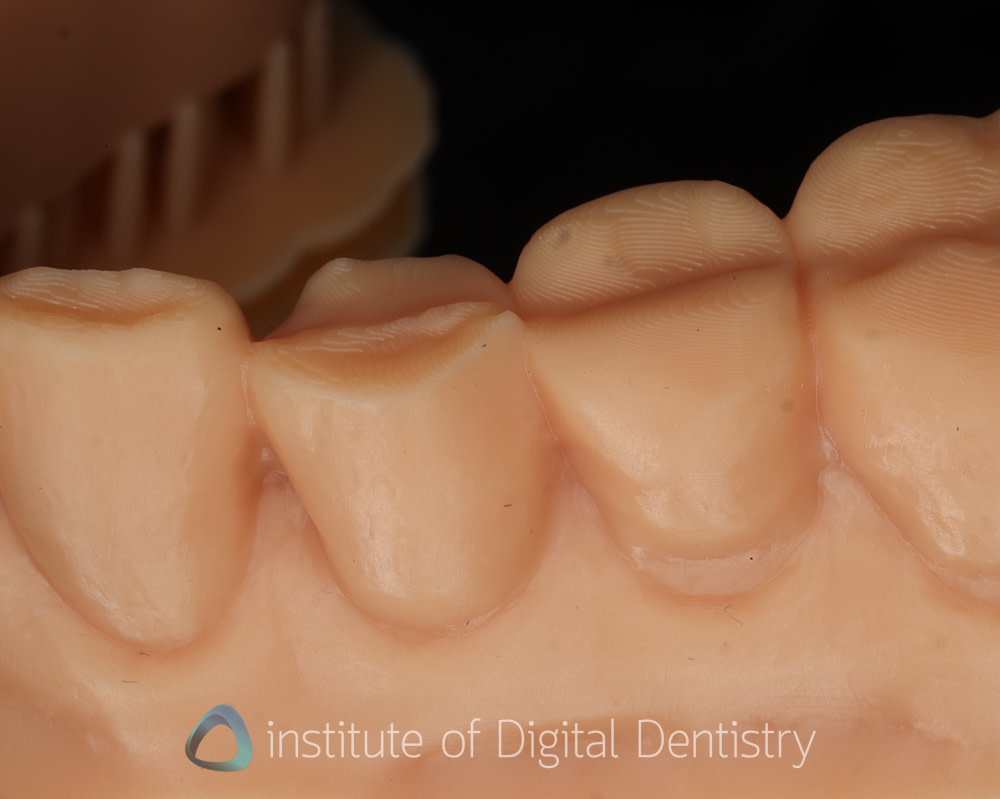
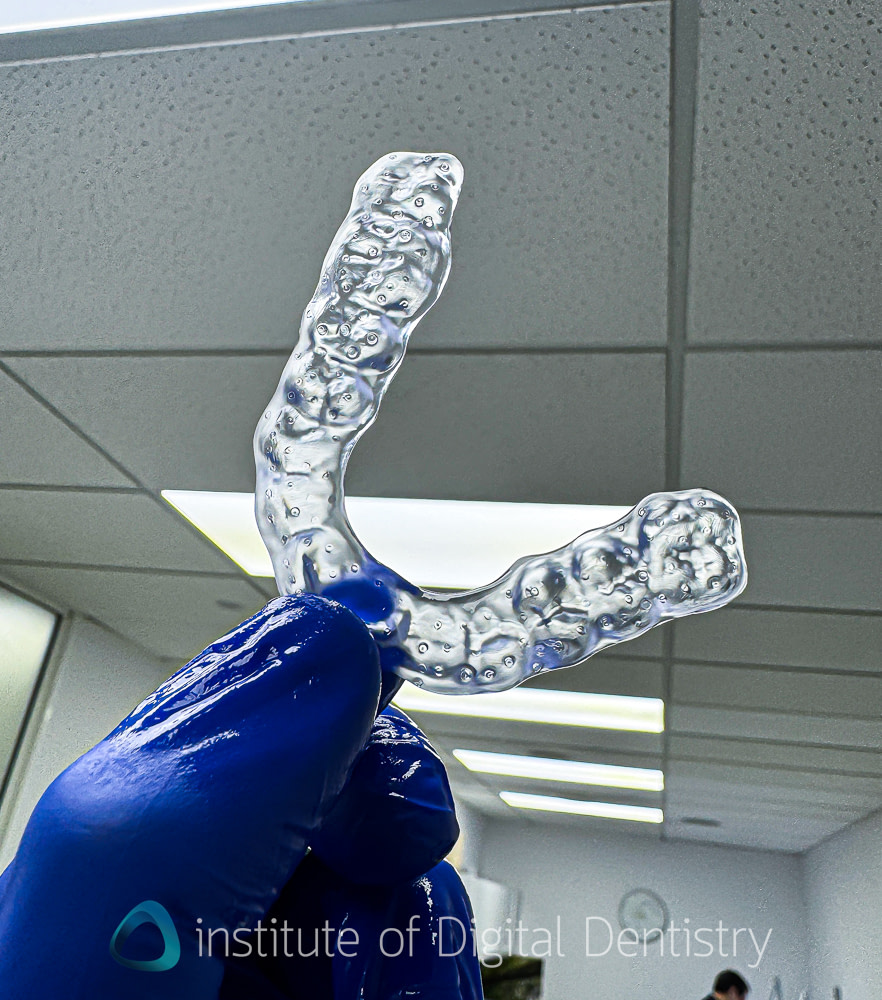
The 385 nm wavelength provides tighter depth-curing control than 405 nm alternatives, as evidenced by the output. Surface detail on restorations and models is good, but there were clear print lines on models regardless of the settings I used. Otherwise, surgical guides, all arch restorations and splints all printed nicely.
One thing to note, however, is that especially at the start, there is still an element of 'getting used' to the machine. Although not as much tinkering as the original Phrozen printers used for dentistry, I did experience a couple of failed prints until I got the hang of things. To be frank, this is common with many printers. After that, nightguards, surgical guides, and restorations have all been printed consistently and reliably.
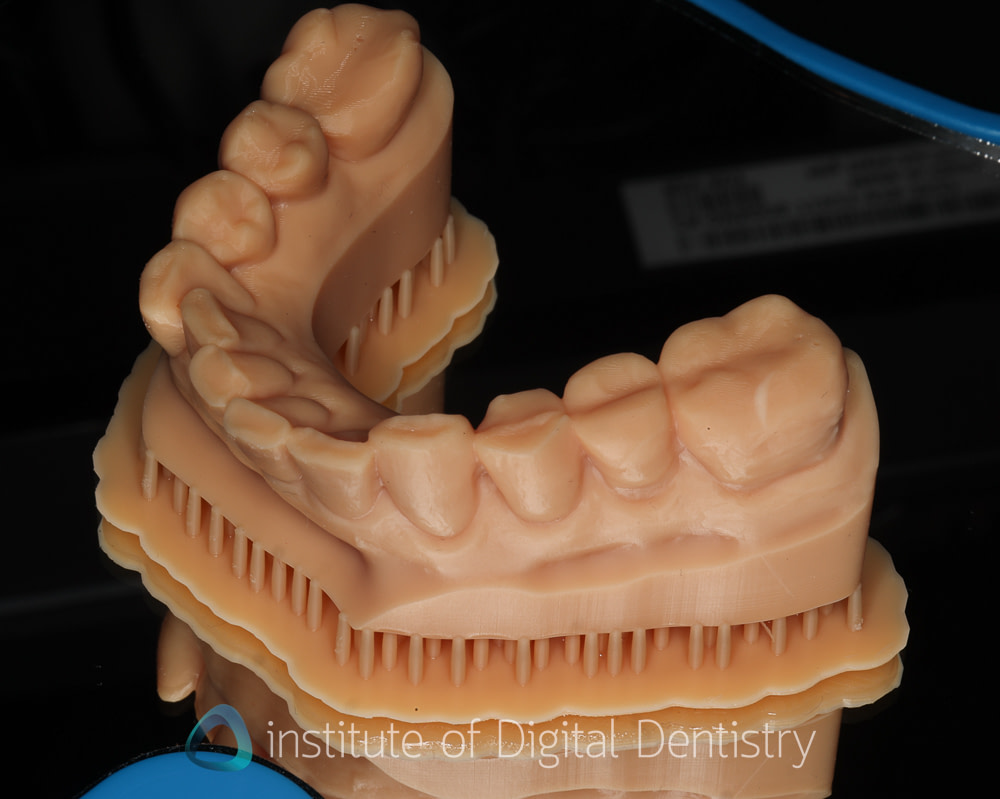
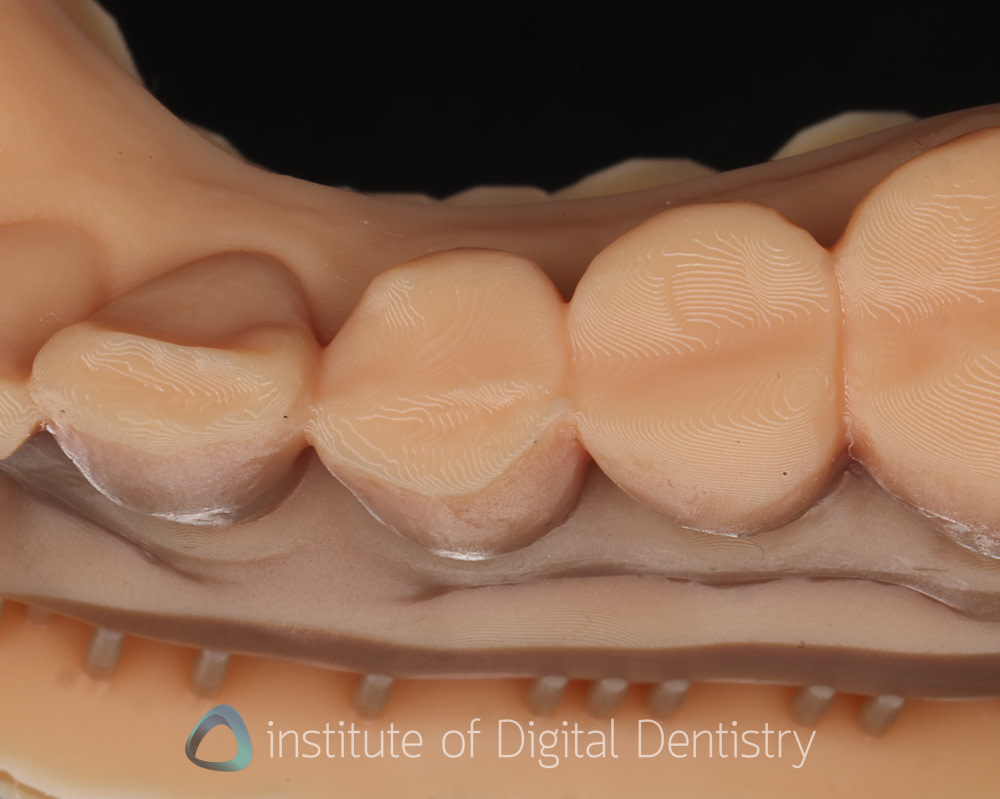
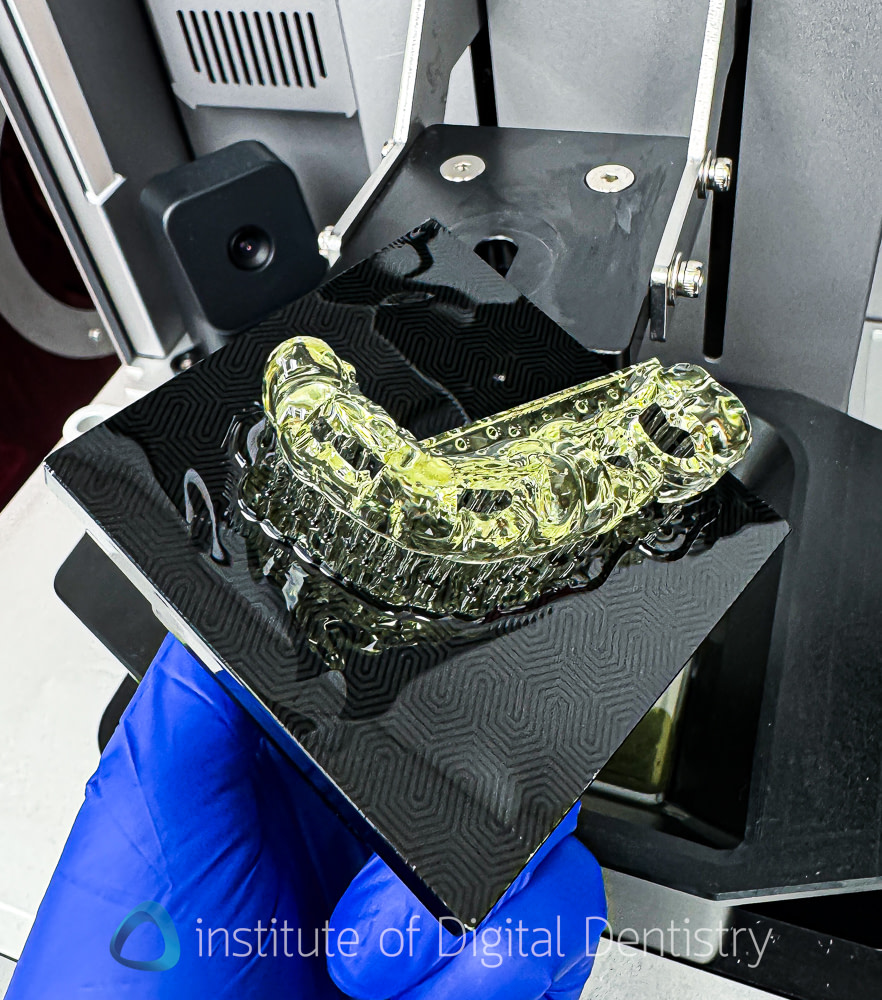
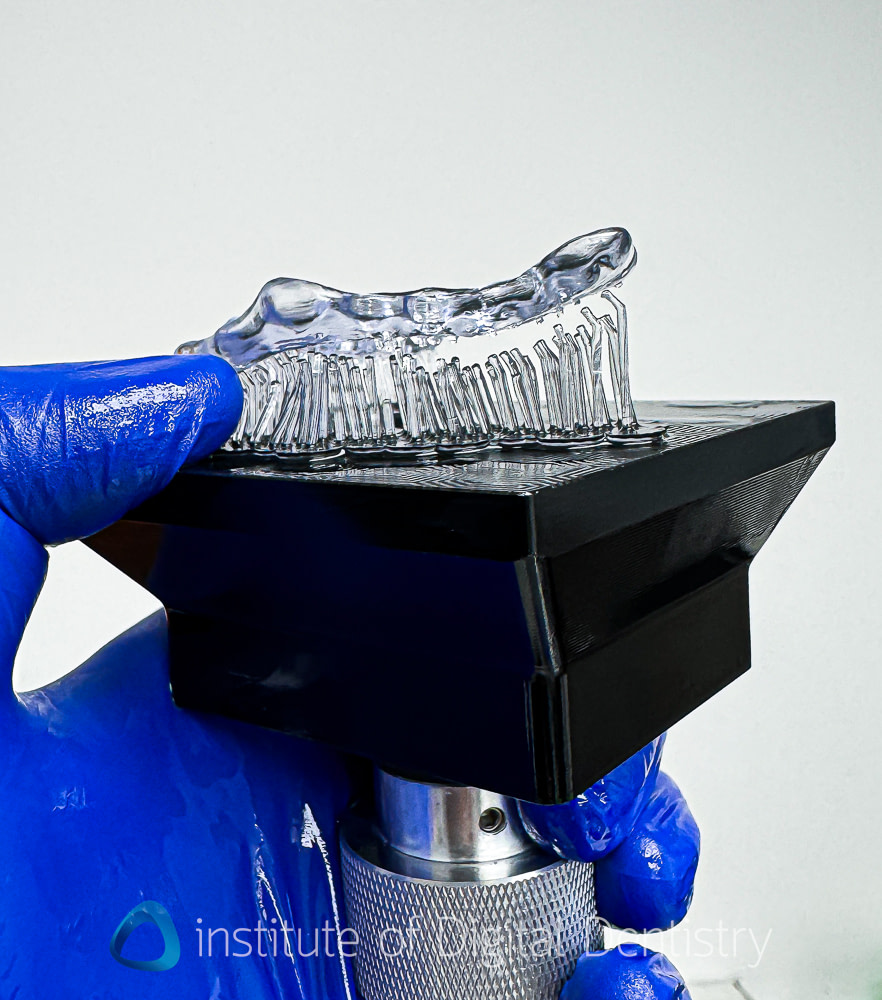
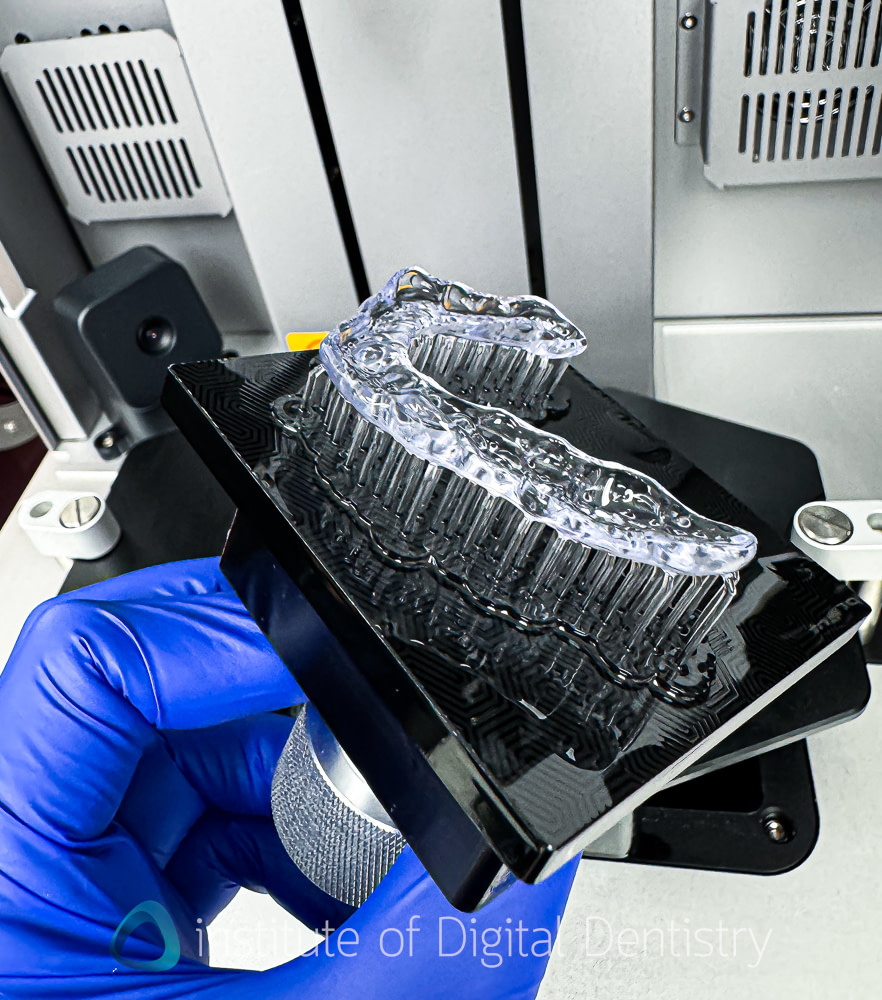
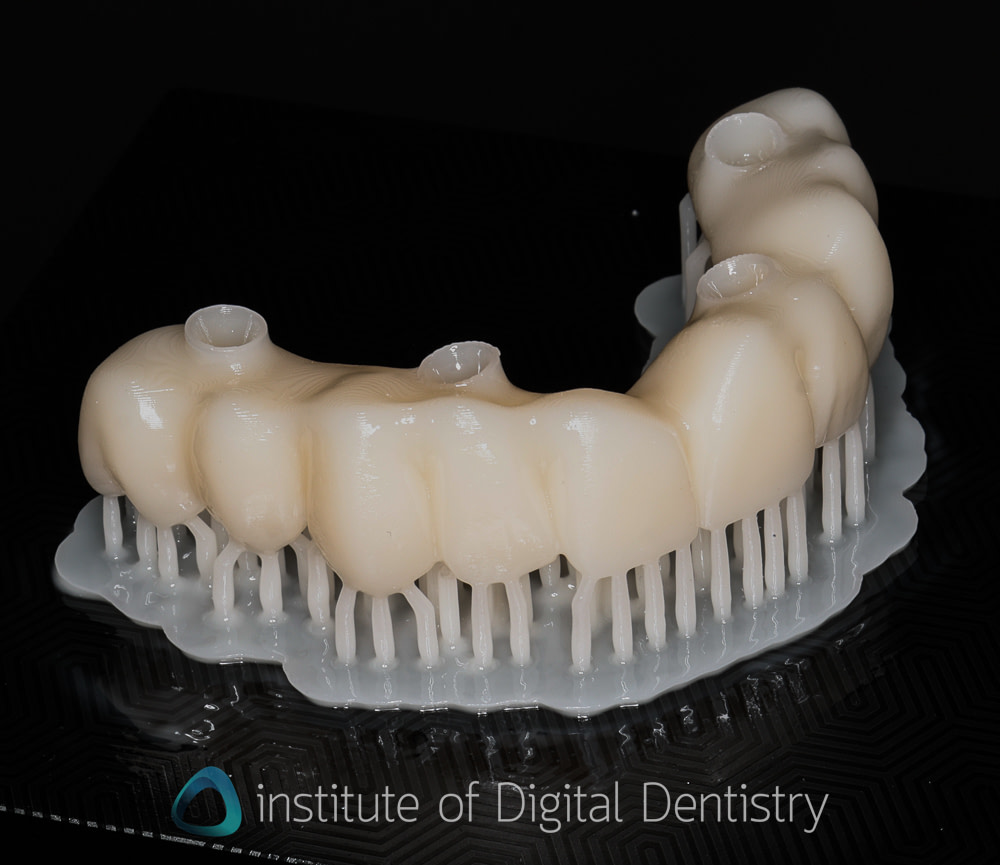
One capability that stood out in particular is that the CS+ can print splints almost vertically with minimal or no supports, and they fit well clinically. Also speaking of support removal. The default support settings in DS Slicer are very well-tuned; contact points are fine enough that removal requires minimal force, and the surface left behind is clean, with minimal rework needed. For restorations and splints in particular, this is a meaningful workflow benefit. Poor support design can undo good print quality, and Phrozen has clearly put thought into this.
Dual Heating
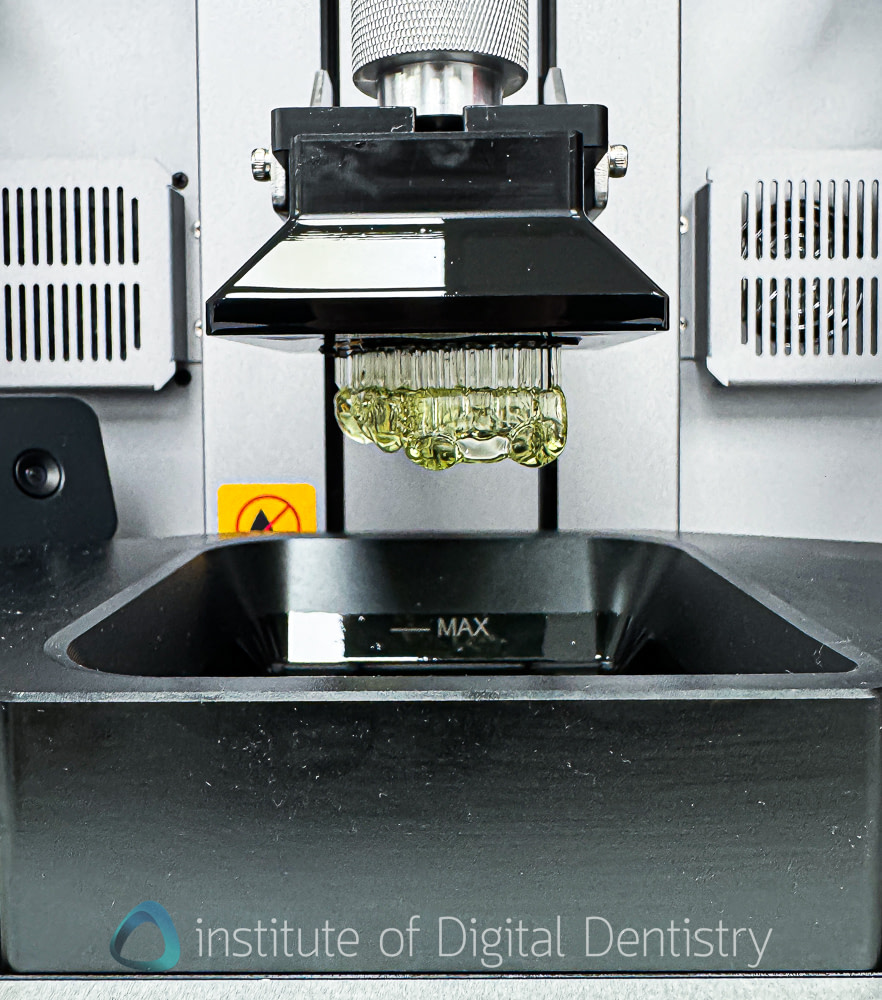
Both chamber and vat heating are present on the CS+. This combination is important for maintaining consistent resin viscosity, particularly with highly filled ceramic resins. The chamber is relatively large, so heating to 30°C takes several minutes. There is no user thermostat control. It targets 30°C, and that is that. It is nice to see dual heating at this price point.
The 385 nm LCD: Longevity Question
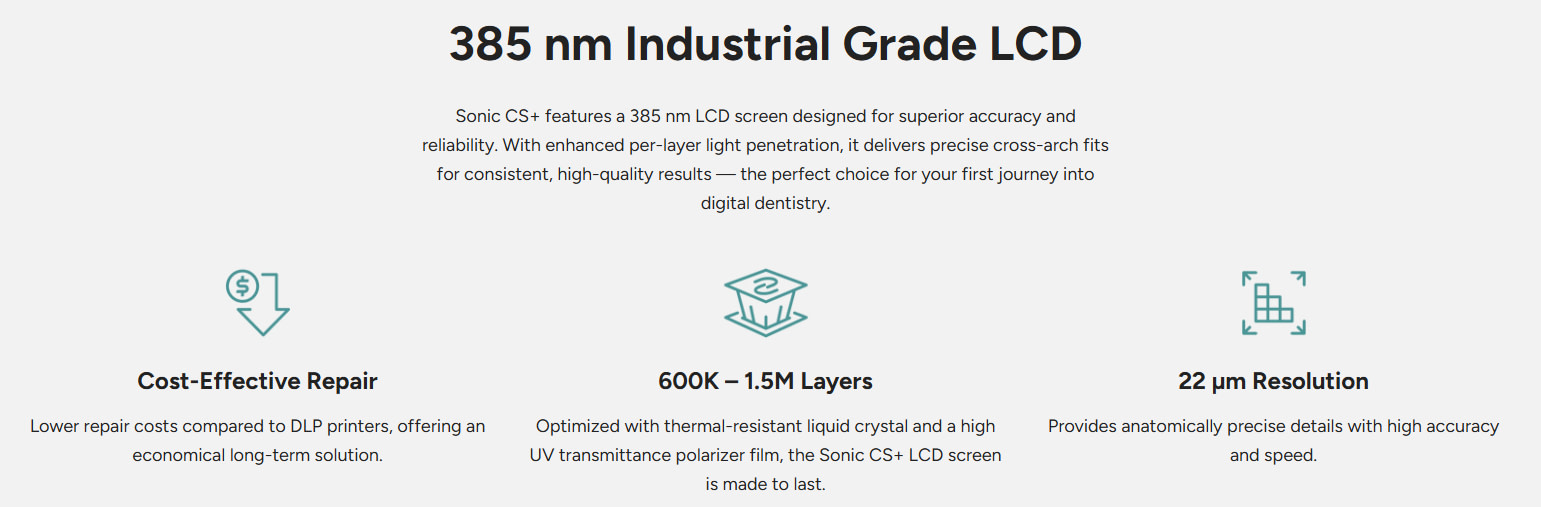
Phrozen rates the 385 nm LCD for 600,000 to 1.5 million layers, although actual lifespan will depend on printing volume, exposure settings, and the materials used.
In general, 385 nm LCDs are expected to degrade faster than 405 nm systems due to the higher-energy light source. This is not unique to Phrozen, but it is worth considering when evaluating long-term ownership costs. The good news is that replacement LCDs are relatively inexpensive at around USD $150, and the printer is backed by a one-year warranty, which helps reduce the financial impact compared with systems that use significantly more expensive optical components. As with any printer, it's still worth confirming pricing and local availability for replacement parts with your distributor.
Material Support
The CS+ ships with a solid baseline of validated resin profiles, including Pac-Dent (Rodin), Saremco, Dreve, Keystone (KeyPrint), NextDent, Detax, and Enlighten. Out of the box, it supports widely used materials such as Keysplint Soft, Rodin Titan, Rodin Sculpture 2.0, Rodin Surgical Guide 2.0, and Crowntec.
This covers the core dental indications, models, surgical guides, splints, temporary and permanent restorations, and denture bases, making the system suitable for most chairside and small lab workflows.
A key strength is its fully open material system. There are no proprietary resins, RFID locks, or cartridge restrictions. You can run any 385 nm-compatible resin and create custom profiles as needed. This flexibility is a meaningful advantage over more restrictive ecosystems.
Where the CS+ lags is in the breadth of its validated library. Compared to more mature platforms like Asiga, where validated materials number in the hundreds, Phrozen’s current offering is still relatively limited. This is especially noticeable with newer hardware configurations, such as the mini plate, where validated options remain sparse.
If your workflow depends on a specific resin that isn’t yet validated, you’ll need to develop and fine-tune your own profile. While the system allows for this, it reintroduces the kind of trial-and-error many users are trying to avoid.
Phrozen is actively expanding its material library, and progress is ongoing. However, the current state of validation and which resins you want access to should still be weighed carefully when making a purchasing decision.
Post-Processing: Wash+ and Cure+
Wash+
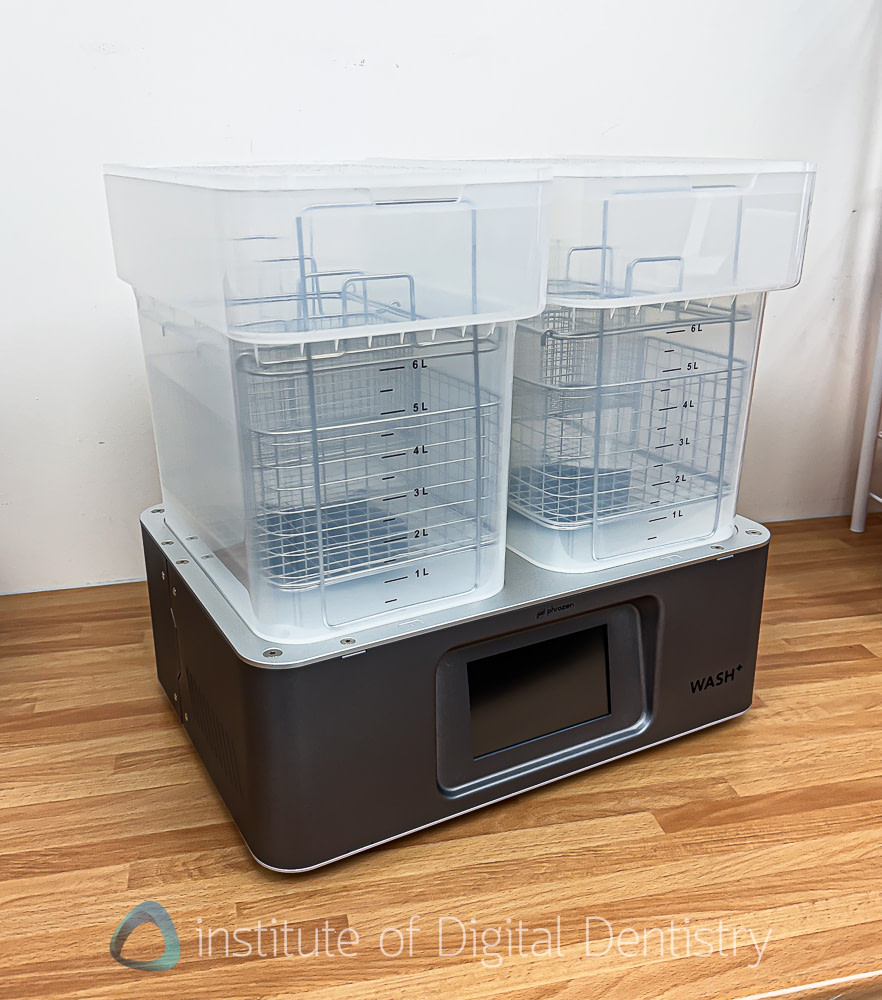
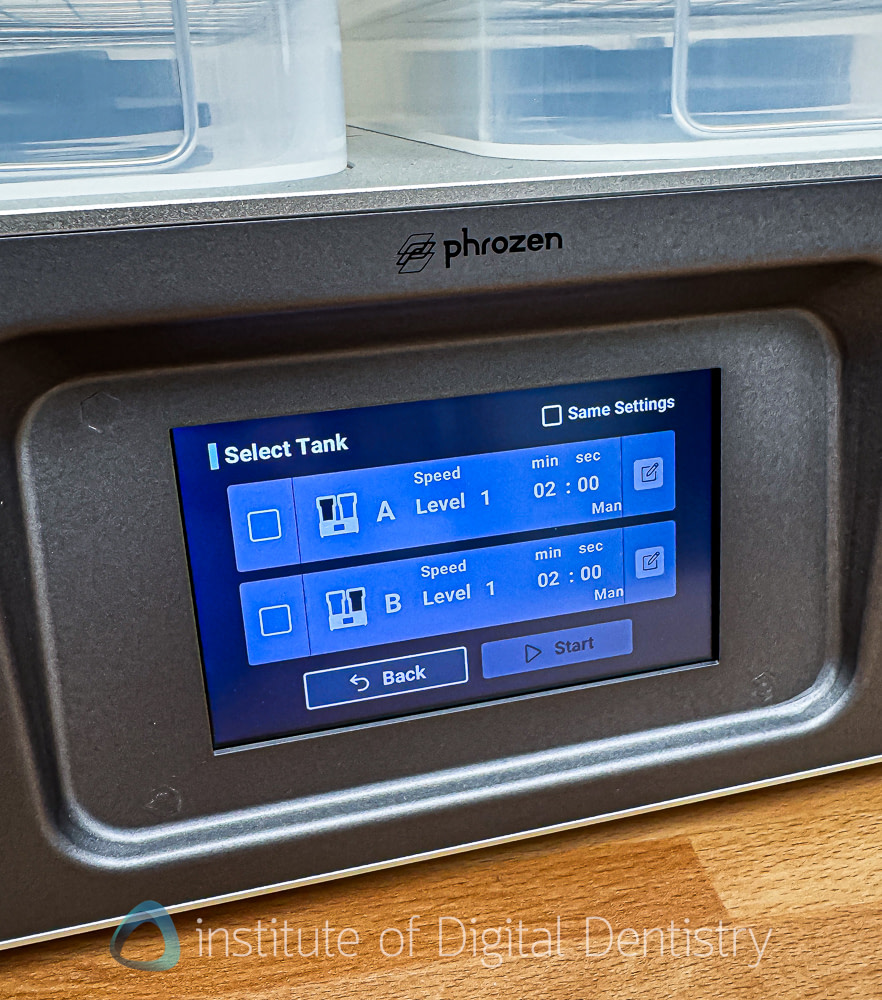
The Wash+ does its job reliably. Each tank holds 6 to 7 liters and features a propeller-driven agitation system that consistently cleans parts without manual intervention. A useful feature is the ability to run each tank independently, with separate time and intensity settings, which makes a two-stage wash approach practical: cloudy IPA in the first tank, clean IPA in the second, extending solvent life and reducing waste.
The form factor is the main consideration. These are large units. For a lab washing batches throughout the day, that is fine. For a chairside clinic washing a handful of parts per session, the volume and footprint may feel oversized. I felt like these are pretty large tanks for an otherwise dental-practice printing solution with relatively low output volume.
I will say, though, the Phrozen wash unit is very popular industry-wide and is commonly white-labeled. It must work well, and frankly, it's a fit-for-purpose solution, especially for a lab.
IPA management remains the user's responsibility. Keep concentrations adequate, and change your solvent on schedule. This directly affects the biocompatibility of the final output.
Cure+
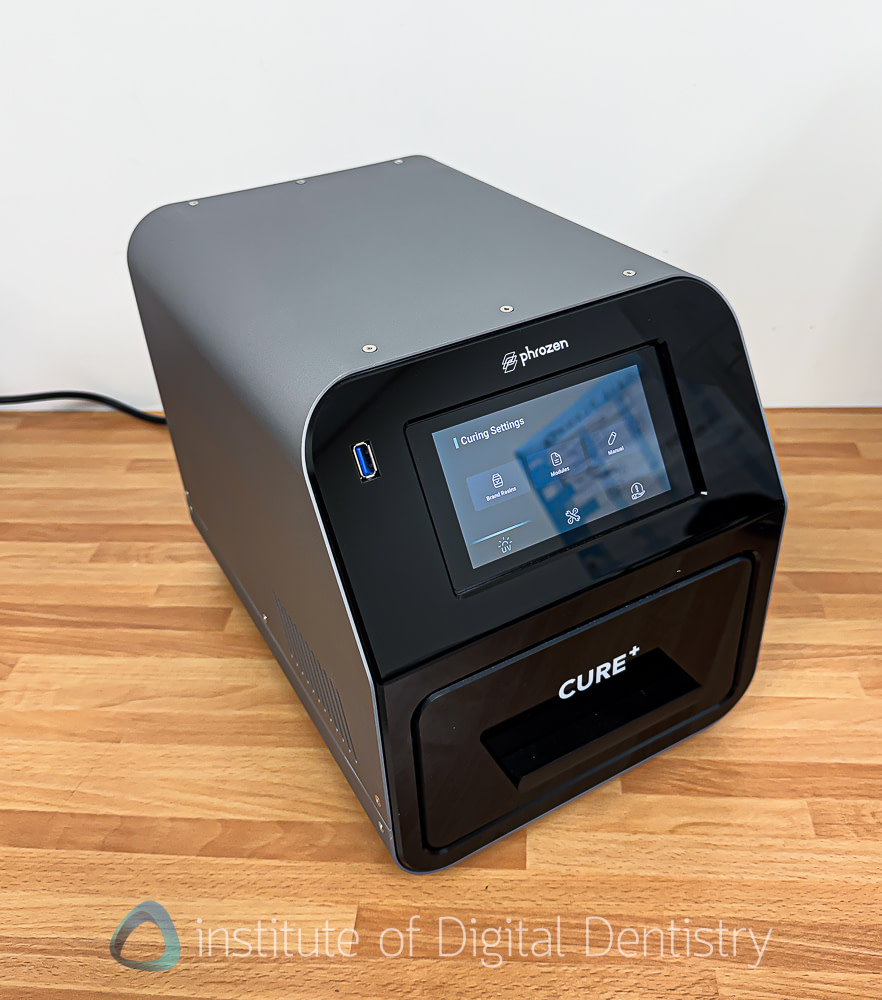
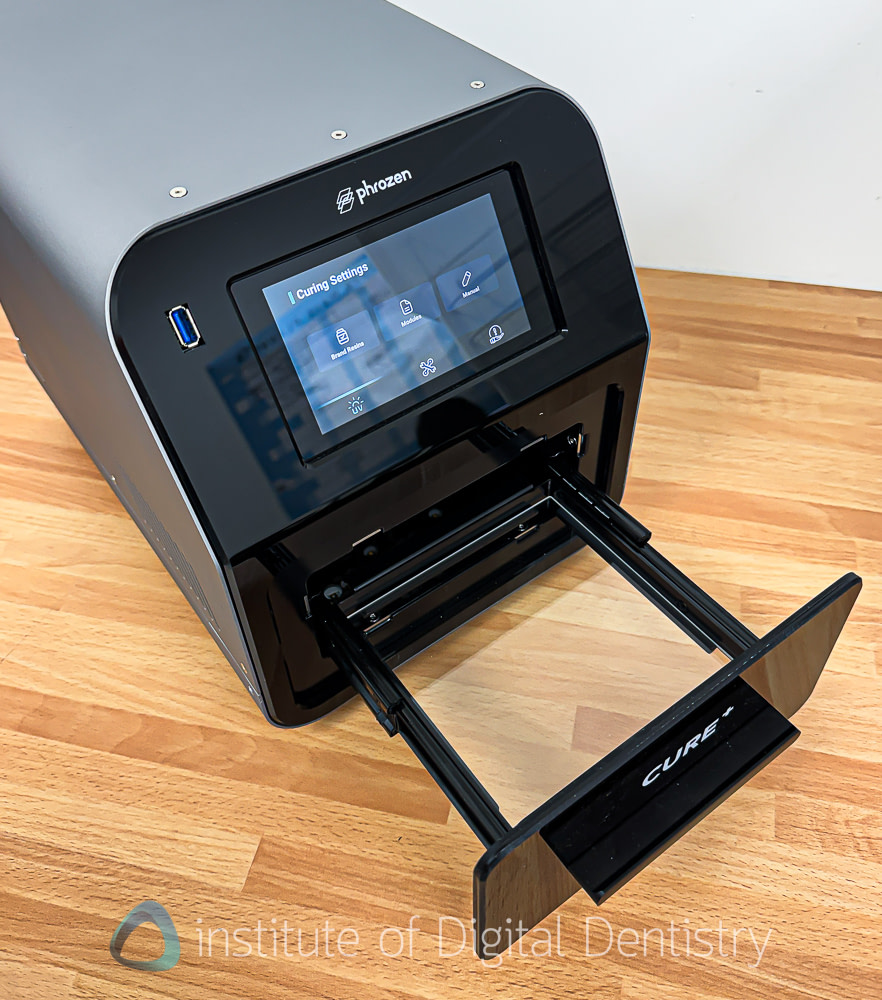
Post-curing is a step that is chronically underappreciated in dental 3D printing, and the Cure+ handles it confidently. It is a well-built unit with triple-wavelength LEDs at 365, 385, and 405 nm, which cover the full range of photoinitiator chemistries you are likely to encounter in an open resin system. Controlled heating at 60°C improves polymer chain mobility during curing, thereby enhancing mechanical properties. Flash Curing technology is designed to avoid the risk of overcuring that cheaper UV boxes can introduce.
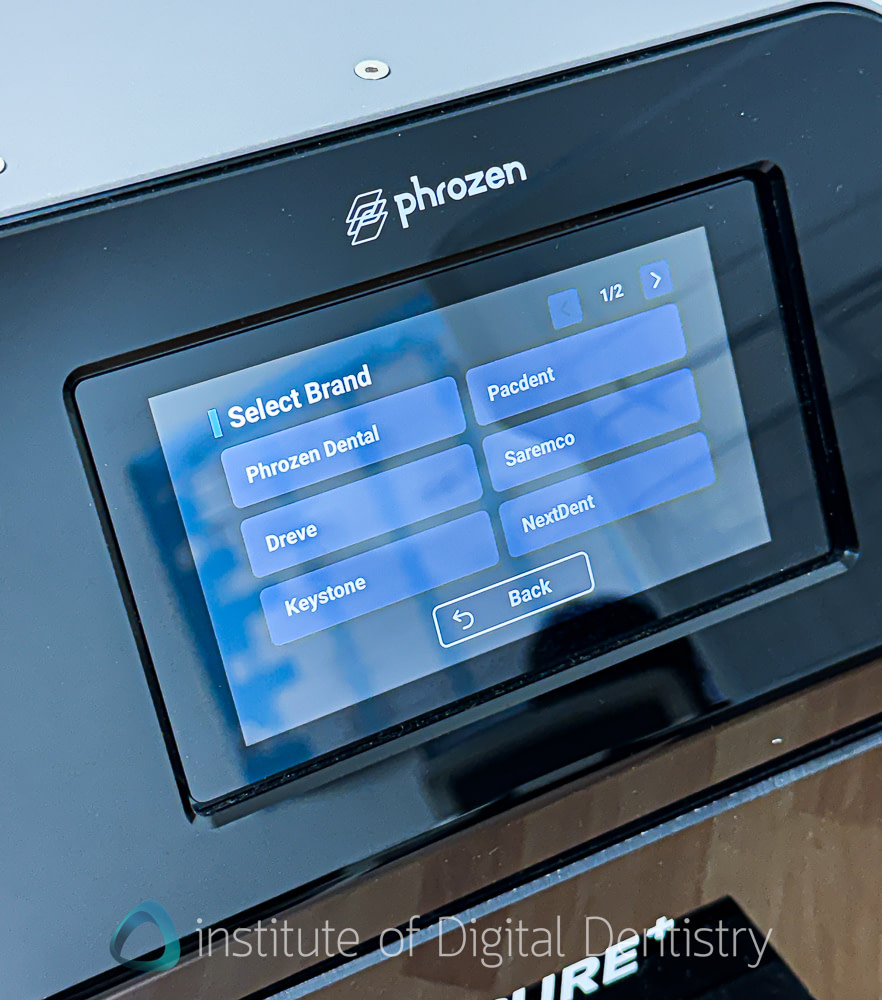
Pre-set curing profiles are loaded for seven different resin brands, covering the main materials most users will run on this system. Cure times are fast but not the fastest I have seen - roughly 5 minutes for surgical guides, around 10 minutes for splints and crowns.
One structural note: the curing chamber is noticeably smaller than the wash station. Phrozen has sized the Cure+ for individual parts and small batches. For chairside use, this feels more fit for purpose, but it is worth knowing if you are evaluating the system for higher-volume lab production.
Our results across tested materials have been consistent and in line with manufacturer specifications. Decent little cure box.
Post-Processing: Heat & Mix
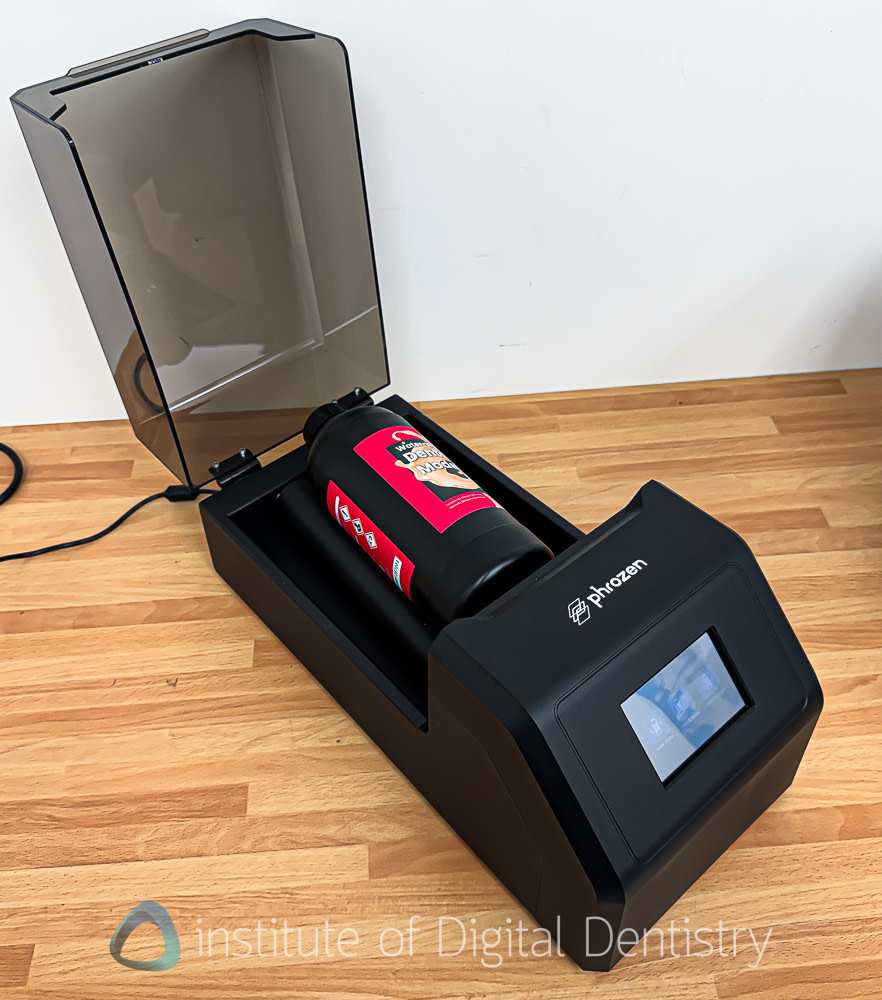
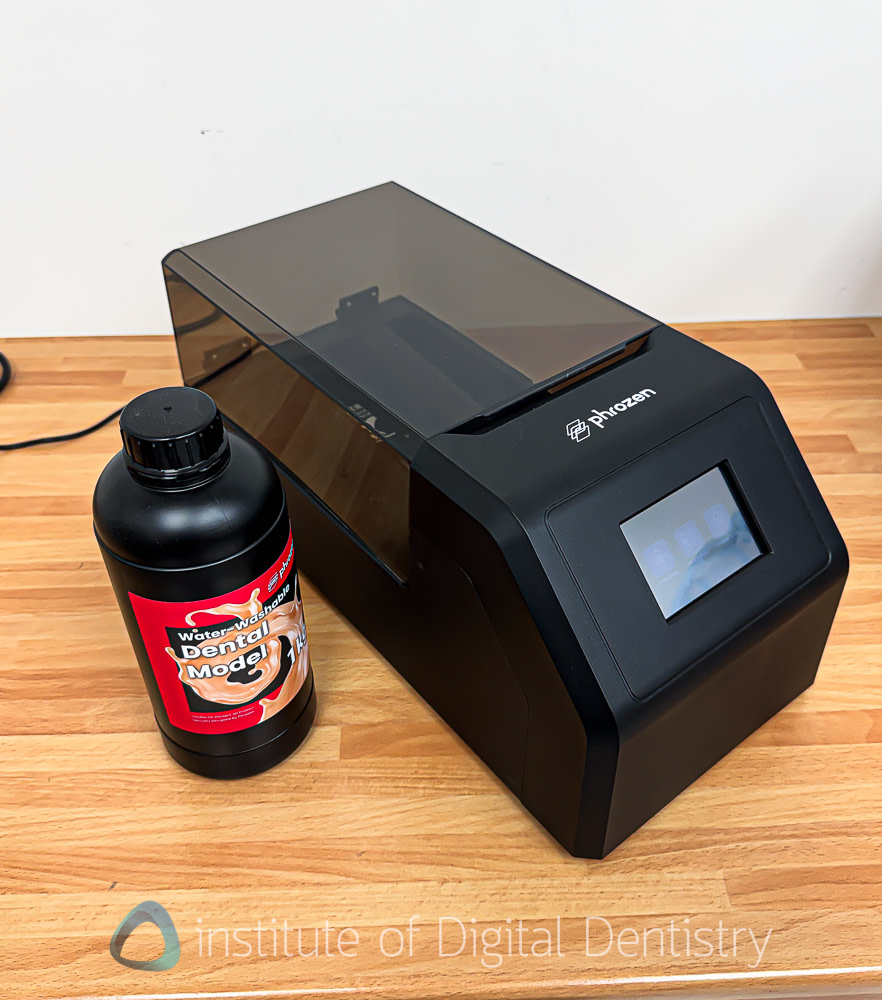
The Heat & Mix device is a nice add-on from Phrozen that addresses a real, often overlooked problem in dental 3D printing: resin homogeneity. Highly filled ceramic resins, the kind you need for permanent restorations and durable splints, are notoriously prone to sedimentation. Manual shaking is inconsistent and often inadequate.
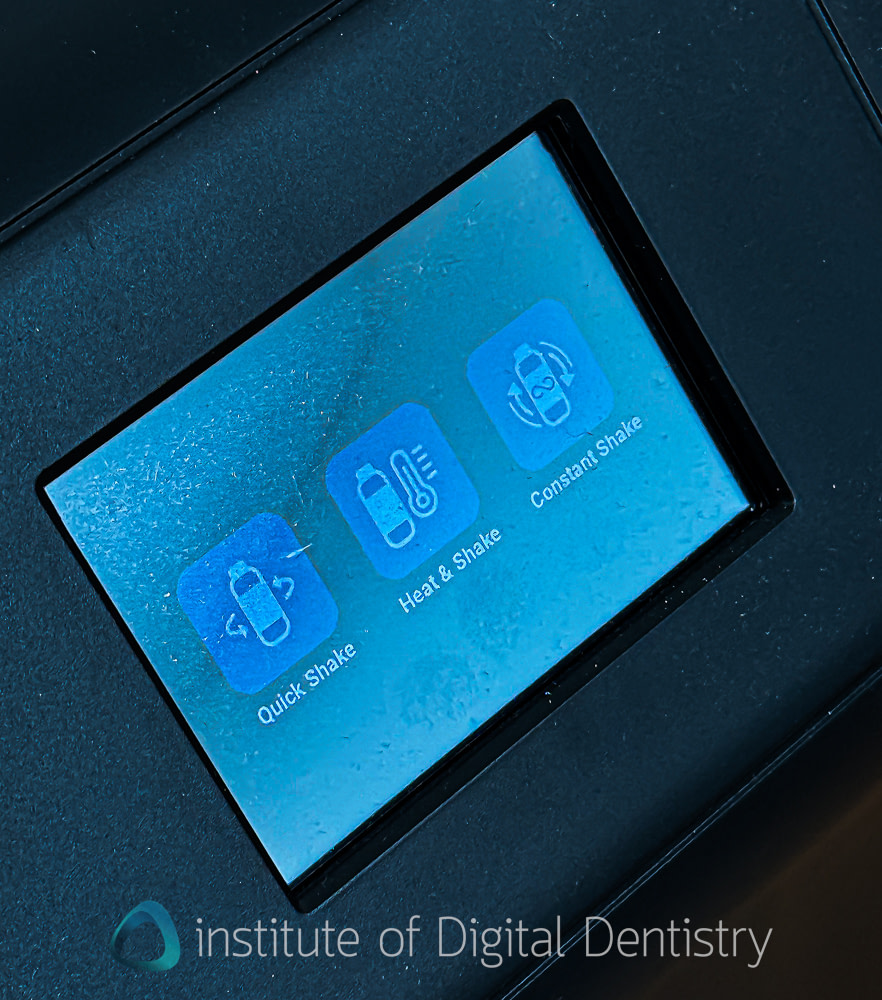
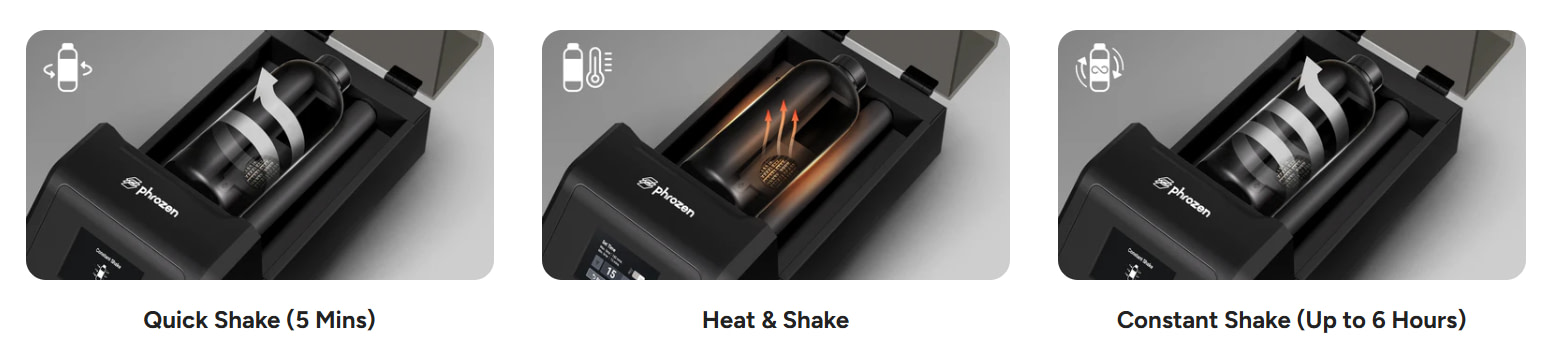
The Heat & Mix solves this with multidirectional rolling combined with controlled heat, across three modes: Quick Shake for a fast cold mix in 5-minute intervals, Heat & Shake for viscous ceramic-filled resins, and Constant Shake for long-term standby if you are keeping resin primed throughout a lab session. Timers, temperature settings, and mode selection are all straightforward and work as described.
There are two practical critiques worth considering. First, you can only mix one bottle at a time. Competing options like the NextDent Roller can handle two simultaneously, which matters when you are switching between multiple resins in a busy session. Second, the motors are noticeably loud during operation. Not a dealbreaker, but worth being aware of if the printer itself is running quietly chairside.
Overall, it solves a genuine problem reliably and is a useful addition to the lineup, and something that few dental 3D printer companies offer.
Software
Phrozen DS Slicer is functional but not elegant.
The interface is a little cluttered, the icons are small, and I would not call it intuitive for beginners. The auto-orientation feature defaults to on, which caused unexpected model rotation during our testing. Turn it off and orient manually. The software requires a physical USB dongle that must be inserted to operate and revalidates every two weeks. Compared to PreForm or SprintRay Cloud, this all feels a generation behind.
What DS Slicer does genuinely well is scan-to-printable-model conversion. I have tested this against several dental-specific slicers, and it holds up better than you would expect for a product at this price point. The scan-to-base workflow is strong. Drainage holes, hollowing, platform generation, and text tools are all included at no additional cost, features that do not appear in the slicing software of far more expensive printers. Wi-Fi file transfer to the printer, once set up, is smooth and consistent.
Also, as mentioned above, I am a big fan of the support generation. I think they are some of the best I have seen for easy peel supports.
Nesting
DS Slicer does not offer automated nesting with collision detection comparable to that of PreForm or CHITUBOX Dental. Orientation is per-part and requires manual placement. For low-volume chairside printing, this is manageable. For batch lab work requiring efficient plate utilization, this is a meaningful gap.
CAD integrations
3Shape integration is native and complete. The CS+ can be set as a target printer in 3Shape's Produce environment, with files routing directly into DS Slicer. This is a real, functional integration.
For exocad, compatibility is effectively STL drag-and-drop. There is no exoprint preset push with case metadata, and Phrozen does not appear in exocad's published printer integration directory. It works, but it is not a first-class integration.
Medit integration is also supported.
There is no cloud platform, no equivalent of the SprintRay Cloud Design or the Formlabs Dashboard. No fleet management, no remote monitoring beyond the built-in camera, no case-management layer. File flow is peer-to-peer over Wi-Fi or USB. For a single-printer chairside setup, this is entirely fine. For a multi-operatory practice or a small lab running parallel print jobs, keep this in mind.
Price
At approximately $6,200 USD for the complete workflow, including the CS+, Wash+, Cure+, and Heat & Mix, the Phrozen bundle is one of the most aggressively priced dental 3D printing ecosystems currently available.
For comparison:
- Formlabs Form 4B complete package: ~$12,000 USD
- SprintRay Pro 2 ecosystem bundle: ~$23,000 USD
- Asiga MAX: ~$9,000–15,000 USD for the printer alone
That puts the Phrozen ecosystem at roughly half the cost of a comparable Formlabs setup and around one-quarter the cost of a SprintRay Pro 2 ecosystem. Material costs also work in its favor, with compatible third-party resins such as Rodin, KeyPrint, and Saremco generally costing less than proprietary closed-system alternatives.
The trade-off is in the overall support ecosystem. Phrozen's support structure varies by region. While it does not currently offer the structured service plans, dedicated phone support, hot-swap replacement programs, or extensive field-sales networks provided by some premium manufacturers, it is not limited to email support alone. In the United States, Phrozen works with authorized reseller partners that provide sales and customer support, and globally the company has a network of more than 49 reseller partners across multiple regions. Support is generally stronger in markets with established distributor networks, and Phrozen has also been expanding local logistics in key regions, including the US, to improve spare parts availability and reduce potential downtime by stocking components locally.
For value-conscious clinics and smaller laboratories, the overall proposition is extremely compelling. Practices that prioritize the lowest upfront investment and ongoing material costs will find very little competition at this price point. Larger clinics and production laboratories, however, should also consider the value of the more mature service infrastructure, rapid replacement programs, and dedicated support offered by premium ecosystems when evaluating the total cost of ownership.
Overall Solution Ease of Use
The CS+ is easier to use than previous Phrozen dental printers, and meaningfully so. The wizard-guided setup, pre-validated resin profiles, and Wi-Fi file transfer all reduce the burden of tinkering that characterized the Sonic Mini era. It is not, however, as polished or frictionless as Formlabs, SprintRay, or, in some respects, Asiga.
The manual resin dispensing, the required Heat & Mix preheat step, the dongle, the USB firmware process, the manual part removal, and the lack of cloud workflow all add up to a system that rewards experienced users but has a steeper onboarding curve than the leading competitors.
This is not a printer you buy because it is the easiest thing on the market. You buy it because the value proposition is strong.
The iDD Verdict
Phrozen Sonic CS+ Dental Workflow
Half the price. Most of the workflow. More hands on.
Where It Wins
- Price. Complete workflow at roughly half the cost of the nearest comparable competitor.
- Post-Processing. The Wash+, Cure+, and Heat & Mix are all well-built and purpose-designed.
Where It Strains
- Material Support. Narrower than Asiga or Formlabs in breadth, and mini plate validation lags.
- Print Speed. Slower than competitors at this or higher price points. A real constraint at scale.
Print Speed
Slower than competitors at this or higher price points. Adequate for chairside and low-volume production. A real constraint at scale.
Build Volume
Functional for chairside work. The narrow but long standard plate limits batch throughput, and the mini plate can fit an arch or anything smaller.
Post-Processing
The Wash+, Cure+, and Heat & Mix are all well-built and purpose-designed. Some form-factor questions for compact chairside setups.
Material Support
Open system with a growing, validated library. Adequate for core indications. Narrower than Asiga or Formlabs in breadth, and mini plate validation lags.
Software
Functional, strong scan-to-model capability, solid 3Shape integration. Dongle requirement, USB firmware, no nesting, and no cloud are limitations.
CAD Integration
3Shape native integration is strong. exocad is STL-only. No cloud platform.
Price Best in class
The strongest card in the deck. Complete workflow at roughly half the cost of the nearest comparable competitor.
Overall Solution Ease of Use
Better than previous Phrozen products. Requires more manual steps and more onboarding time than Formlabs or SprintRay. Rewards experienced users.
Conclusion
At its core, the Phrozen dental workflow is a value play. That is not a criticism; it is the point.
Let's face it: if you want the smoothest software experience and the most polished end-to-end ecosystem, Formlabs is still commonly seen as a benchmark. If you want unique validated resins, a cloud-connected workflow, some of the best dental resins, and seamless chairside integration, SprintRay has built that out methodically. And if you want the highest print finish and accuracy benchmarks that high-end labs depend on, Asiga's reputation is built on exactly that. All three are excellent systems. All three also cost considerably more.
The Phrozen ecosystem is for practitioners who have been priced out of those options, or who simply do not need everything they offer. What it delivers at around $6,200 for the complete workflow is a legitimate, plug-and-play dental 3D printing setup that no longer requires months of tinkering, as previous Phrozen printers did. The print quality is great for its price. The post-processing chain is functional and well-considered. The validated resin profiles mean you can get reliable, repeatable results without needing to be an expert in print parameter development.
Is it perfect? No. Print speed, a still-growing resin library, firmware friction, no cloud platform, and open questions around LCD longevity are all real. But for a practice that wants to start printing models, surgical guides, splints, and provisional restorations without a premium price tag, the CS+ system earns its place in the market. It is not trying to beat Formlabs, SprintRay, or Asiga. It is trying to make dental 3D printing accessible to the people that systems leave behind, and on that front, it does well.