
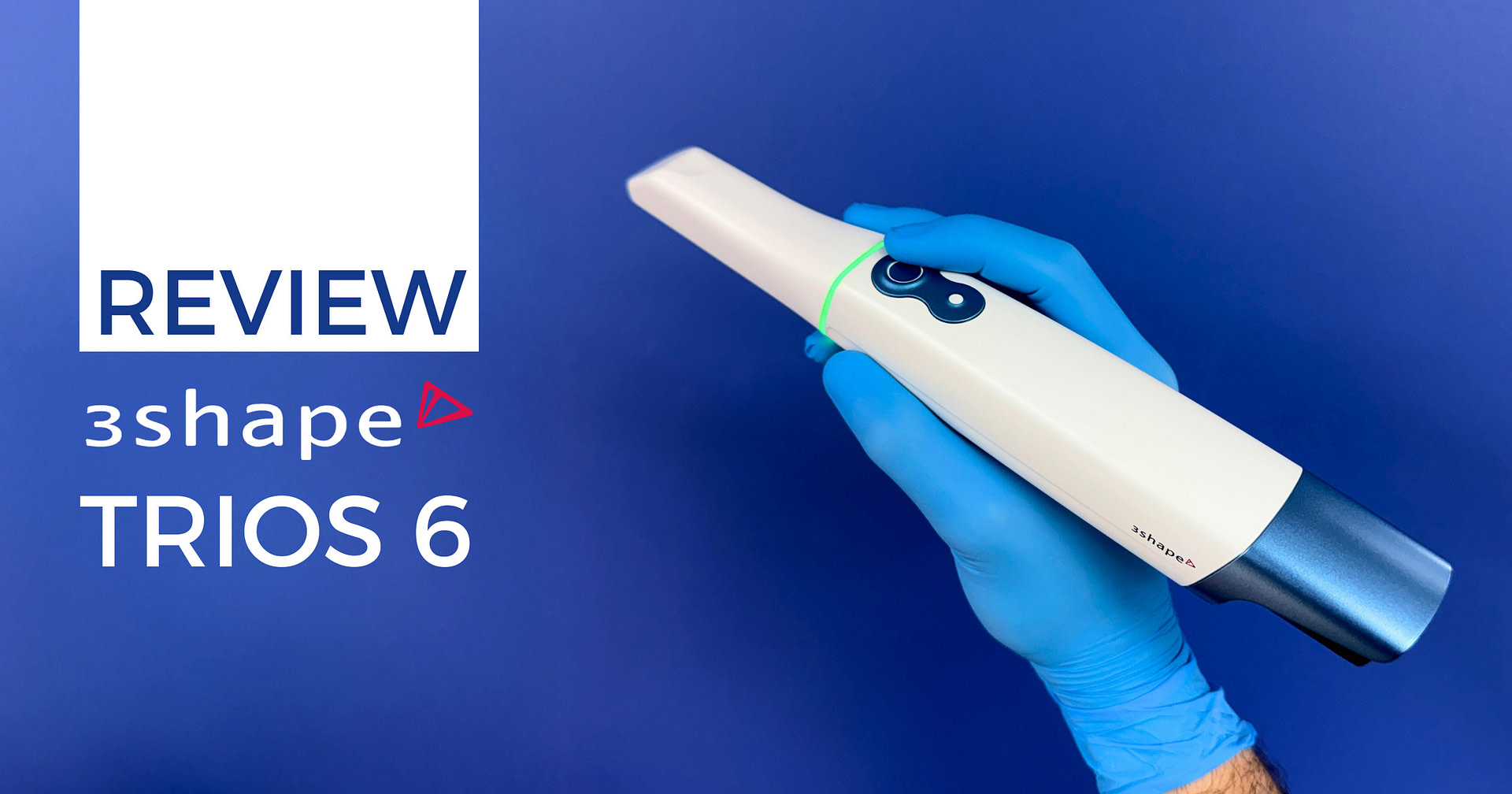

The digital dentistry landscape continues to evolve rapidly, and 3Shape's latest release represents an interesting strategic pivot.
Rather than pursuing sweeping hardware improvements or releasing a cheaper scanner, the TRIOS 6 introduces something fundamentally different - a comprehensive AI diagnostic ecosystem built around its proven scanning technology. Additionally, we finally have an all-on-x software horizontal scan body workflow within the 3Shape ecosystem.
What makes this release particularly significant is the direction it signals for the industry. While other companies like Medit and Shining 3D have focused on hardware improvements and aggressive pricing, 3Shape has doubled down on software and artificial intelligence. Albeit at a premium price.
The TRIOS 6 essentially takes the excellent TRIOS 5 hardware and layers on five distinct AI-powered diagnostic capabilities, from caries detection to tooth wear analysis. The company also says it has significantly improved scan resolution.
3Shape also introduces a new monthly subscription at $199 (or an annual subscription at $1990) for the AI diagnostic features, fundamentally changing the economics of scanner ownership. This raises an important question - are clinicians ready to pay ongoing fees for diagnostic features?
After many months of clinical use, the TRIOS 6 presents both compelling innovations and some important considerations. This isn't simply the next iteration of TRIOS hardware – it's 3Shape's bold attempt to redefine what an intraoral scanner can be in modern dental practice, transforming it from an impression-taking device into a comprehensive diagnostic and patient communication platform. Is the new price and subscription justified? Let's find out.
As always, this review maintains complete independence. The Institute of Digital Dentistry received no compensation from 3Shape for this evaluation, and our commitment to objective analysis remains unchanged.
Enjoy the review.
Review At a Glance
The 3Shape TRIOS 6 represents a strategic evolution rather than a hardware revolution. Built on the proven TRIOS 5 platform, it introduces comprehensive AI diagnostic capabilities that transform the scanner from a digital impression device into a patient-centered diagnostic platform. Great scanning as we can expect from TRIOS for years, but now at quite a high price.
Pros:
Cons:
Download the Full PDF Review
View as a flipbook online or download a copy to read it later.
What's New?
Let's address this directly - the TRIOS 6 is essentially a TRIOS 5. If you're expecting dramatic hardware changes, you won't find them. But before dismissing this, consider that the TRIOS 5 was arguably one of the best scanners available anyway.
3Shape's strategy here is clear - take proven hardware and add more AI software.
Design and Build Minor Changes
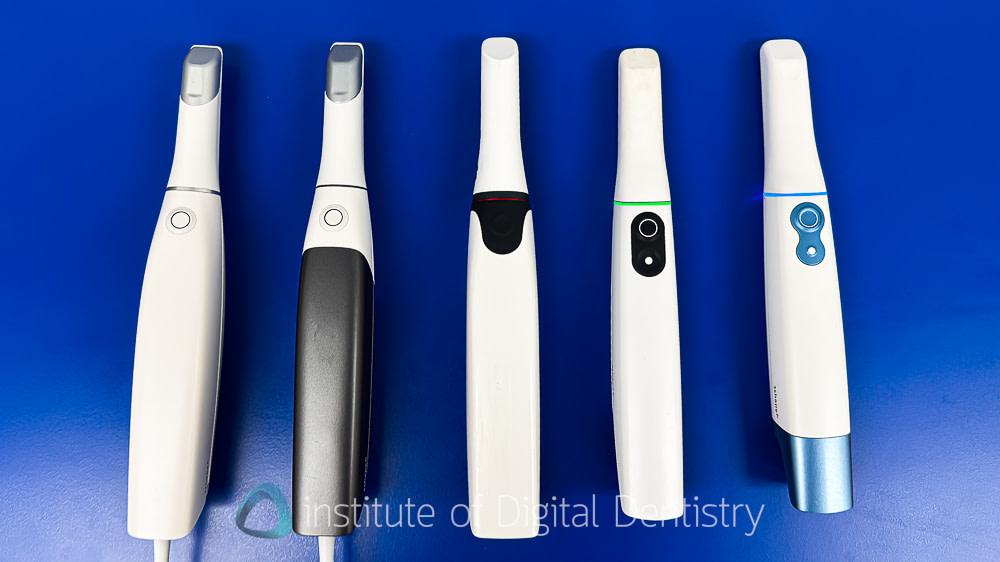
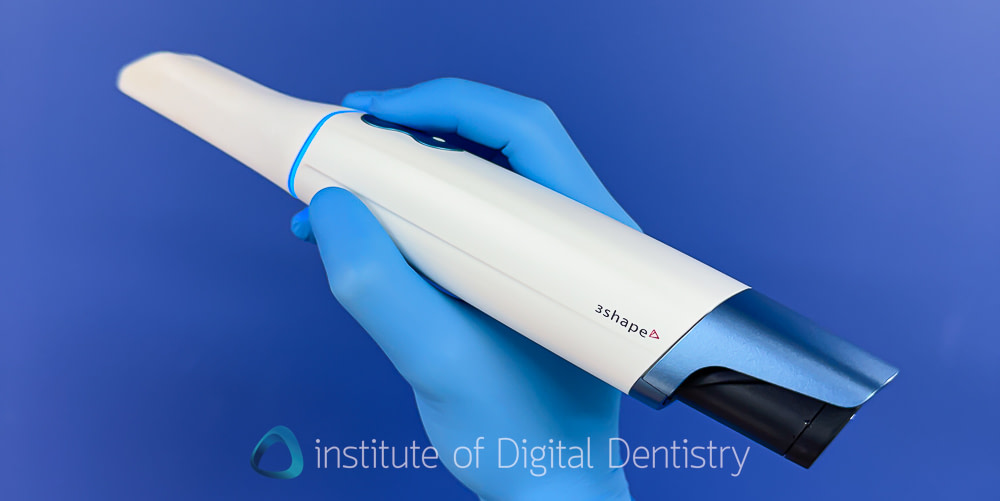
The most obvious change is aesthetic. The TRIOS 6 arrives in a new "arctic sapphire blue" metallic finish, distinguishing it from its predecessor's color scheme. Beyond this visual update, the build quality remains excellent, with premium materials and robust construction that characterize the TRIOS 5.
At 308 grams, it is slightly heavier than the TRIOS 5 (299 grams), but the scanner maintains a balanced feel that makes extended scanning sessions comfortable. The weight distribution hasn't changed, which means existing TRIOS users will find the transition seamless from an ergonomic standpoint. This does mean it is one of the heaviest wireless scanners on the market.
One tiny but appreciated improvement - the remote control button has been refined based on user feedback. The TRIOS 5 occasionally resulted in accidental activations due to the proximity and similarity of the buttons, and this has been addressed. The remote button is now raised rather than being recessed like the scan button.
Enhanced Scanning Resolution
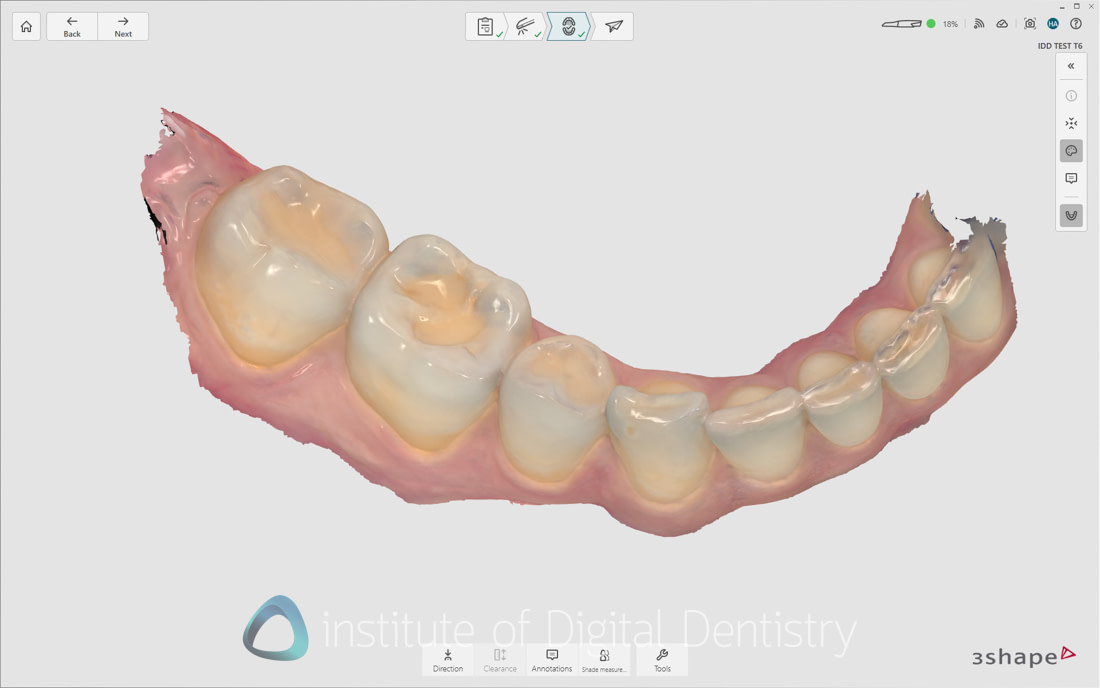
Here's the first meaningful hardware improvement 3Shape claims: up to 110% increase in scanning resolution across the entire scan field. Unlike some competing scanners that enhance resolution only in marked preparation areas, this improvement applies uniformly across all captured regions. You don't need to mark preparation teeth to get this advantage.
In clinical use, this enhancement is somewhat noticeable compared to TRIOS 5 but definitely better than TRIOS 3/Core. See the images below (first image T5, second T6). Regardless, TRIOS 6 scans display great detail and resolution – among the best quality visual results I've seen from any intraoral scanner. It has been like this for years for TRIOS.
The texture/color reproduction is excellent, with soft tissue detail and surface characteristics rendered beautifully. The only critique I have here is that it occasionally shows areas of translucency as grey, but overall, the textures are very nice. Especially considering that even before post-processing, the textures look good, which is rare in the current IOS market.
Does this improved resolution translate into clinically meaningful improvements in accuracy? That's harder to quantify, and 3Shape hasn't provided specific accuracy data comparing TRIOS 5 to TRIOS 6. But the visual quality is impressive, and for patient communication purposes, these scans look stunning.
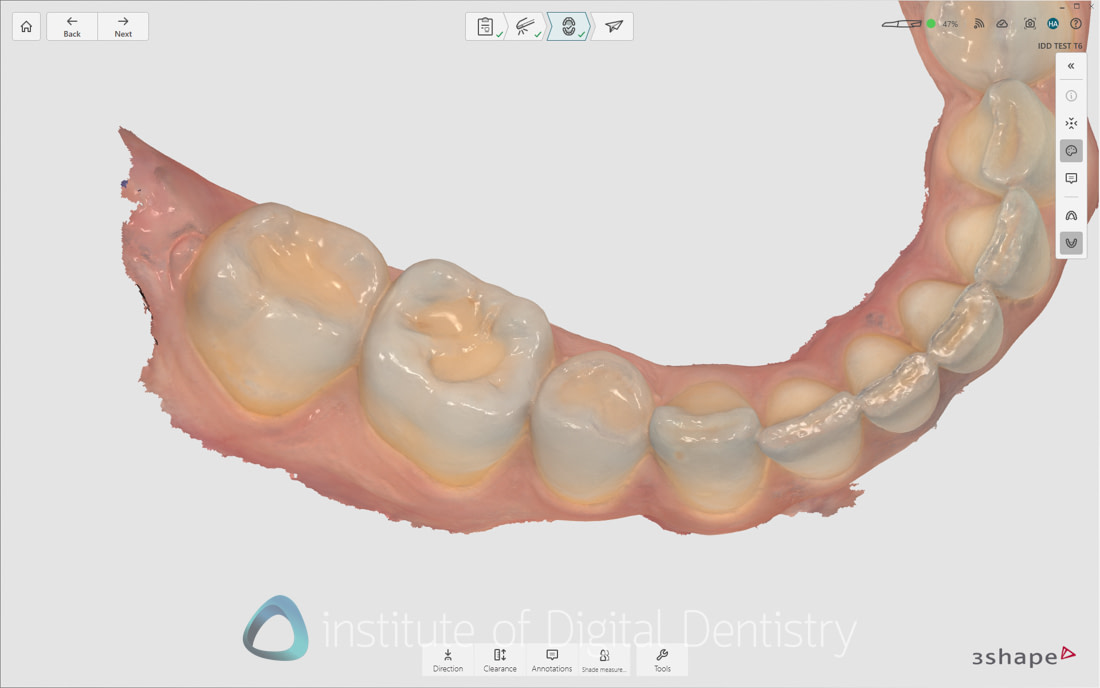
Can you see a difference?
Multi-Modal Imaging System
The TRIOS 6 introduces what 3Shape calls hyperspectral imaging - a multi-source system that captures data using three different light sources simultaneously. This is the most significant hardware change compared to TRIOS 5:
White light provides basic geometric and color information for traditional intraoral scanning. This is standard technology used by almost every scanner, basically.
Fluorescence detection aids caries identification, building on the technology introduced in earlier 3Shape TRIOS models. This isn't new, but it's been refined and no longer requires an extra scan or different scanning tip.
Near-infrared imaging represents genuinely new territory for 3Shape, enhancing diagnostic capabilities, particularly for visualizing proximal regions. This is similar to what Align has been doing with iTero's NIRI technology.
This multi-modal approach requires no additional scanning steps or workflow changes. A single scan automatically captures all three data types. You scan exactly as you always have, but the system is collecting significantly more diagnostic information in the background. This ties into the AI features that have been built out.

The AI Evolution - Dx Plus
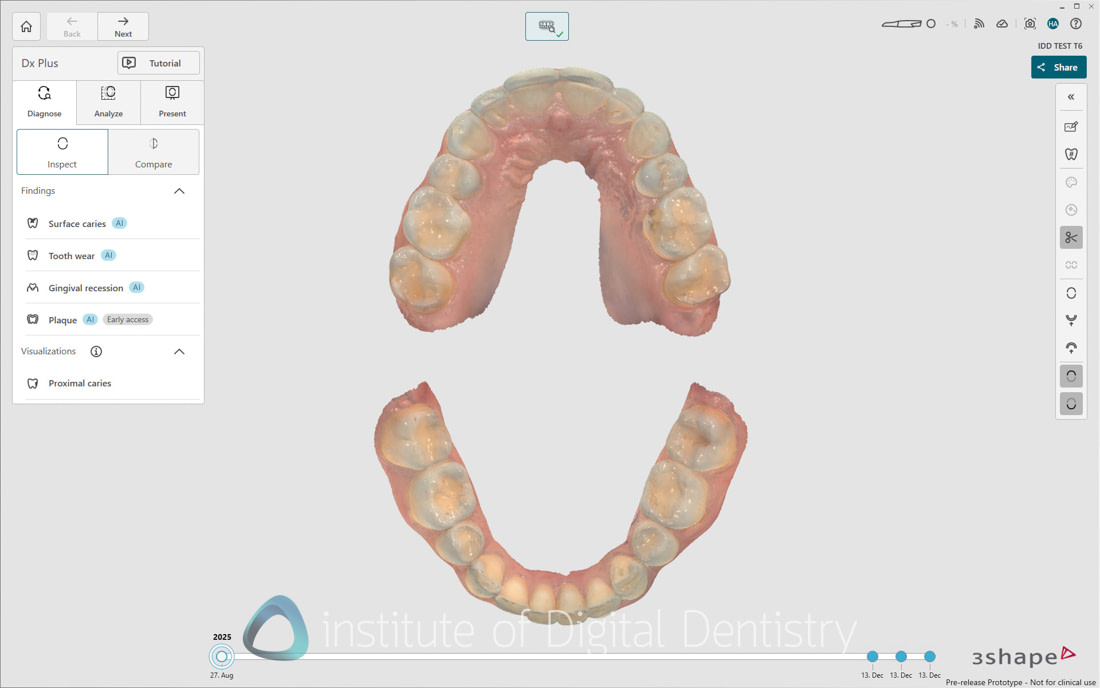
This is where the TRIOS 6 diverges dramatically from its predecessor. The Dx Plus software represents one of the most significant advancements in TRIOS software history, leveraging artificial intelligence to deliver five distinct diagnostic capabilities from a single scan.
3Shape positions Dx Plus as a tool primarily to drive patient engagement, helping you to have better conversations with the patient, while also aiding diagnostics.
Before diving into each feature, let me set expectations appropriately - these are impressive patient communication tools with clinical utility, but some work better than others, and understanding their limitations is as important as appreciating their capabilities.
Here is what the new Dx Plus UI looks like, with buttons for each AI analysis tool. It is launched after taking a scan.
1. Occlusal Caries Detection
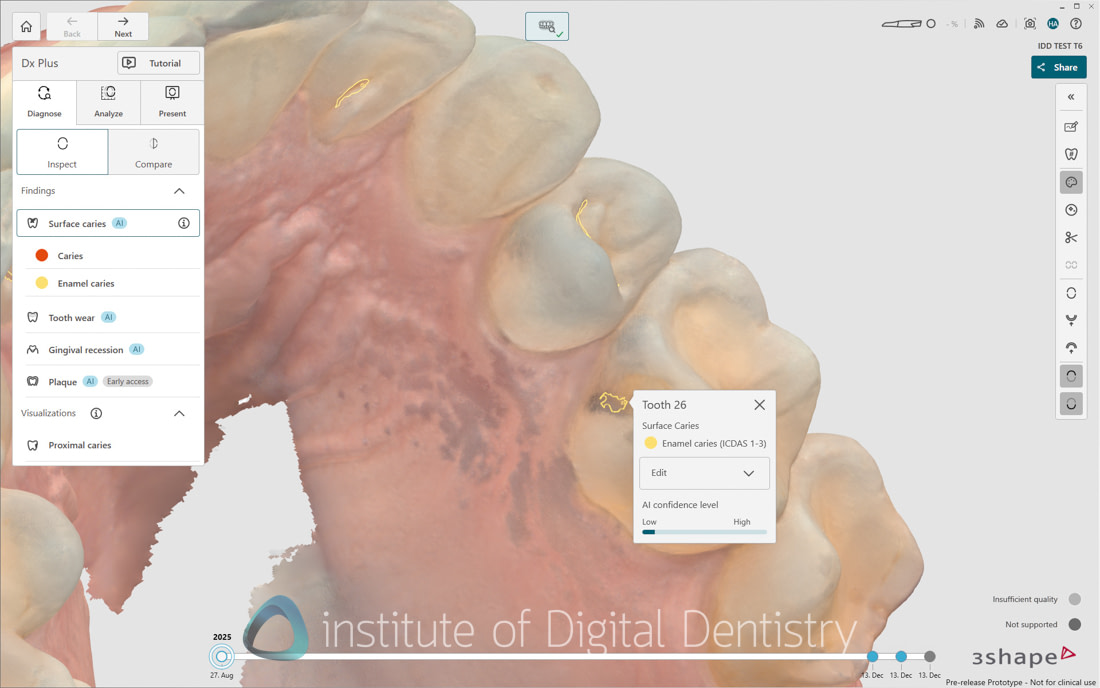
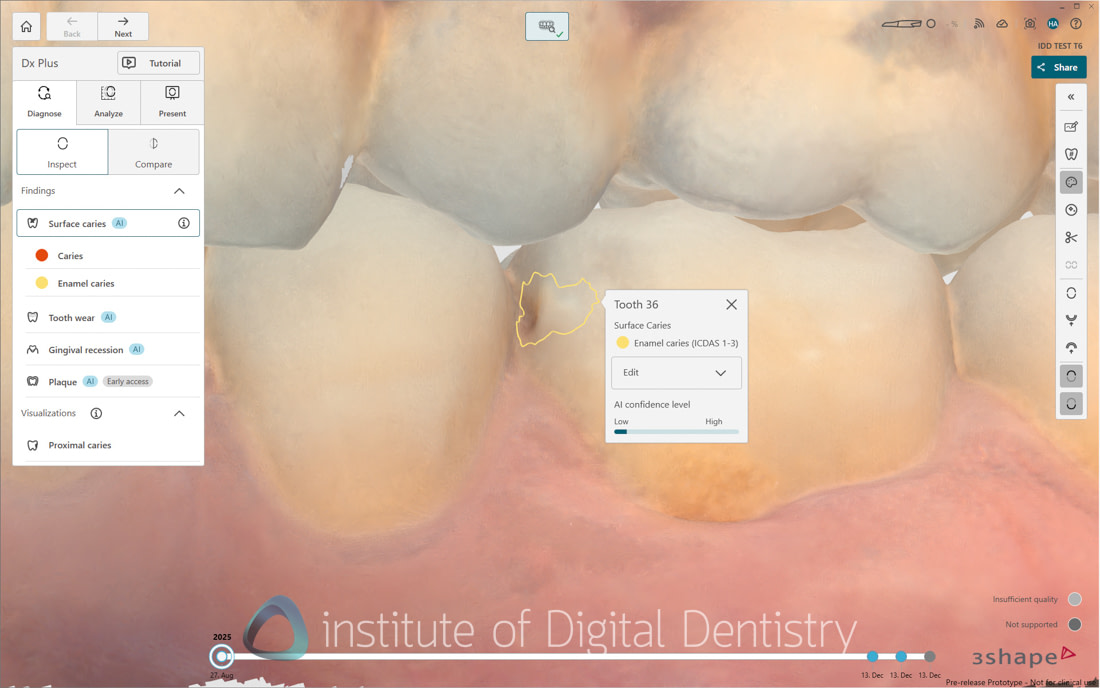
The system analyzes scan data for potential occlusal caries, providing detection and severity classification with confidence ratings. In clinical testing across multiple patients, this feature performs quite well for obvious lesions.
Where it excels is in patient communication. Showing a patient a highlighted area on their 3D scan with the label "moderate caries detected" opens conversations far more effectively than pointing to a grainy bitewing radiograph. Patients understand it, engage with it, and it supports treatment acceptance. Patients like seeing scans, I don't think anyone disagrees.
What it does not do is actual clinical decision-making. I've seen it flag-stained but intact fissures or arrested carious lesions. My take - it's valuable for that purpose, but don't let it drive clinical decisions.
Pretty cool feature for those who are going to incorporate it into the examination appointment
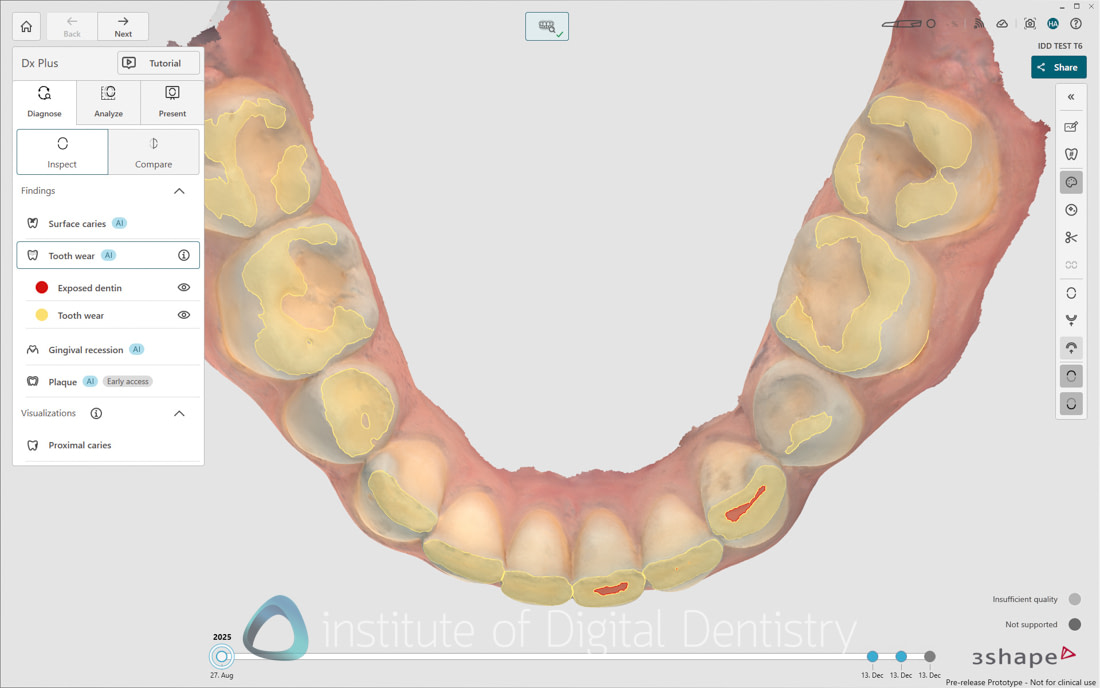
2. Tooth Wear Analysis
This is the standout feature, in my opinion, of the entire AI suite, and arguably the most clinically valuable addition to any intraoral scanner I've tested. The system provides quantitative measurement of tooth-structure loss in millimeters and tracks wear patterns over time with impressive consistency.
What makes this particularly useful is its integration with 3Shape's excellent patient monitoring tools, which are market-leading. The AI identifies wear patterns from a single scan, but its real power emerges when comparing scans over time. For patients with bruxism, erosion, or attrition, having objective, measurable data transforms both patient communication and insurance documentation.
I've used this for documenting wear prior to full-mouth rehabilitation cases, and it's genuinely valuable. The measurements are accurate, the visualization is clear, and patients immediately understand why intervention might be necessary when you show them "2.3mm of wear on the anterior teeth" rather than vaguely describing "some wear."
This feature alone might justify the scanner for practices seeing significant numbers of wear-related cases.
3. Gingival Recession Analysis
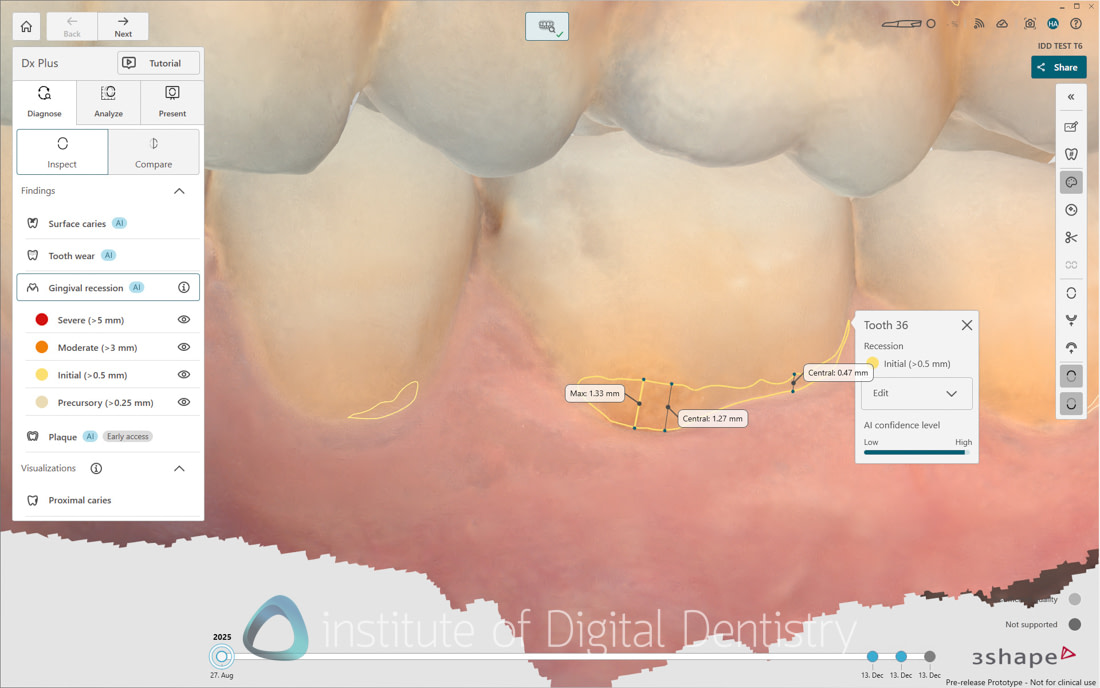
TRIOS 6 automatically identifies both the CEJ and current gingival margin position, calculating recession depths with precise measurements. This feature performs consistently well in accurately delineating the gingival margin, providing valuable documentation for periodontal monitoring and tracking recession progression.
Like the tooth wear analysis, this excels at objective documentation. Telling a patient, "You have 3mm of recession on tooth 23," while showing them the measurement on a 3D scan is far more impactful than a clinical examination alone and trying to show them in a mirror or a photograph where they may not understand exactly what recession is and where it starts.
The accuracy seems solid, not 100% perfect, but good. For general monitoring and patient communication, it works well.
Notably, 3Shape may have pioneered a market trend. Since the release of TRIOS 6, we have seen this type of analysis adopted by other scanners, such as iTero. Would not be surprised if we see it more and more.
4. Plaque Detection
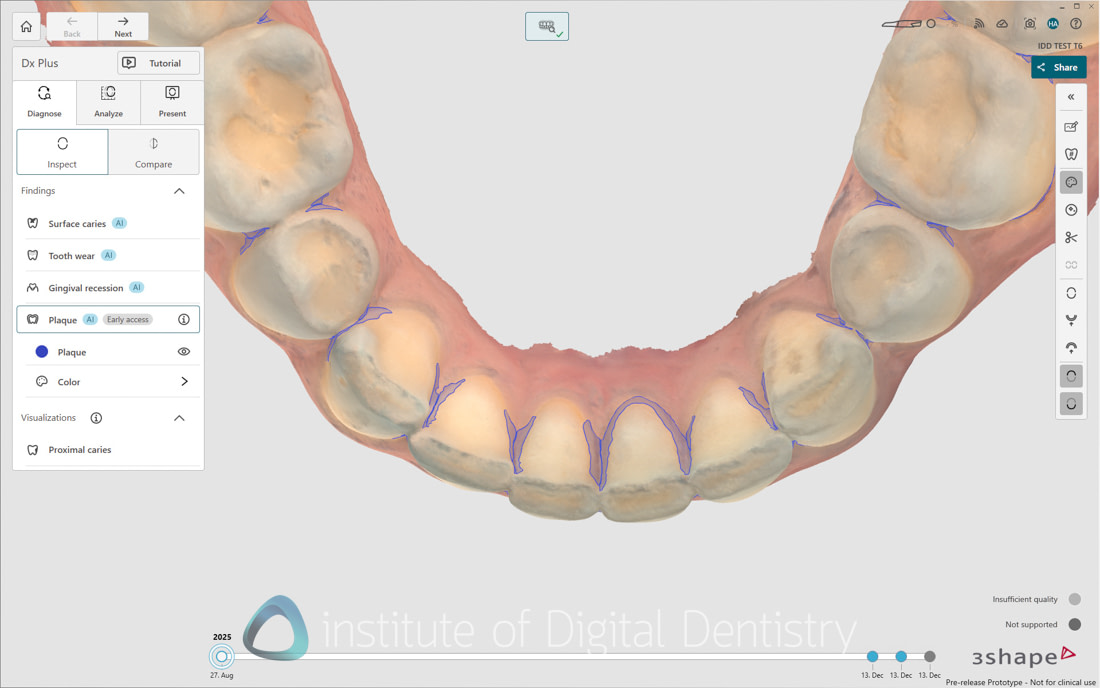
This represents an innovative concept - digital visualization of plaque accumulation without traditional disclosing solutions. The idea is compelling: scan the patient, assess plaque distribution, and use the results to guide oral hygiene instruction.
In practice, the clinical accuracy proves inconsistent. Sometimes it works well, identifying obvious plaque accumulations and providing useful visualizations of hygiene instructions. Other times, it flags areas as plaque-covered that are clearly not, or misses some accumulations.
My suspicion is that the AI struggles to differentiate between actual plaque and other surface characteristics - embrasures, staining, pellicle formation, or even scan artifacts. The technology shows promise, but in its current implementation, I'd classify it as an educational concept rather than a reliable clinical tool.
Use it for patient engagement if it seems to be working well for a particular scan, but don't base hygiene protocols or clinical decisions on it. Traditional disclosing and visual examination remain more reliable.
Once again, it is interesting how 3Shape may have pioneered another trend. Since the release of TRIOS 6, other scanner companies, such as Shining 3D, have responded with their own plaque-focused educational tools.
5. Proximal Caries Visualization
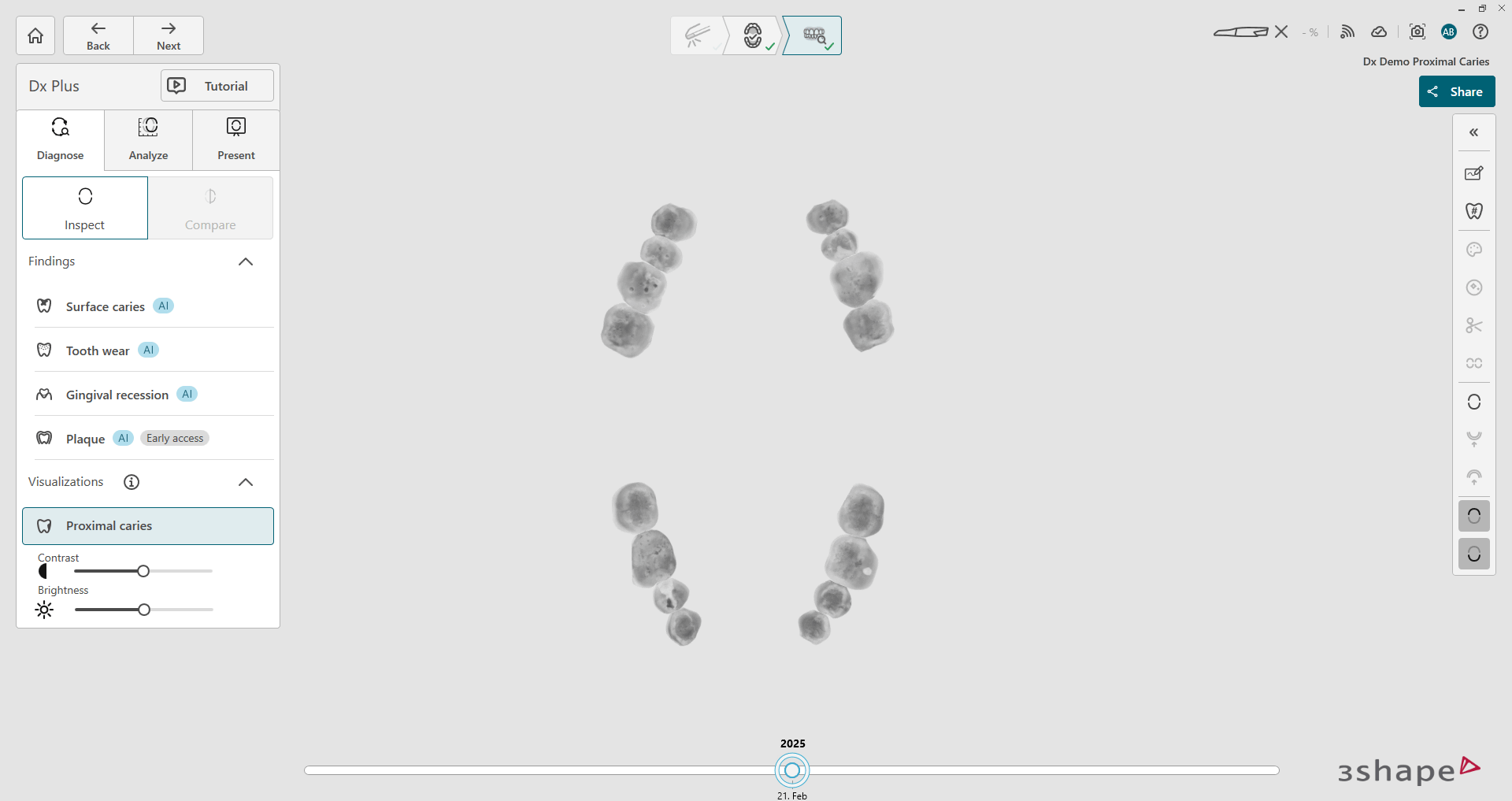
Currently functioning as a visualization enhancement rather than an automated AI-based detection, like the other tools, this feature combines data from all three light sources to improve visibility of proximal regions. It's essentially 3Shape's answer to iTero's NIRI technology.
This complements traditional radiographic examination rather than replacing it. I've found it OK for showing patients areas of concern and explaining why bitewing radiographs might be useful.
Does it detect caries that radiographs miss? Not in my experience. Does it provide additional confidence in radiographic findings? Sometimes. It's a useful supplementary tool, but traditional radiography remains the gold standard for detecting proximal caries.
I would say this tool requires the most improvement by 3Shape, followed by plaque detection.
Clinical Integration and Workflow
The most compelling part of all of this is that all five diagnostic analyses can be performed from a single scan without requiring comparison with previous scans.
The diagnostic process integrates seamlessly into existing TRIOS workflows. After a scan completes, AI analysis begins automatically. Results appear in the new Dx Plus app within seconds, and you can review all five diagnostic categories simultaneously or focus on specific areas of interest.
Critically, clinicians retain complete oversight. You can verify and modify all AI findings. If the plaque-detection flags clean areas, ignore them. If the caries detection missed something obvious, you're not bound by its findings. The AI assists but never overrides clinical judgment.
Setting aside clinical accuracy considerations, the Dx Plus interface is one of the most sophisticated patient communication platforms in any intraoral scanner. The visualizations are clear and intuitive and consistently elicit positive patient responses in my experience.
For practices that focus on patient education and treatment acceptance, these tools will likely deliver real value. Being able to show a patient their tooth wear progression, recession measurements, and caries risk areas on a beautiful 3D scan creates engagement that traditional examination cannot match.
I've seen treatment acceptance improve for cases where these visualizations support the clinical findings. Patients want to understand their conditions, and these tools help them do so effectively. This comes at a price. More on that below.
DentalHealth Patient App
The TRIOS 6 also introduces 3Shape's first patient-focused mobile application. This platform allows patients to:
- Access their scan data from their smartphone
- View AI-detected conditions with clear visualizations
- Track treatment progress over time
- Receive personalized oral health recommendations
- Schedule appointments and communicate with the practice
The app is well executed for patient engagement, and for practices that implement regular scanning protocols, it provides compelling justification for the "scan every patient" approach that companies have advocated for years.
I will say I personally have not seen it take off, and there is a bit of friction, let's say, in asking the patient to open their phone, download the app, and set it up.
TRIOS 6 Scan Speed
As a scanning device, the TRIOS 6 inherits all the strengths that made the TRIOS 5 successful. I have used TRIOS for almost a decade, taking thousands of scans and I can confidently say this remains one of the best-performing scanners available across all clinical indications. They just work and have been doing so since the days of TRIOS 3.
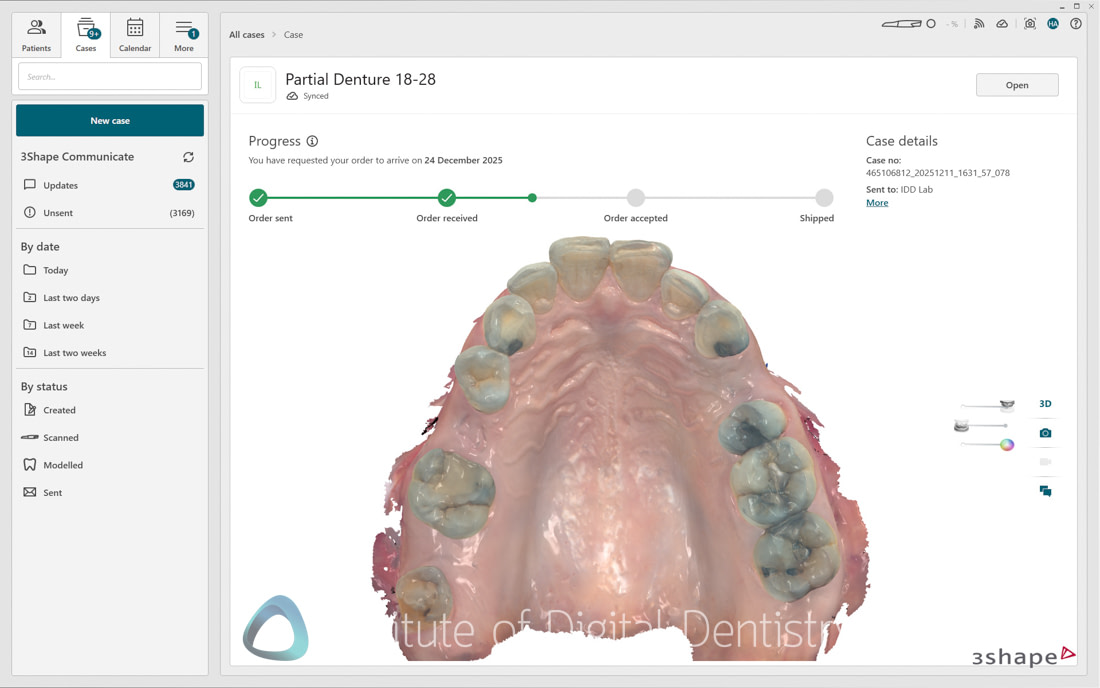
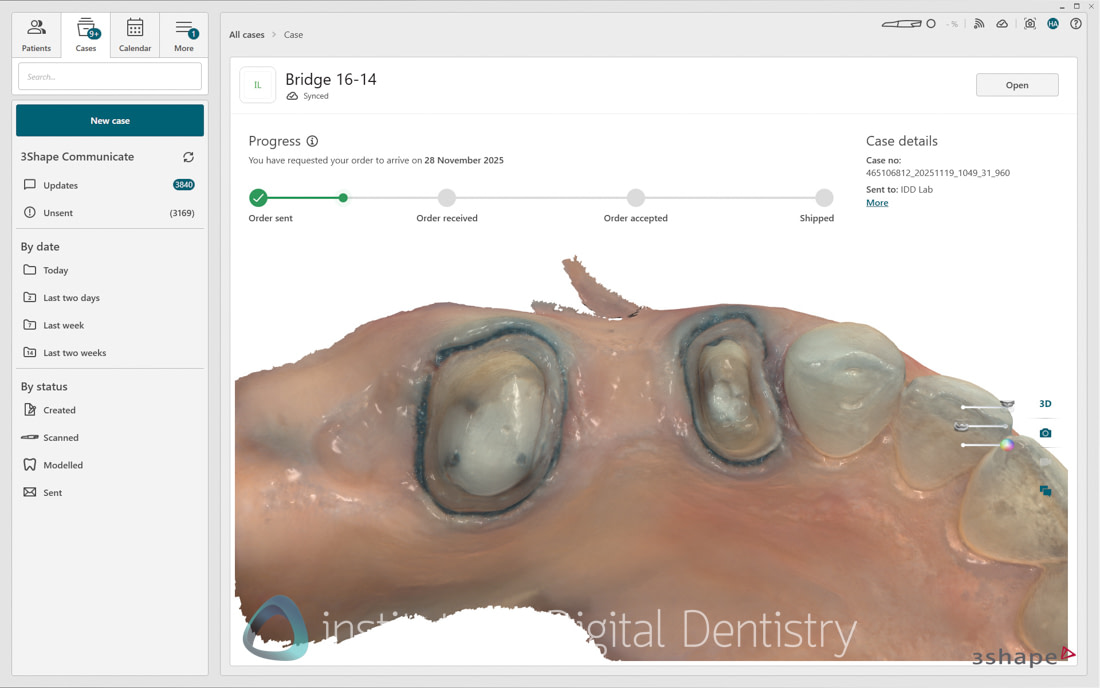
Full-arch scans can be completed quickly across all cases, with my fastest scans taking as little as 20 seconds. The 'enhanced resolution' doesn't compromise scanning speed. The ease of use remains excellent. The scanner picks up quickly, tracks reliably, and provides clear visual feedback about scan coverage.
For new users, the learning curve is gentle. For experienced TRIOS users, the transition is effortless. The 'ScanAssist' engine introduced in TRIOS 5 makes a significant difference; stitching errors are now rare, unlike in earlier days, when a good scan strategy was required, especially when scanning incisors to prevent double images.
While it is difficult to quantify precisely how it does so, testing with earlier TRIOS models reveals noticeable improvements in scan continuity and error reduction. The practical benefit for clinicians is evident as the software does a great job of correctly piecing together scan segments, reducing the frequency of stitching errors in my experience.
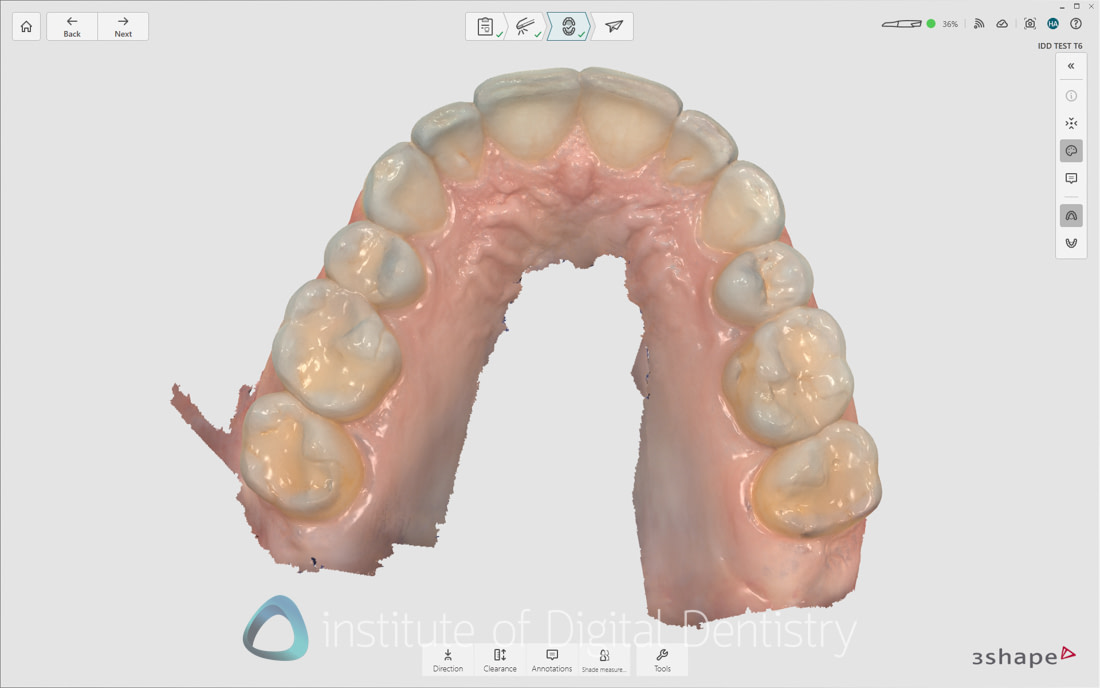
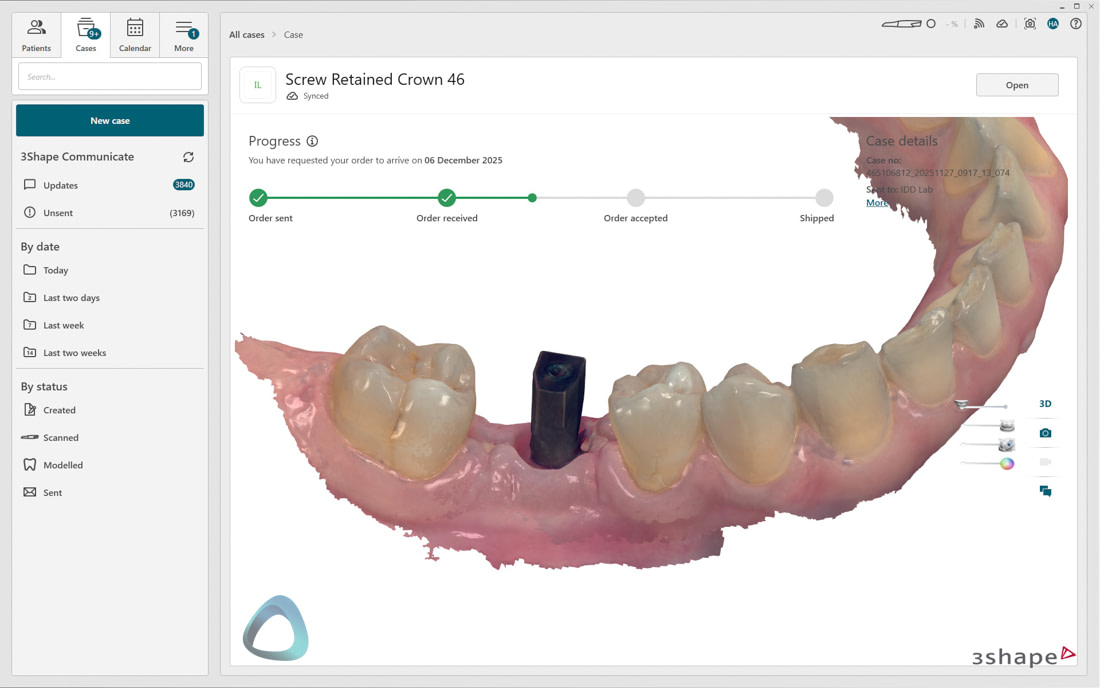
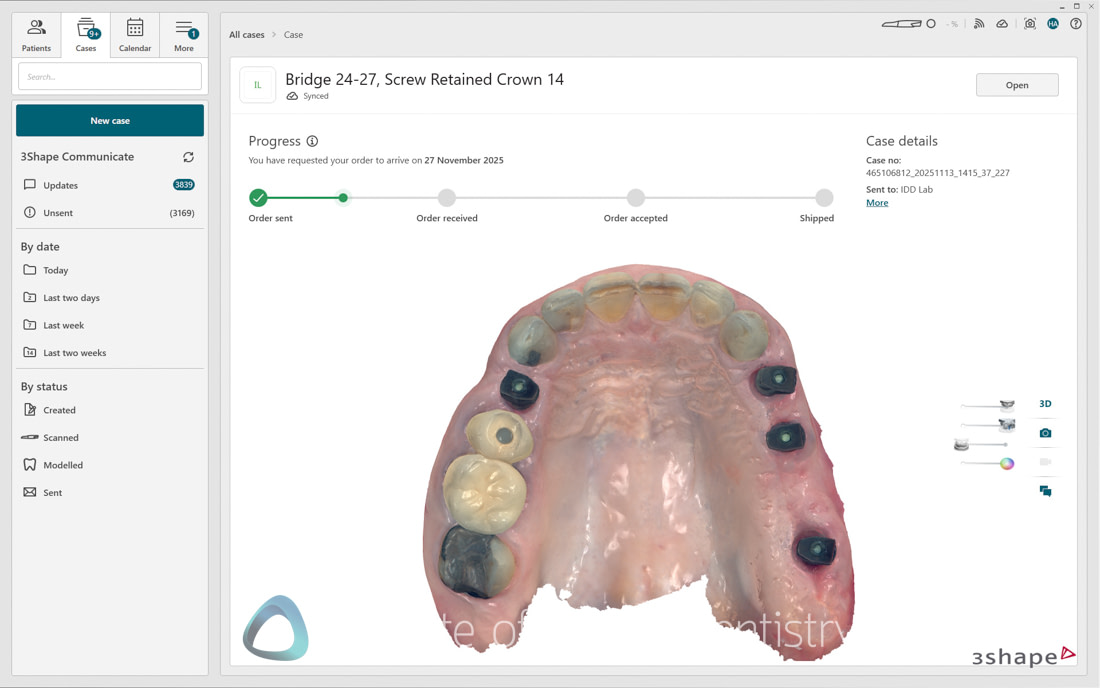
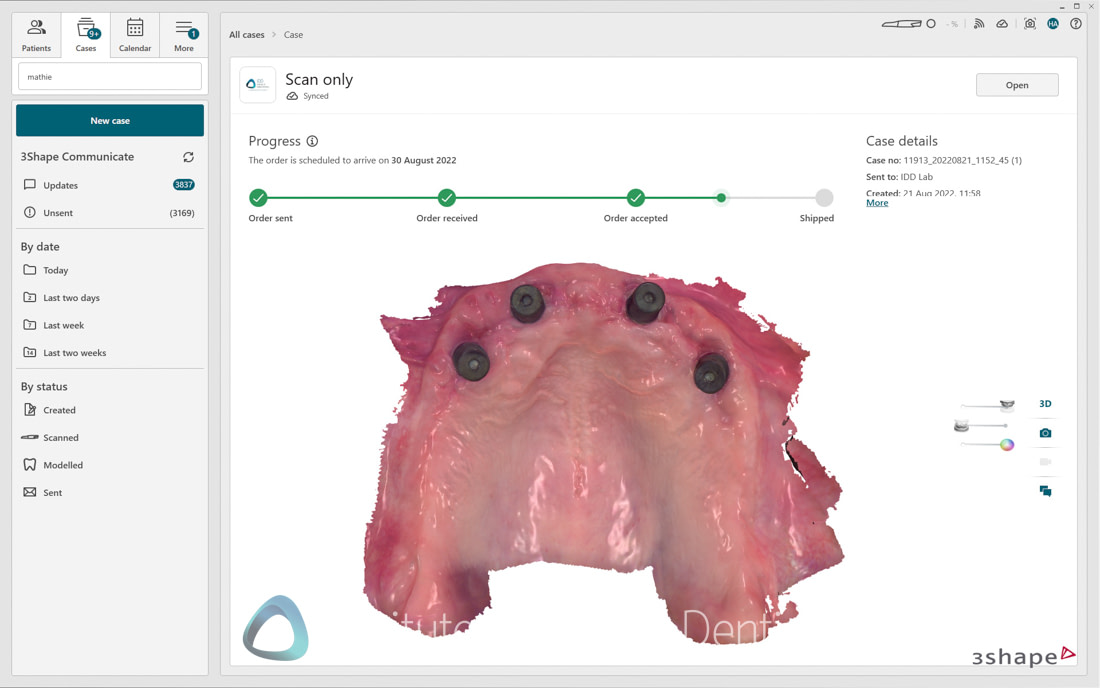
This technology is particularly valuable in challenging scanning scenarios, such as edentulous scanning. The TRIOS 6 maintains tracking more reliably and recovers more predictably when tracking is temporarily lost. Across single crowns, multiple-unit bridges, implant restorations, All-on-X cases, orthodontic records, and complete dentures, this scanner has performed consistently well in the practice. The clinical versatility matches or exceeds any scanner I've tested.
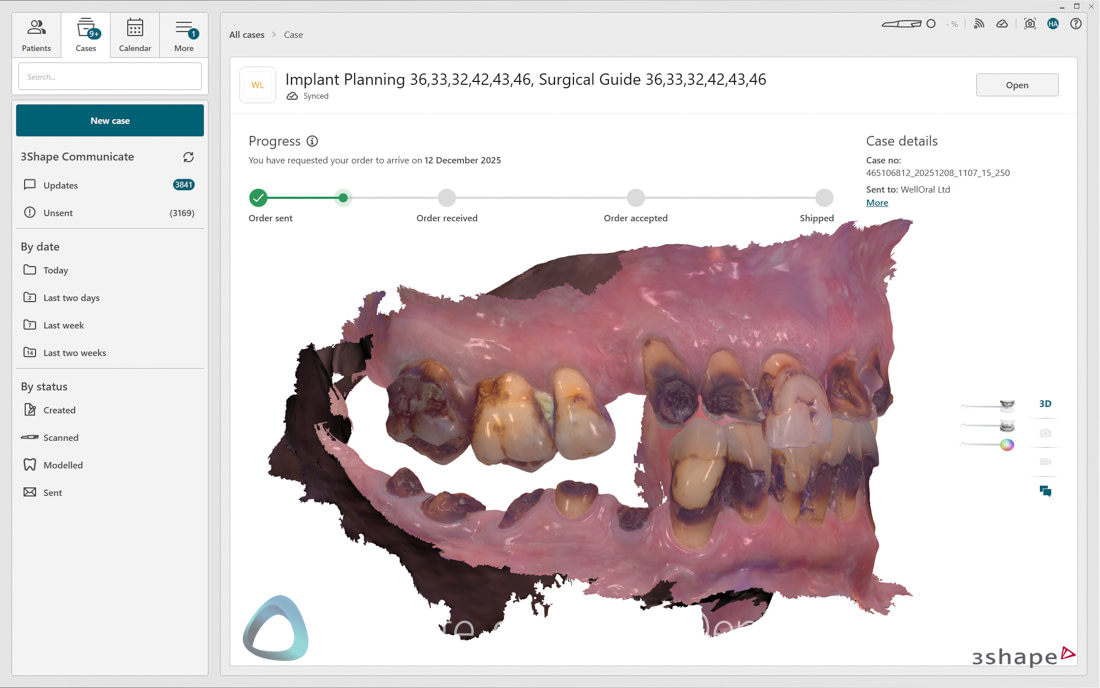
TRIOS 6 Accuracy
Accuracy remains excellent, particularly in challenging scenarios. Edentulous scanning, which many scanners struggle with, works reliably with the TRIOS 6. The soft tissue handling is superb, one of the best in the industry for capturing ridges, palatal detail, and complete denture cases.
3Shape TRIOS scanners have been accurate since TRIOS 3, and this remains the case. In our own clinical testing and research methodologies here at iDD, it is without a doubt an accurate scanner. I have no concerns using this scanner for any indication in dentistry, and do so daily in my private practice.
The texture quality deserves special mention. As mentioned above, the TRIOS 6 produces some of the nicest scan textures in the industry. Color reproduction is natural, surface detail is exceptional, and the scans are genuinely beautiful to work with and show patients. Years of maturation are evident here, which will take some newcomers to the market time to catch up.
Design and Build Quality of the TRIOS 6
The TRIOS 6 maintains 3Shape's commitment to premium build quality and materials. The scanner has the same sleek TRIOS 5 design, with a new "arctic sapphire blue" metallic finish that distinguishes it from the TRIOS 5's two-tone black-and-white aesthetic.
While the color is new, the construction quality remains consistently excellent; these scanners feel premium, and the materials have proven durable. I've had my TRIOS 5 scanner for years, and it is still working perfectly. In fact my original TRIOS 3 is still used for Invisalign and that is getting close to 10 years old.
The build quality withstands the rigors of daily clinical use. Embarrassingly, I have accidentally dropped my TRIOS 5, and the scanner still worked, although the back of the scanner's plastic cracked. Thankfully, this is where TRIOS Care came in, and I got a replacement immediately. So it is not drop-proof, and you need to be careful.
The packaging quality is excellent, reminiscent of premium electronics, a nice touch that reinforces the premium positioning.

At 308 grams, the TRIOS 6 is slightly heavier than the TRIOS 5 (299 grams), but this 9-gram increase is barely noticeable during actual use. I will say that at over 300 grams, it is heavy for a wireless scanner on the current market, showing the age of the TRIOS 5 a little bit.
We are now in a market where wireless scanners come closer to 200 grams, so perhaps something that will improve in future models.

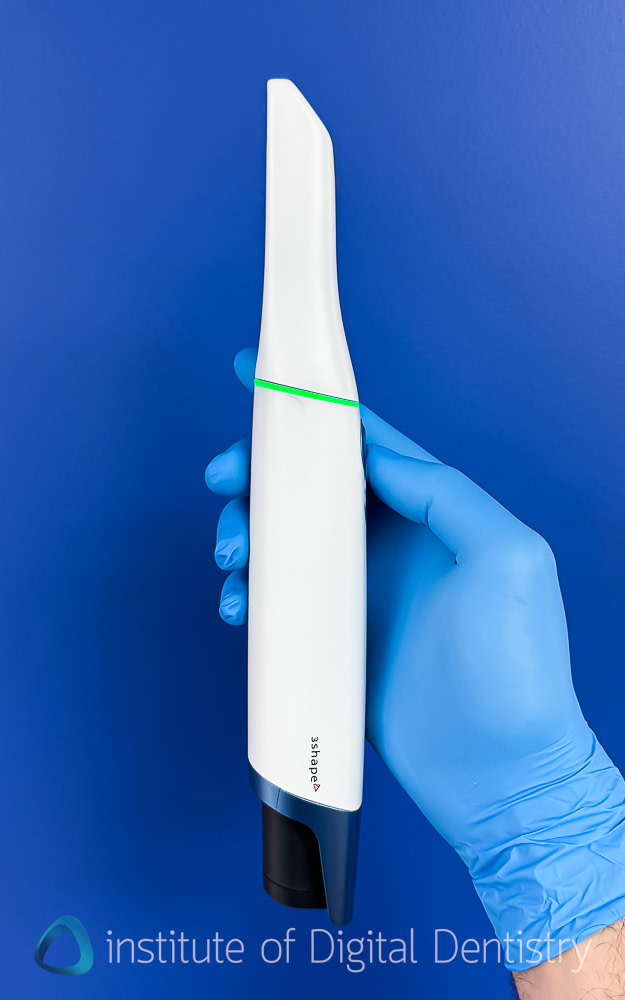
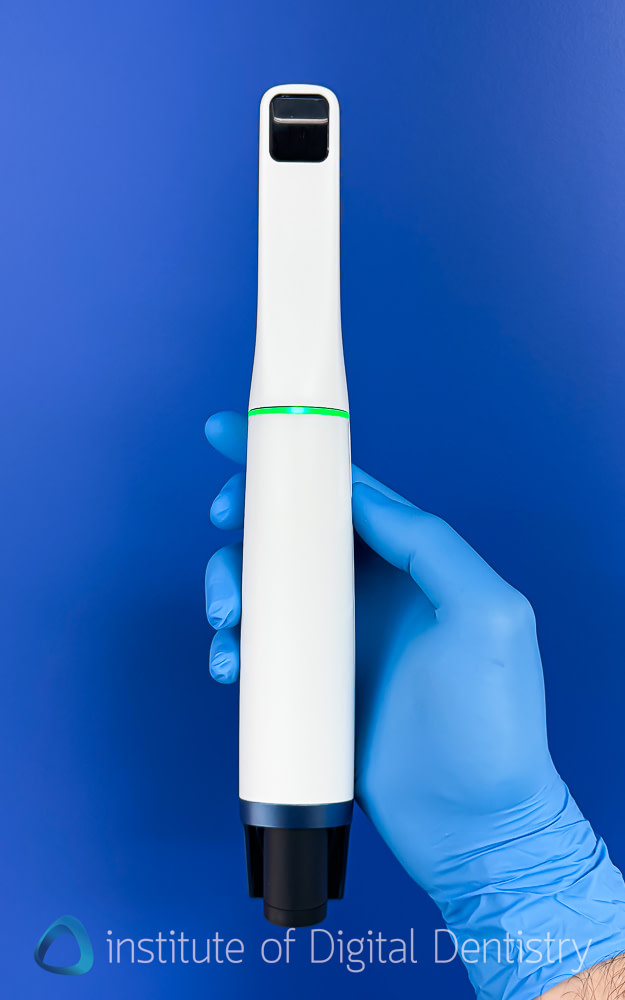
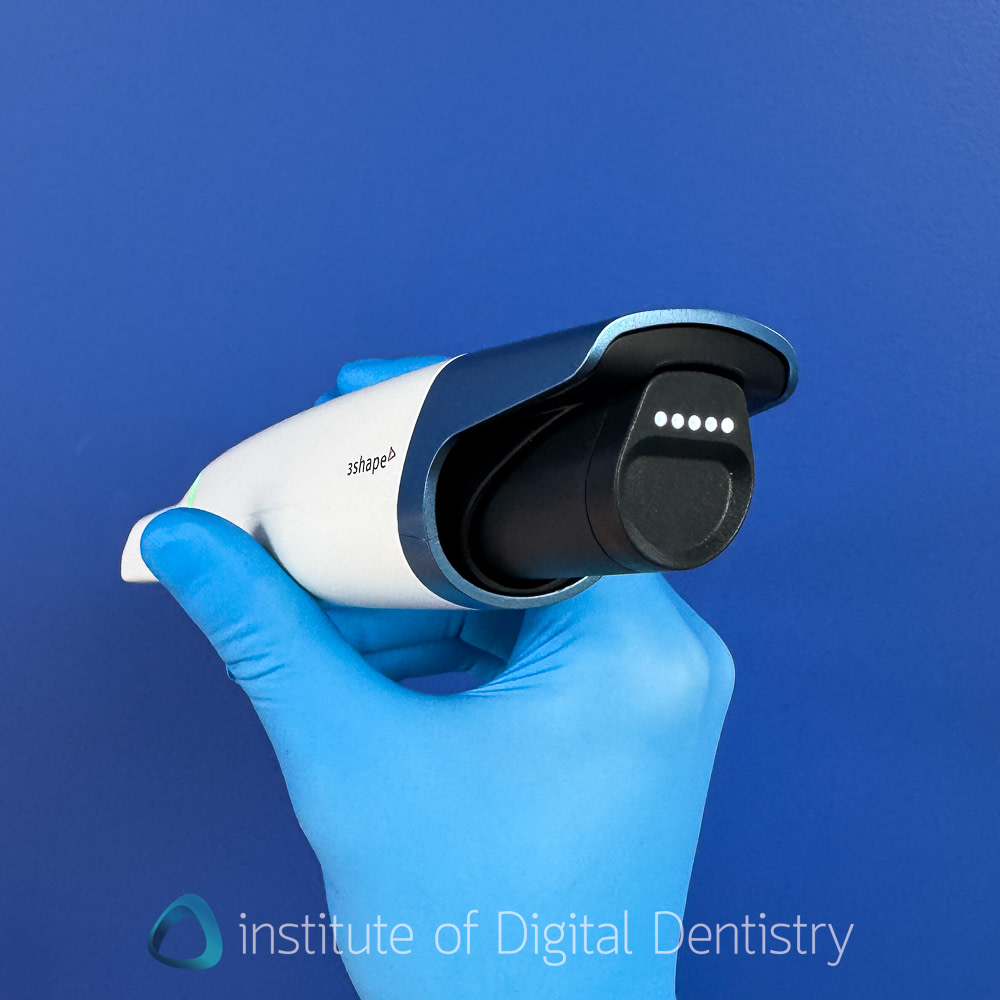
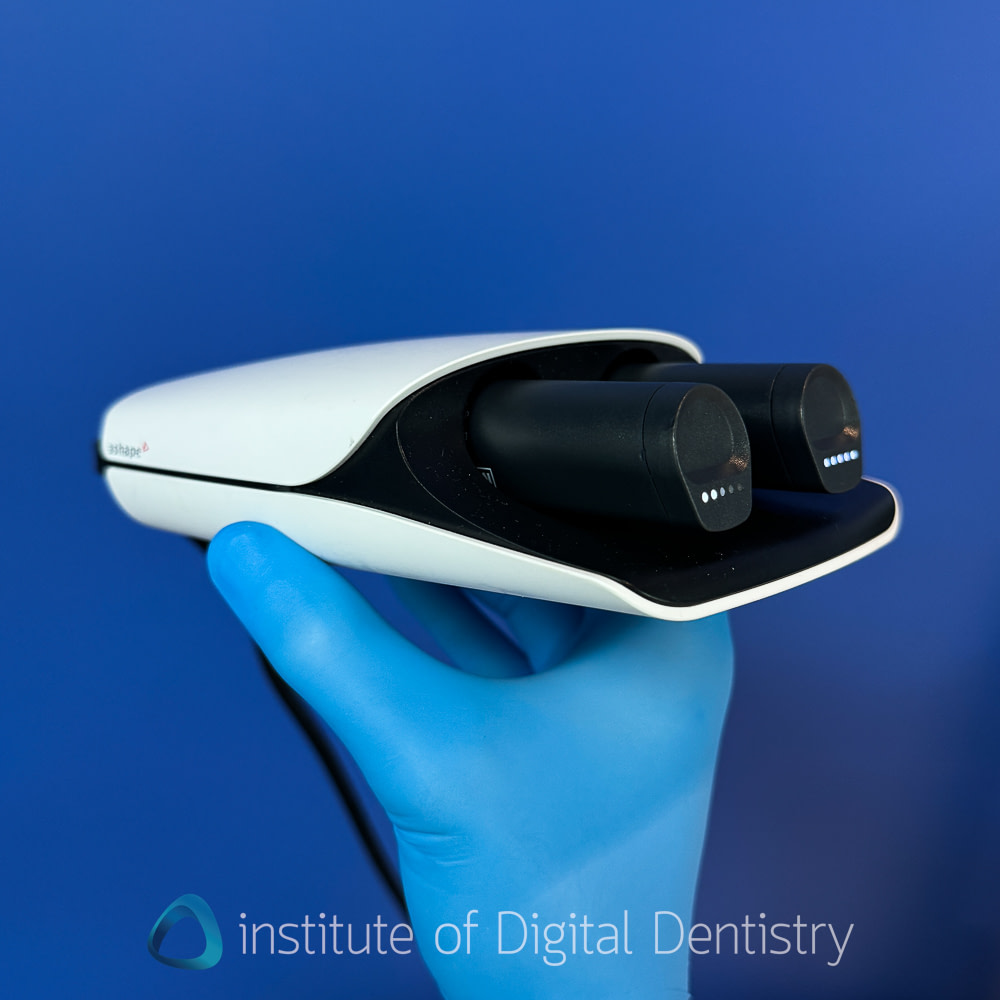
As mentioned, the refined design of the remote control button is nice, but otherwise, it is exactly the same as the TRIOS 5. Same batteries, same scanner holder, same LED ring that we are used to with the TRIOS 5. Nothing new here.
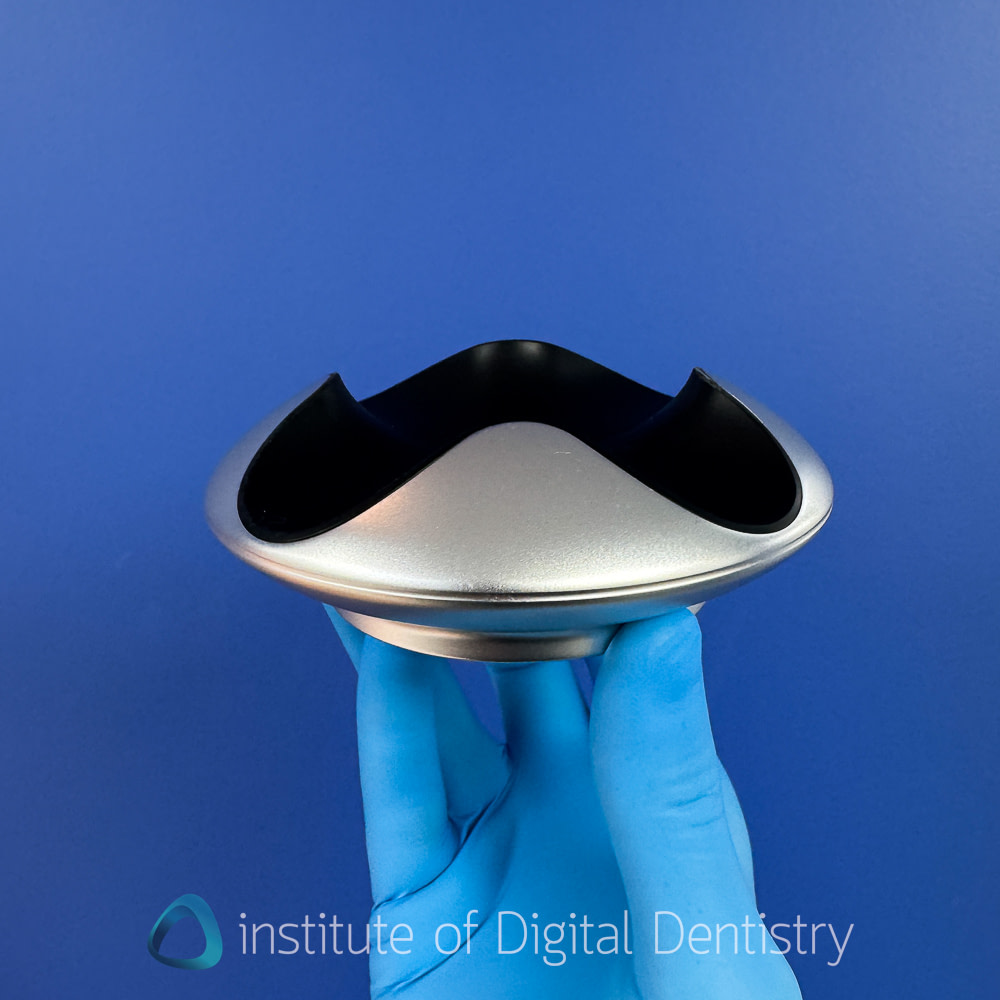
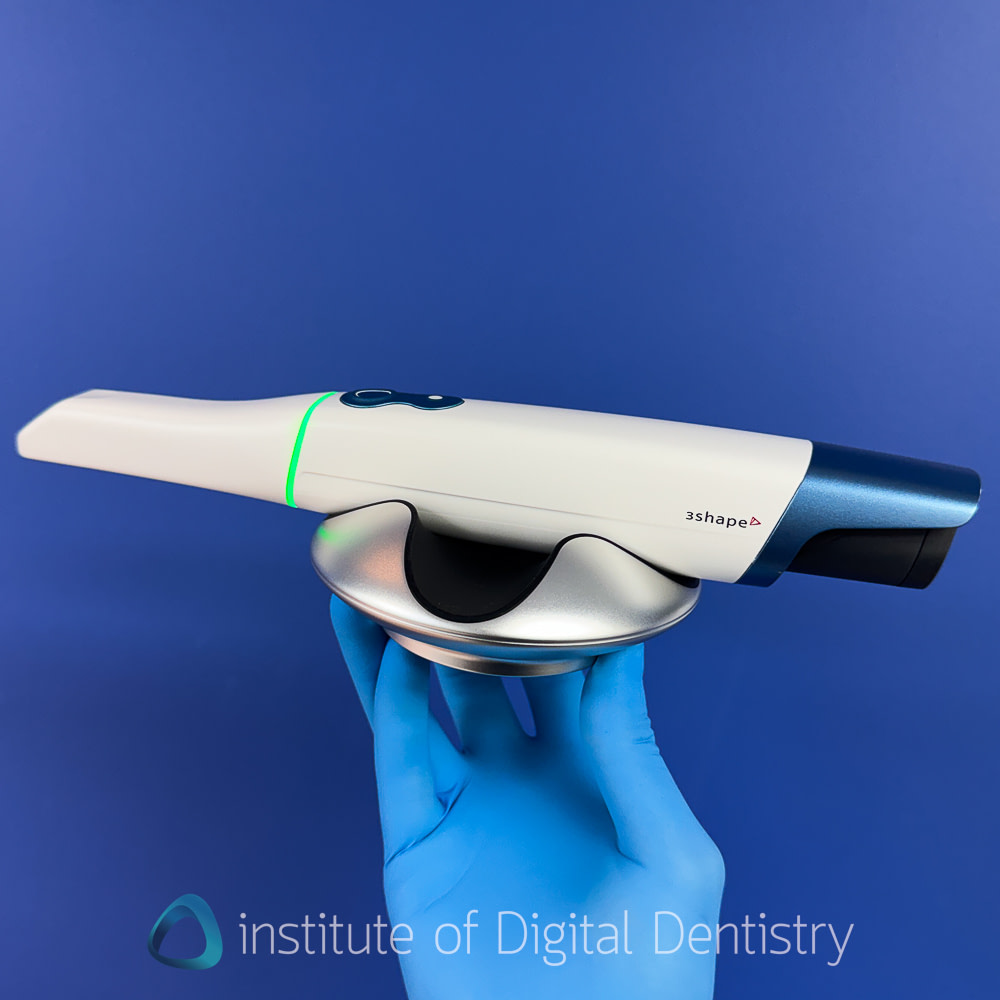
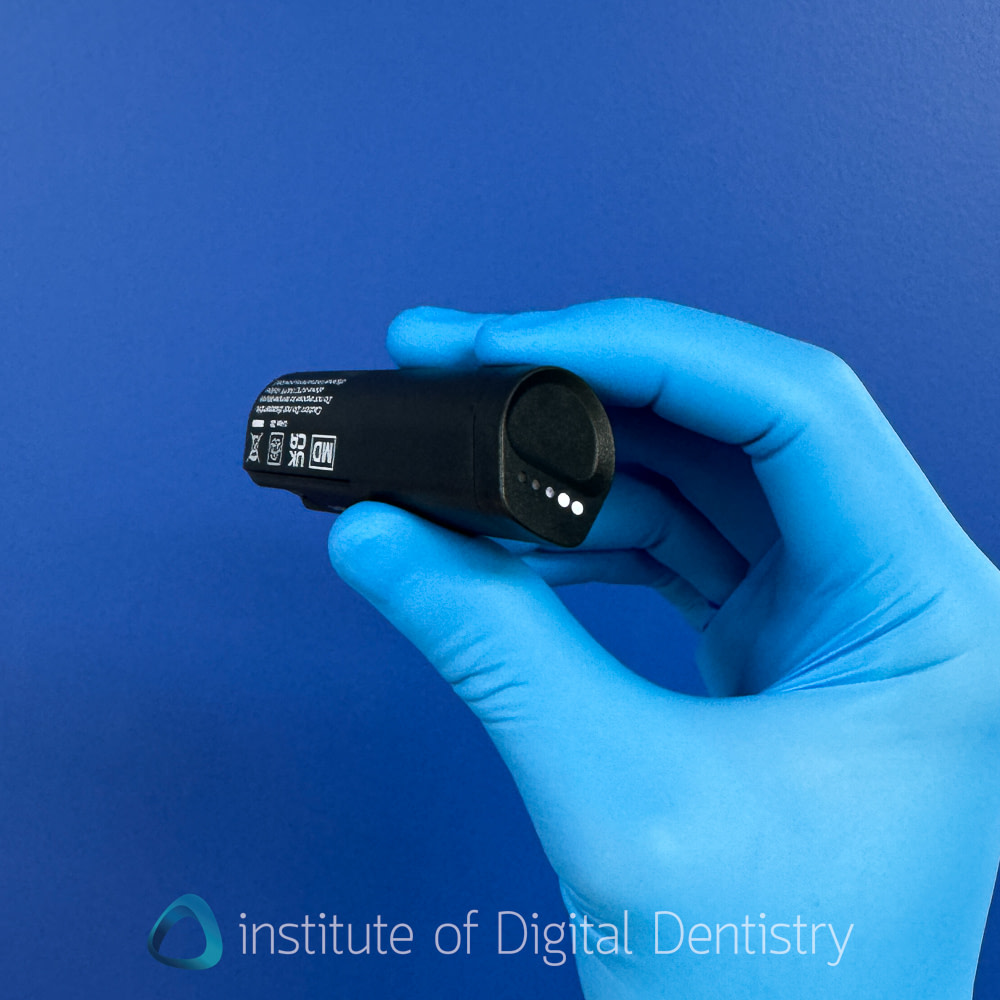
The batteries of the TRIOS 6 last up to 43 minutes, comparable to the TRIOS 6 (45 min). They feature the same LEDs on the back that, when tapped with your finger, indicate battery life. The charger is also the same - a separate charger that is plugged into the wall and can charge 2 batteries at a time. The scanner comes with 3 batteries in the box, and it is simple to remove them and add a new battery should one run low during the day.
Overall, it definietly feels and looks like a premium scanner, yet by today's standards it is a bit on the heavy side, while still being a relatively small-shaped scanner.
TRIOS 6’s Connectivity and Reliability
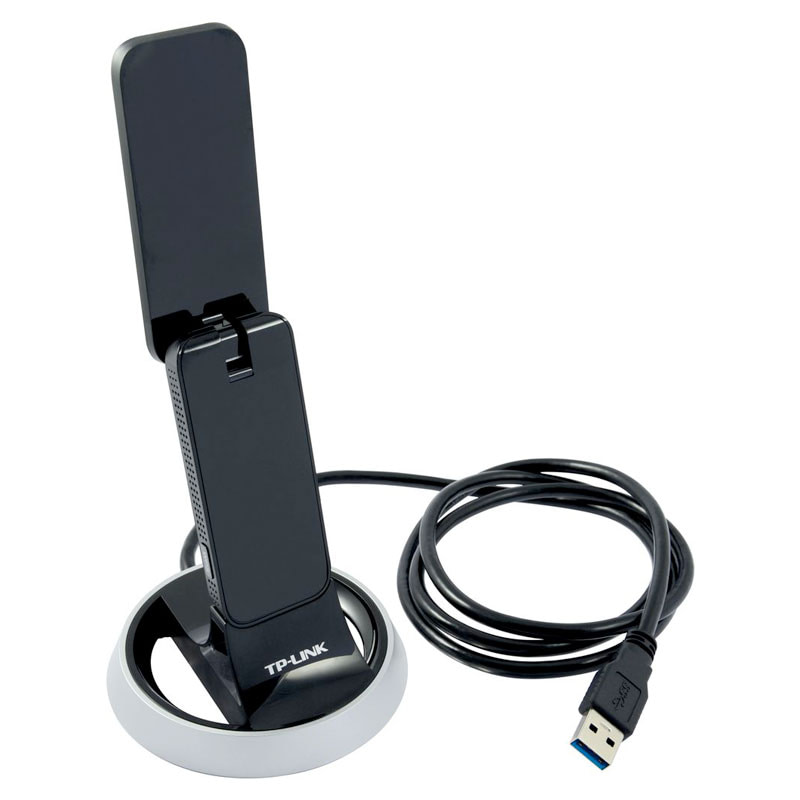
For this review, I used the laptop version of the TRIOS 6, which comes with a Dell laptop and a TP-Link dongle for wireless connectivity. The TP-Link dongle looks generic alongside the otherwise premium hardware.
Connection is reliable once established. I can't remember ever experiencing disconnections during scanning with either this or the TRIOS 5, and the LED ring makes it clear when the scanner is connected.
Sometimes, pairing the scanner with the computer can have a hiccup, especially when switching between different scanners on the same computer. Not always, but sometimes. I've developed a simple troubleshooting routine over the years for this: remove the scanner battery, turn off the scanner, unplug the dongle, then reassemble everything. This usually resolves the issue if it happens.
The Dell laptop included with the system is much better compared to when I reviewed the TRIOS 5. It's still bulky, but performance is much better. Not suffering from the same lag or heat issues as was the case in 2023.
For practices considering the TRIOS 6, the MOVE Pro Cart option might be worth the substantial additional investment. I've used this configuration with the TRIOS 4 and found it excellent in terms of design, ergonomics, and patient engagement. Its only significant drawback back then was the lack of battery power, which has also been solved with an inbuilt battery in the new models.
3Shape also offers TRIOS Share as an alternative connectivity option, which eliminates the need for a Wi-Fi dongle and allows scanner sharing across multiple operatories through the clinic's network infrastructure - a cleaner solution for multi-operatory practices. Personally, in our practice, we just move the cart around, so it is a personal preference thing.
3Shape TRIOS 6 Scanner Tips
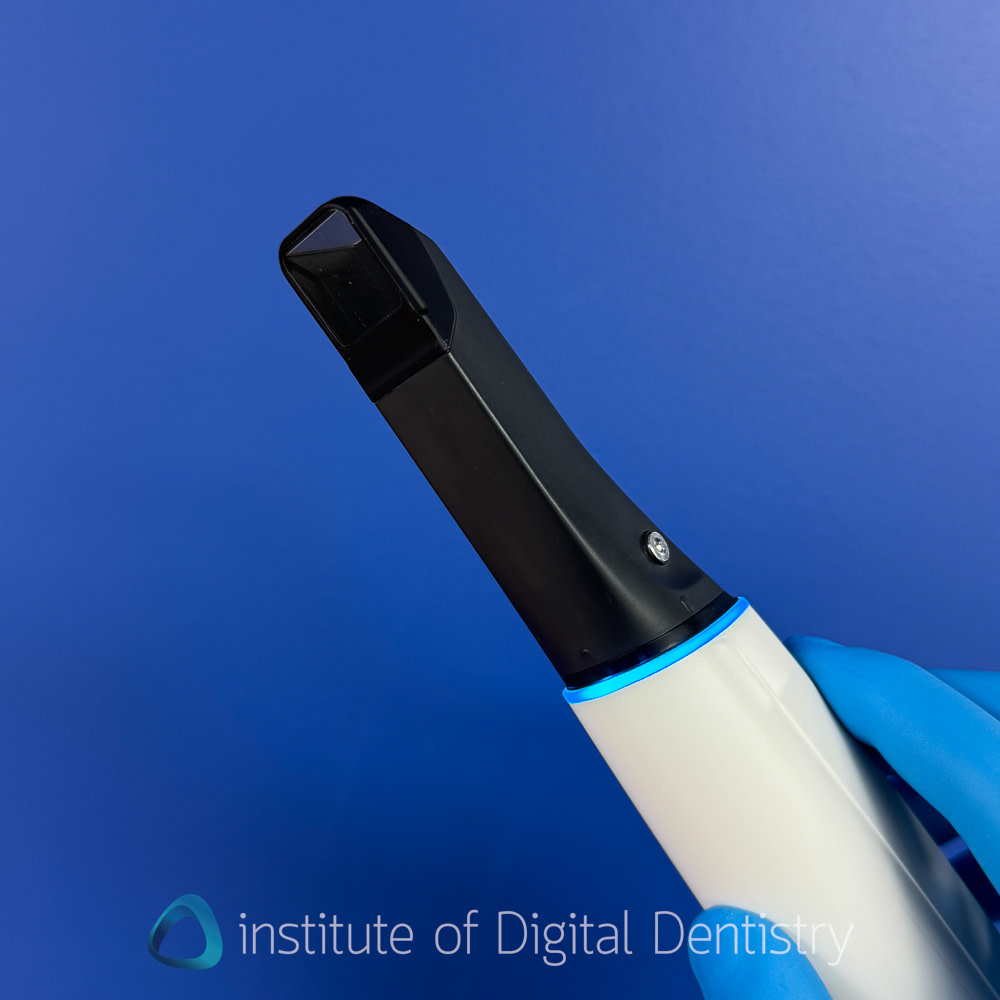
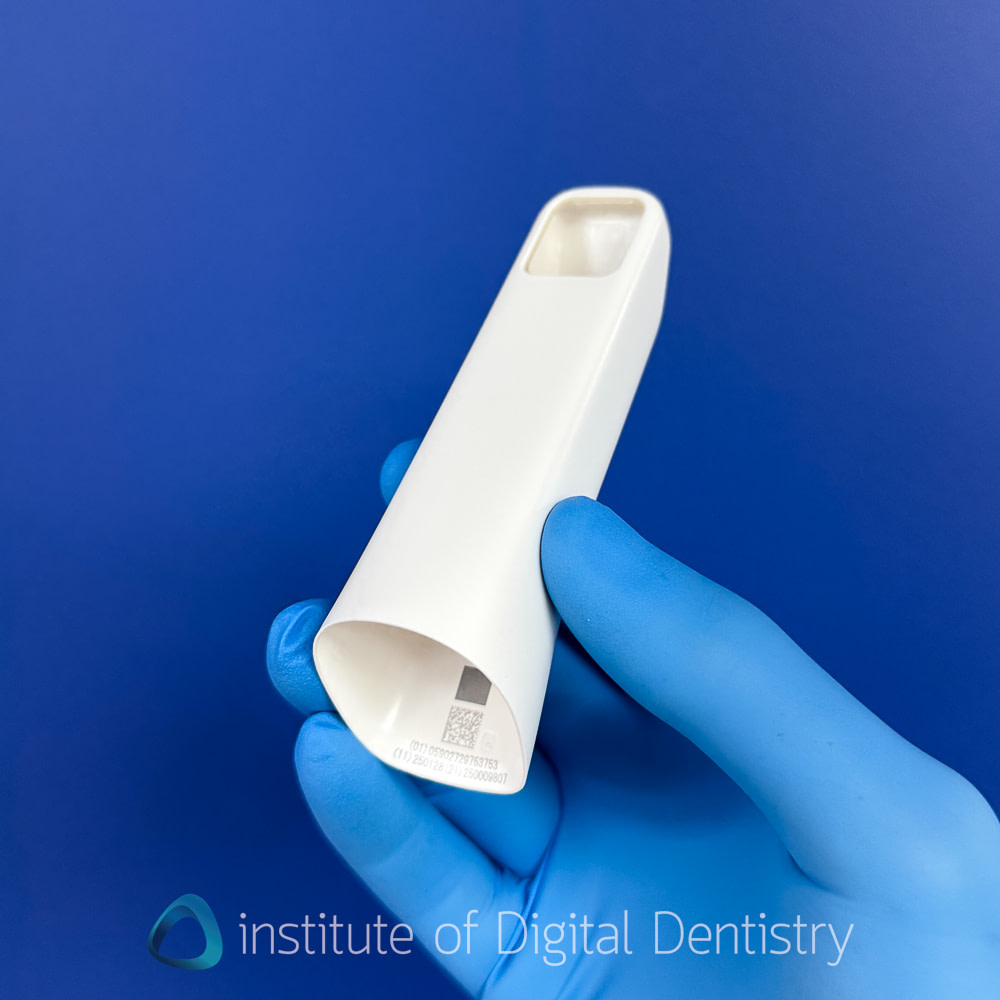
The TRIOS 6 continues with the closed-tip scanner head design introduced in the TRIOS 5. This design prioritizes hygiene by preventing fluid ingress into the scanner's internal components. The tips click firmly into place in only one direction and feel secure during use.
3Shape now ships single-use tips as standard with the TRIOS 6, though traditional autoclavable tips remain available for practices preferring that workflow. Each autoclavable tip can withstand up to 100 sterilization cycles, though they sometimes accumulate stains and discoloration, particularly when exposed to lipstick that isn't thoroughly cleaned before autoclaving.
For clinicians accustomed to the open-tip design of the TRIOS 3 and 4, the closed design represents a change in technique. The open design enabled partial positioning of teeth within the scanner tip when navigating difficult-to-reach areas, such as the distal surfaces of second molars. This technique isn't possible with the closed tip, which may make some posterior areas slightly more challenging to capture. However, the closed design offers an advantage: you can rest the scanner on teeth and glide it across surfaces during fast scanning, which wasn't possible with the open design because the scanner head could catch or knock the teeth.
TRIOS 6’s Software and Ecosystem
Before getting into specific features, it’s worth setting the context around 3Shape’s software maturity. TRIOS software is not the most flexible on the market (e.g., it does not allow adding scan windows); however, what 3Shape delivers instead is exceptional maturity, workflows, and polish.
The user interface is one of the strongest aspects of the TRIOS ecosystem. It looks modern, clean, and clinically focused, with excellent visual hierarchy and thoughtful menus, making it very easy to use.
Tools are where you expect them to be, workflows are predictable, and nothing feels experimental or half-finished. This is software that has clearly been refined over many years of real-world clinical use.
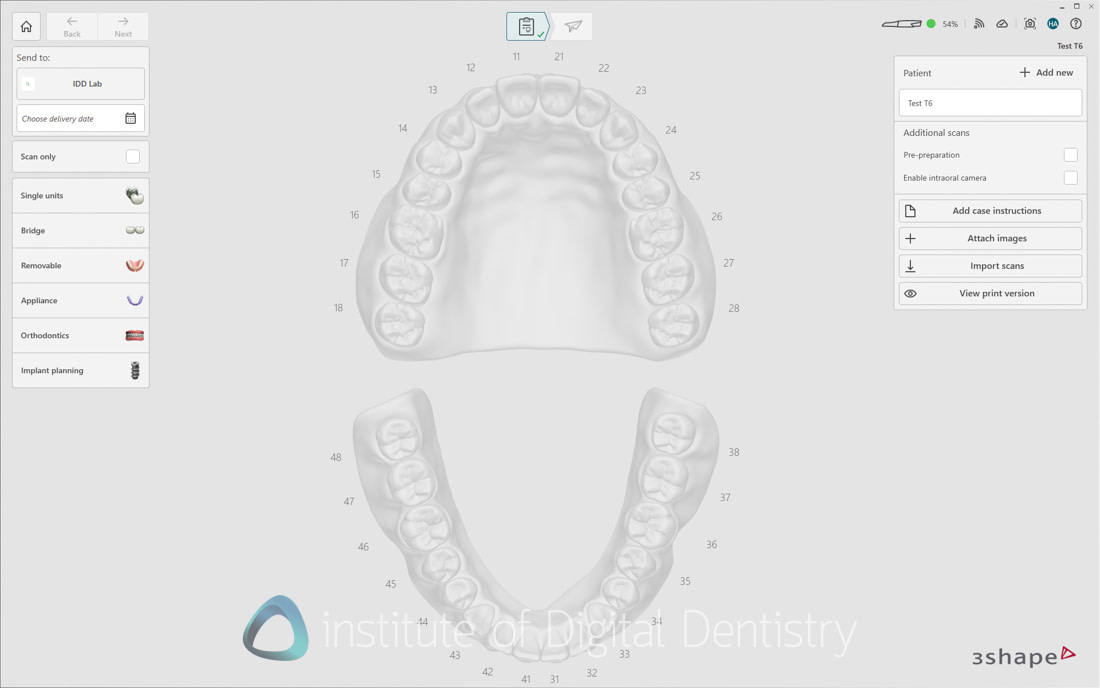

From a day-to-day perspective, TRIOS software is simply pleasant to use. Scanning flows logically, feedback is clear, and the system does a good job of guiding the user without becoming intrusive. The lab form is laid out in an easy-to-understand, easy-to-use format, with all necessary indications, materials, shades, etc.
The layout of patient cases is excellent, with all scans grouped under the patient file. This makes it simple and intuitive to go back and check all the different scans, apps you have used, CAD designs, etc, all under the same patient.
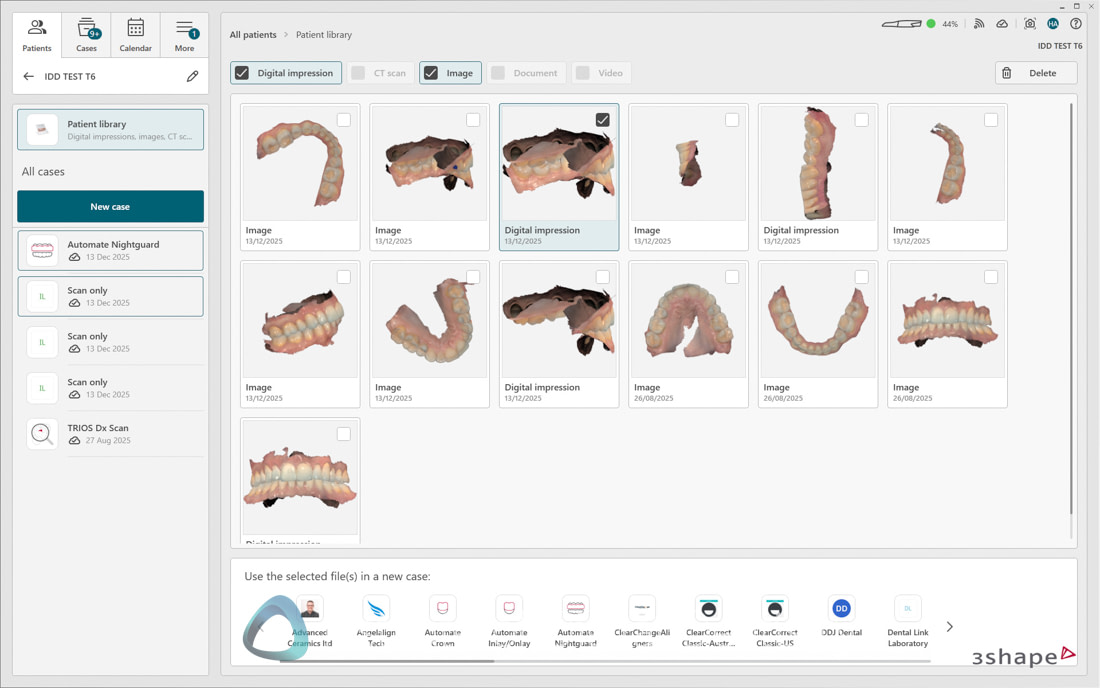
Perhaps most importantly, the platform is easy to train staff on. New clinicians and dental assistants tend to learn it quickly, and experienced clinicians can work efficiently without struggling with the interface. In short, 3Shape’s software may not be the most flexible, but it is one of the most mature and refined digital dentistry platforms available today, and that maturity shows in everyday clinical use.
3Shape has also refined the software interface for the entire lineup of TRIOS scanner lineup this year, introducing several improvements that enhance the user experience. Let's go over everything that is new.
Modernized UI
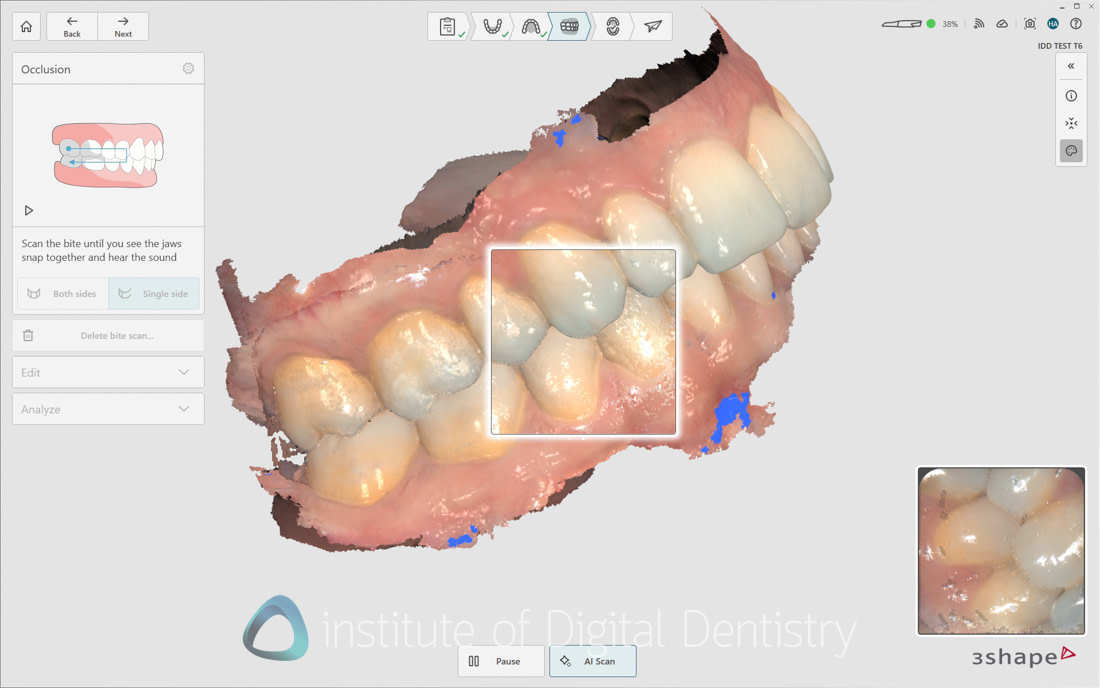
The interface has been cleaned up, with a brand-new, sketchpad-style design language across the board. There is also improved organization of tools and a clearer visual hierarchy. Navigation is more streamlined, making it easier to move through workflows without unnecessary friction. The scanning box has also been updated to a modern white look.
Improved workflow logic
The overall order of scanning steps now follows a more logical clinical sequence. Tasks such as implant site marking and scan body workflows are better integrated, reducing backtracking.
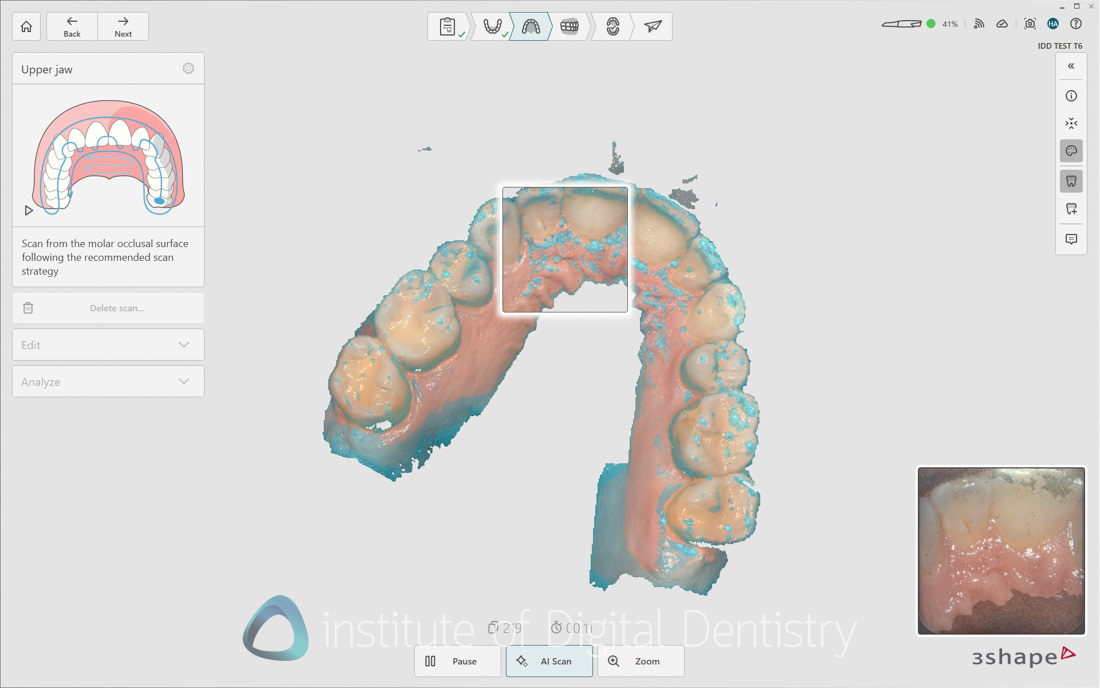
New scan quality overlay
A new scan quality overlay has been introduced to help clinicians achieve optimal scan results more intuitively and efficiently. This is something we have seen in other scanners, such as Medit and Alliedstar, for years, and now it is here for TRIOS.
The overlay highlights areas requiring additional data and gradually fades as sufficient data is captured, allowing you to immediately see where to scan next. It is enabled by default across all scanning workflows, but can be toggled on or off from the side panel or scan settings.
This update improves confidence during scanning, particularly for less experienced users, by making data completeness more obvious in real time - see below, the blue markings. I do find it makes me back track more than I usually do as I try to 'colour in' or remove all the blue marks, I do wonder if 3Shape can dial down the sensitivity a little.
Occlusal oral health images (TRIOS 6 only)
TRIOS 6 users now benefit from a new occlusal oral health images feature. This enhancement is similar to the above but guides the user when hyperspectral scans are sufficiently captured, helping ensure clear, complete visualization of each tooth in the Dx Plus software.
In-software guidance and animations
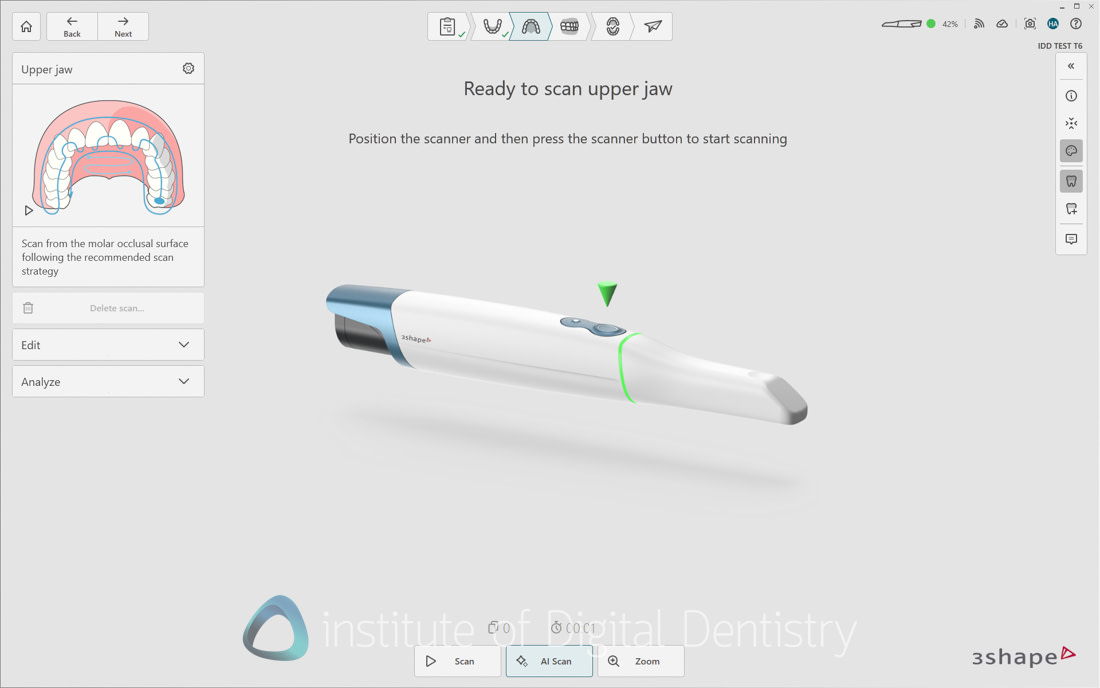
To further support clinicians during scanning, 3Shape has added step-by-step animations and text guidance directly within the software. These appear in context as needed and help users understand each step. Animations play the first time automatically and can be replayed using the play icon or hidden permanently. This guidance helps with the learning curve and ensures consistent scan quality, especially for new users.
Although tips have been available for a while in 3Shape scanners, they are now enhanced with a new design and animation.
Performance improvements
3Shape has also refined its software in many other areas, including post-processing speeds, which the company says it has improved by up to 40% across all scanners, resulting in faster model generation and a smoother overall workflow.
Workflow naming refinement
The “Baseline Scan” workflow has been renamed to “Scan only” to improve clarity and make its purpose immediately clear, while functionality remains unchanged. I didn't like the name "baseline scan," so I am happy with this change.
Dynamic model view
The dynamic model view is a new feature that automatically zooms in and out of areas of interest during scanning, helping users understand what the scanner is capturing in real time.
When it works, it is genuinely useful and looks cool seeing your live scans zoom up in real time; however, consistently triggering it when required is hit-or-miss. It is supposed to work automatically when you slow down your scanning, but I find it does not trigger most of the time.
Dedicated All-on-X Workflow
Something we have been waiting for since the IDS announcement in March 2025: TRIOS software now includes a dedicated TruAbutment ioConnect workflow for all-on-X cases, using ioConnect scan flags. This workflow ensures all required scans are captured and is supported by guided animations and text instructions throughout the process.
This workflow also modulates AI filtering to work with these systems, which was previously an issue (users previously scanned TruAbutment flags on the bite stage to prevent the AI from automatically cleaning floating islands of scan data).
Alternatively, users can initiate a fully guided all-on-X workflow through a generic implant workflow, so it is not just locked to TruAbutment, it seems. A dedicated Straumann Exact + TRIOS workflow has also been teased in the software, with a full release expected in Q1 2026.
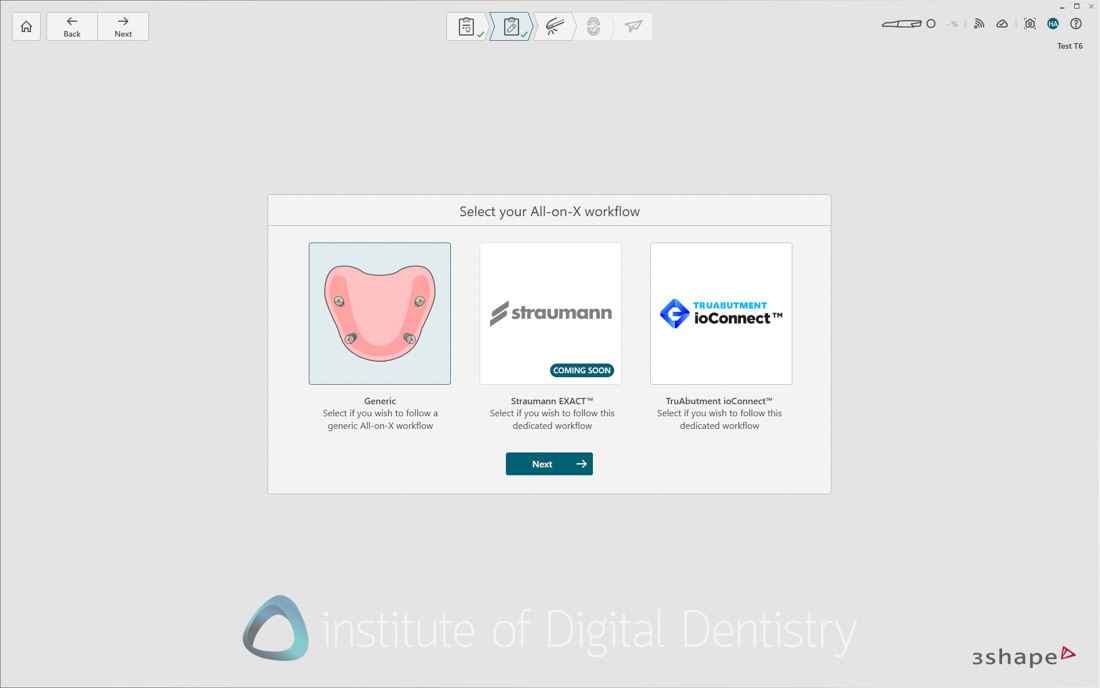
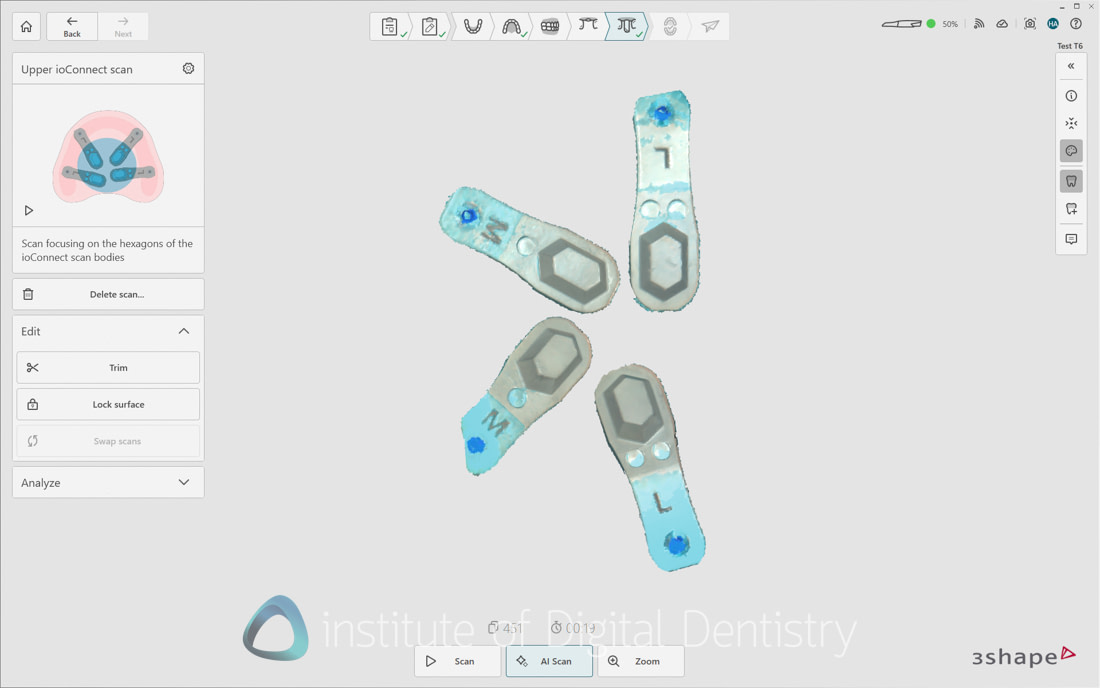
This workflow is nice but not perfect, and I think the company can improve it. For starters, to launch this workflow, you have to create a bridge with four or more implants in the order form, then select all the individual pontic spaces. It is a little off-brand for a UI that is otherwise foolproof and streamlined, and a simple 'all-on-x' option on the lab form would be better.
Additionally, an area for improvement is digital alignment and confirmation of the horizontal scan bodies within the software, as well as digital transfer, like other scanners with these types of workflows. Currently, there is no confirmation that you scanned the horizontal scan bodies correctly. No green icons, shades, ticks, sounds, nothing. Not a deal breaker, but noticeable, it is not present.
The digital transfer from a horizontal-scan body to a scan body your lab can use is also not available in the software. For the case of TruAbutment IO Connect, you need to export the scans from 3Shape and import them into the TruAbutment software to perform the digital transfer. More steps than the Shining 3D Elite, for example. Granted, you can always just send these scans to your lab and let them handle it, but the fact that other IOS companies have end-to-end workflows is an advantage for them.
It is nice to see this workflow finally be released for 3Shape, and it fixes a lot of the software AI issues and creates a workflow with all the scan windows you need for all-on-x cases, but frankly, I feel like they are playing catch-up in this regard, which is uncharacteristic of the long-time market leader.
And that is all the new things to 3Shape software in 2025 and beyond. So what about the apps?
3Shape Unite Applications
The TRIOS software extends beyond scanning through the 3Shape Unite ecosystem, where additional applications are discovered, managed, and launched via the Unite Store. The store is tightly integrated into the TRIOS environment, where you can also discover labs to work with and other 3rd-party applications.
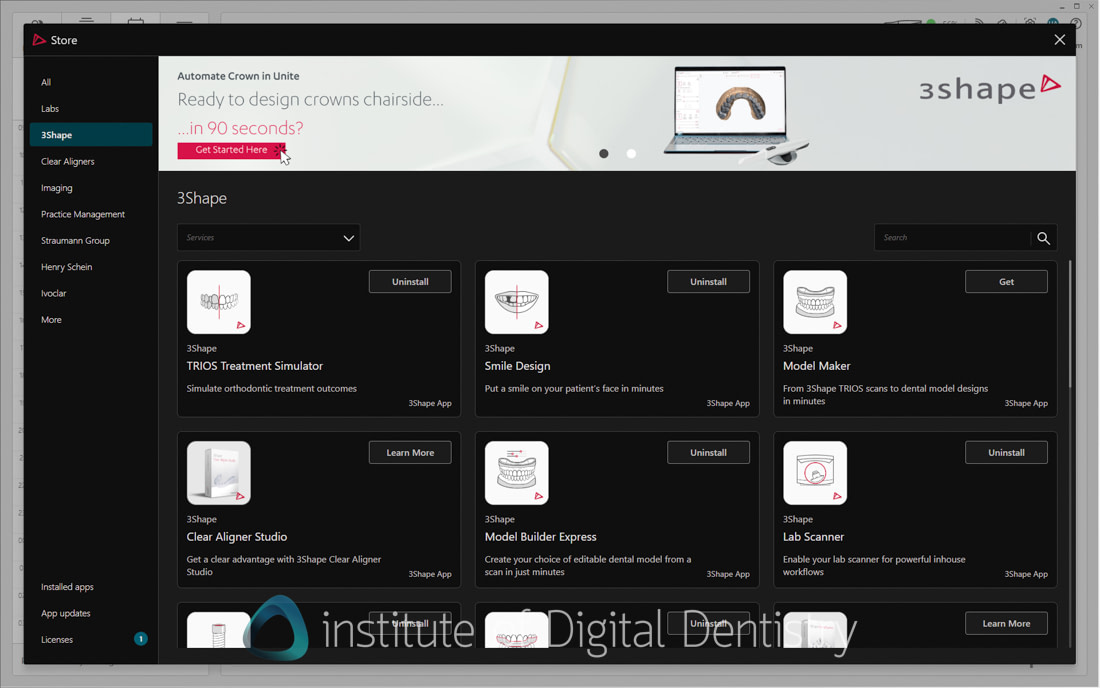
What stands out immediately when using the 3Shape apps is the quality of these applications. Many IOS and dental software platforms offer software apps and add-ons, but few match the level of refinement seen here.
These are some of the nicest-designed applications on the market, with results that look actually good - I am looking at you ortho simulators and smile design seen in many scanners these days.
Let's briefly cover the main apps:
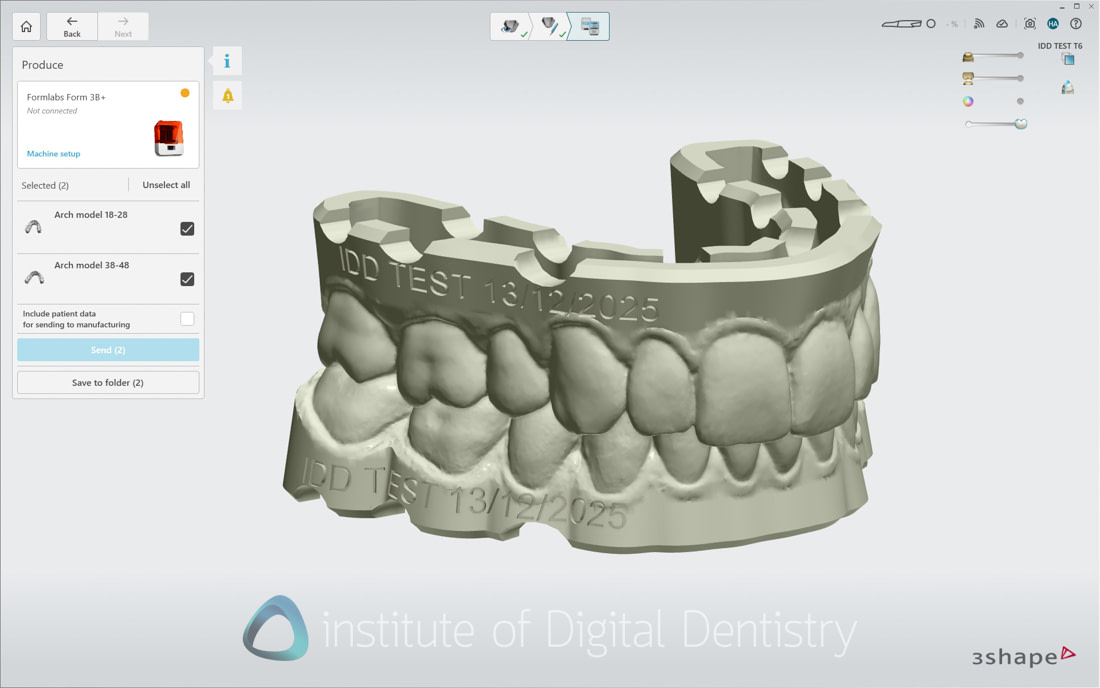
AI Model Builder - Automates the process of creating printable models with a single click. You start the Model Builder, and it handles everything for you. Within 20-30 seconds, you get a printable model that is hollowed out, has drain holes, and the patient's name on the side. It can be customized if required. Works perfectly with 3Shape Produce, which integrates with 3D printers.
A well-designed, efficient app that is limited to 3Shape users and continues to work well with TRIOS 6.
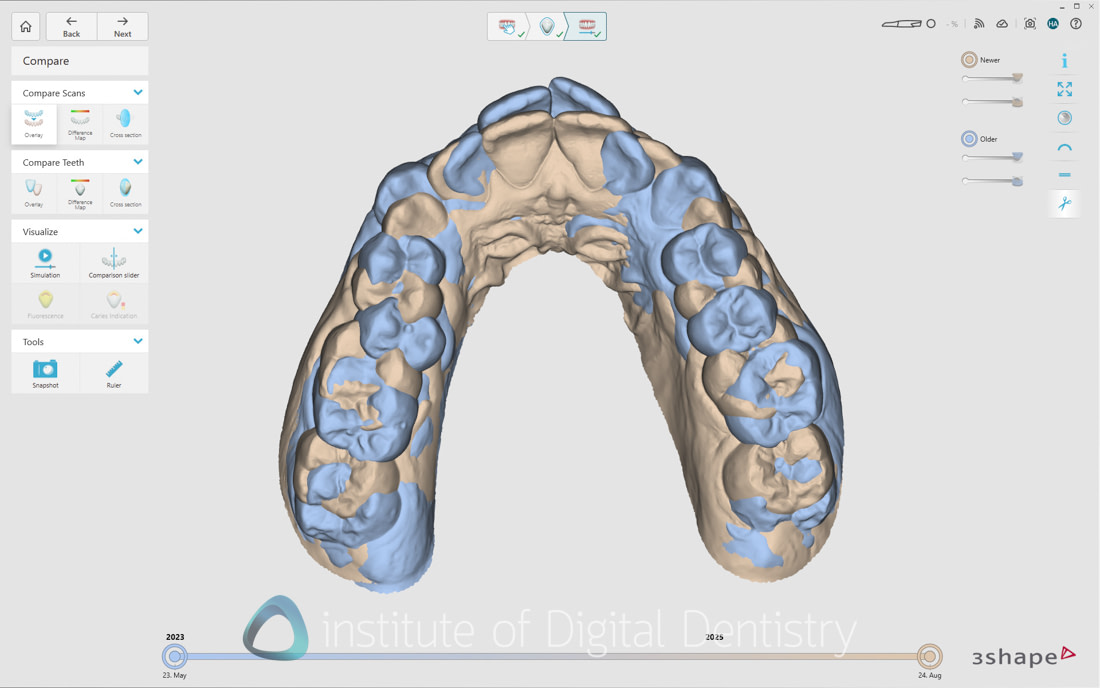
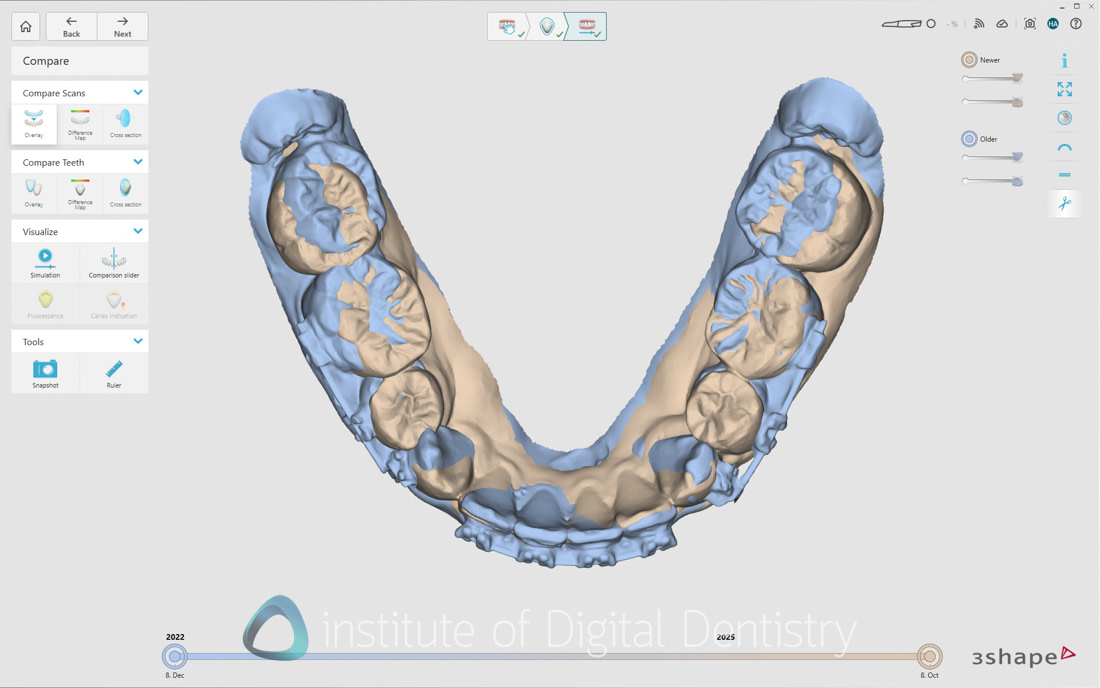
Patient Monitoring is one of the more understated but genuinely powerful tools in the Unite ecosystem. It allows clinicians to compare scans over time and automatically highlight changes in tooth position, wear, gingival levels, and overall dentition.
Many scanners do this now, but none offer a UI and visualisation tools as good as those from 3Shape and iTero.
This app makes subtle progression visible in a way that is difficult to communicate through clinical examination or photographs alone. From a patient communication perspective, it is highly effective, demonstrating that visual change removes subjectivity and builds trust.
The obvious use is wear cases, but I also find it beneficial in ortho cases and any before and after.
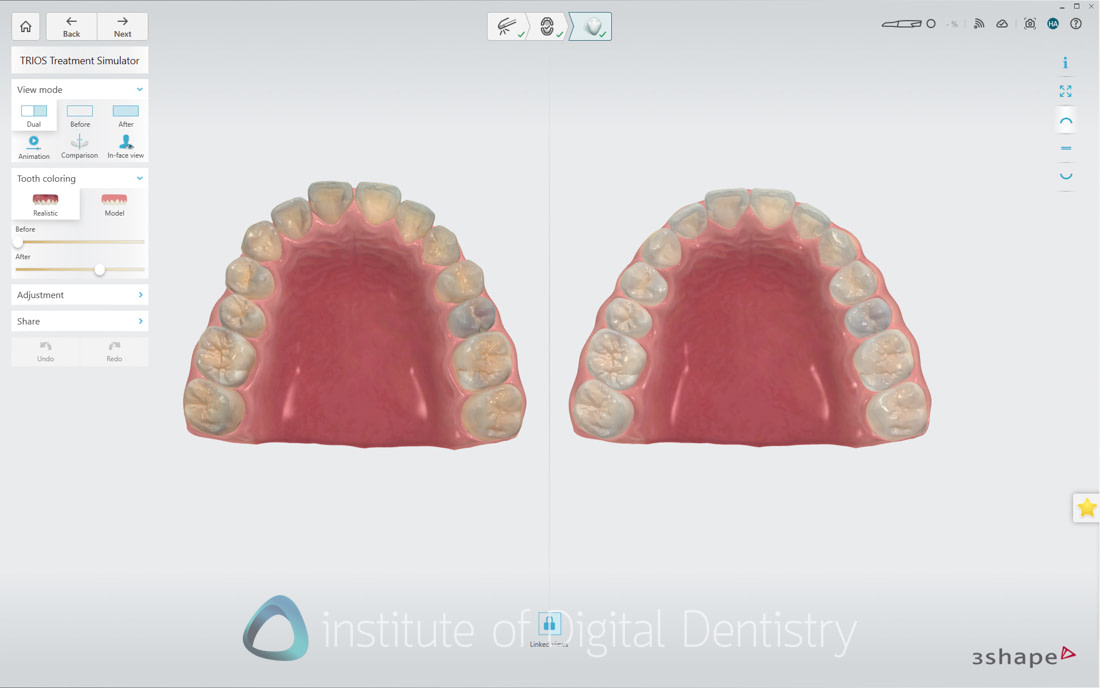
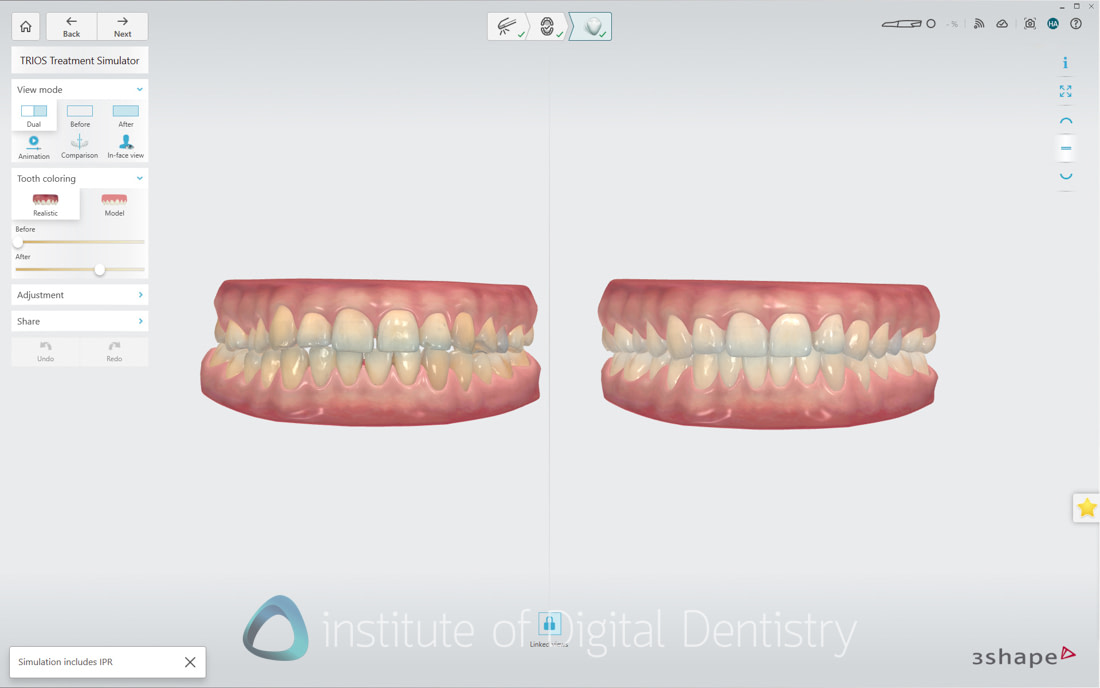
Orthodontic Simulator is another highly effective patient communication and case acceptance tool within the Unite ecosystem. It allows clinicians to quickly visualize potential orthodontic outcomes directly from a TRIOS scan, giving patients an immediate and intuitive understanding of what treatment could achieve.
Once again, seen in many scanners now, but the results are often mixed. Here, the simulations are fast, visually appealing, and actually look good in terms of the end result generated, making consultations more engaging and productive.
While it is not intended for detailed orthodontic treatment planning, it does well at setting expectations and starting meaningful conversations. Over the past few years, the accuracy and realism of the simulations have improved significantly. For practices offering aligner therapy or orthodontics, it is a genuinely valuable addition.
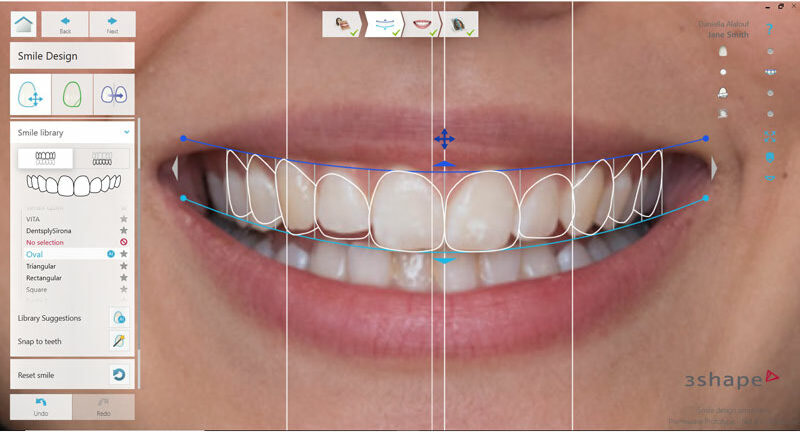
Smile Design remains one of the strongest applications in the 3Shape ecosystem and remains among the best 2D smile design tools in digital dentistry. The interface is intuitive, fast to work with, and easy to explain to patients, while the results consistently look good. Textures, in particular, don't look like cartoons or look fake. But like actual cosmetic treatment.
Once again, 3Shape excels in an area many competitors struggle with: smile textures and surface rendering. While most scanner platforms now offer some form of smile design, the end results are often ugly or overly synthetic. In contrast, 3Shape’s textures, translucency, and overall aesthetics are genuinely convincing, significantly improving patient engagement.
Importantly, all these applications remain included at no additional cost for TRIOS owners, delivering real ongoing value well beyond the initial hardware investment.
3Shape TRIOS 6 Cost
The TRIOS 6 enters the market at $27,900 USD, positioning it firmly in the premium segment. In fact, this makes it one of the most expensive scanners, second only to the iTero Lumina. Brave in this market, I would say.
To understand the value proposition, we need to examine the complete cost of ownership.
Base scanner: $27,900 USD includes the wireless scanner, standard tips, and TRIOS software
1) Laptop setup: Additional $3,150 USD for a certified Dell Workstation bought from 3Shape with premium support. This is optional if you have a suitable computer of your own.
or
2) MOVE Pro cart: Additional $8,000 USD, featuring an integrated battery, a larger screen, improved specifications, and better mobility. This is a significant upgrade over the original TRIOS cart and MOVE.
3Shape has also refined its product lineup with the TRIOS 6 launch - notably, TRIOS 4 is discontinued:
TRIOS Core: Economy entry point for basic scanning - $12,400 USD
TRIOS 3: Continues for Invisalign compatibility - $17,400 USD
TRIOS 5: Premium wireless scanning without AI - $25,900 USD
TRIOS 6: AI diagnostics and patient engagement flagship - $27,900 USD
Let's compare with key competitors:
iTero Lumina: around $27,000 USD - Premium competitor with NIRI technology and Invisalign integration
Medit i900: $18,990 USD - great performance, comprehensive software, no scanner subscriptions
Shining 3D Elite: $19,999 USD - IPG photogrammetry kit included, great performance
Shining 3D Elf: $11,999 USD - the same as the Elite but no IPG.
New Subscription Model
In addition of the premium pricing, the Dx Plus platform has a subscription. There is a 6-month free trial, after which a subscription is required to access all AI features.
The cost of this subscription is $199 per month. $199 per month equals $2,388 USD annually. There is an annual subscription option priced at $1990. Dx Plus includes 3 seats for simultaneous use of the software, and the software will continuously be improved and updated as part of the price.
This is not an insignificant sum. This is in addition to the TRIOS Care subscription for warranty and support, and in some regions includes premium after-sales services as part of the price with a dedicated local customer success manager, clinic trainings, and options for in-clinic installation visits. TRIOS Care costs $219 per month or $2,499 annually.
This subscription model represents a fundamental shift in scanner economics. We went from subscriptions on all scanners to no subscriptions, and now 3Shape is bringing them back. Brave, once again.
For practices that cancel the Dx Plus subscription, the scanner functions identically to a TRIOS 5, though you'd still have paid $27,900 for essentially TRIOS 5 capabilities. The value proposition depends entirely on whether the AI features and patient engagement tools justify this premium to you.
Market Positioning - A Bold Bet on Software
3Shape has made a strategic decision that runs counter to current market trends. While competitors focus on lowering prices, 3Shape has bet on software, AI, and premium positioning.
This is genuinely risky. The scanner market has become increasingly price-sensitive, with excellent options available under $20,000. Chinese manufacturers continue pushing prices down while improving quality. Practices increasingly question whether premium pricing is justified.
Launching a more expensive scanner with ongoing subscription costs in this environment is either remarkable confidence or a total test of the market. 3Shape is betting that practices will pay significantly more for AI diagnostics and patient engagement tools. But, will they?
That depends on individual practice priorities and patient demographics. High-end practices focused on patient experience and communication might find genuine value. Cost-conscious practices focused primarily on scanning performance might find better value elsewhere.
3Shape is betting that the future of scanner differentiation lies in software and AI rather than hardware specifications. Whether this proves correct will determine TRIOS 6's long-term success.
Conclusion
The TRIOS 6 represents 3Shape's vision for the future of intraoral scanning - a future where AI diagnostics and patient engagement define scanner value rather than purely technical specifications. It's a bold vision, executed with 3Shape's characteristic attention to detail and software quality.
From a hardware perspective, the TRIOS 6 delivers the proven excellence of the TRIOS 5 with noticeable resolution improvements and impressive multi-modal imaging capabilities. As a scanning device, it performs superbly. The scans are fast, accurate, and feature some of the best texture quality in the industry. For pure scanning performance, the TRIOS 6 matches or exceeds anything currently available, thanks to the TRIOS 5 hardware it's built on.
The AI diagnostic features present a more complex picture. Tooth wear analysis stands out as genuinely clinically valuable, providing objective measurements that support both treatment planning and patient communication. Caries and gingival recession analysis work consistently well. These features alone might justify the platform for certain practice types.
However, plaque visualization features show inconsistent accuracy. They function better as patient communication tools than as reliable diagnostic aids. This doesn't make them worthless - patient engagement has real value - but expectations should be calibrated appropriately. These are communication tools that occasionally provide diagnostic insights, not diagnostic tools that also help with communication.
The monthly subscription model introduces the biggest consideration. At $199 per month (or $1990 per year subscription) for AI tools, the ongoing cost must be weighed against the practical value these features bring to daily practice. For practices prioritizing patient education, implementing comprehensive documentation protocols, or seeing significant numbers of wear-related cases, this investment might prove worthwhile. For practices focused primarily on scanning excellence for restorative workflows, the TRIOS 5 likely remains the more practical choice.
3Shape's strategic pivot toward AI and patient engagement positions them at the forefront of where they believe digital dentistry is heading. Whether the market shares this vision remains uncertain. The premium pricing in an increasingly value-conscious market represents genuine risk. Practices evaluating scanners today have access to excellent hardware at significantly lower price points, often without subscription requirements.
Yet there's something to be said for 3Shape's long-term thinking. If AI diagnostics and patient engagement tools do become standard expectations rather than premium features, 3Shape has positioned itself ahead of that curve. The software development capabilities they've demonstrated with Dx Plus could enable rapid iteration and improvement of these features over time.
The TRIOS 6 delivers on its promise of comprehensive diagnostic capabilities and patient engagement. It is an impressive achievement that showcases what's possible when software intelligence meets proven hardware. Whether it succeeds in the marketplace depends on whether enough practices value these innovations sufficiently to justify premium pricing in an increasingly competitive and cost-conscious market.
Thanks for reading.
Evaluation Ratings
Scanning Speed
Scanning Flow
Scanner Size
Ease of Use
Scanner Software
Investment Cost
Additional Features
Wireless Scanner
TP-Link Dongle for wireless
Caries Detection
Infrared caries detection and AI caries detection on scans
Software Apps
Extensive range including smile design and ortho simulation
CAD/CAM Software
Fully fledged 3Shape CAD software purchased seperately
Subscription Requirements
Optional TRIOS Care subscription. Dx Plus AI tools have a subscription after a 6-month free trial.
Autoclavable Tips
100 times per tip
What is your view on the Dx Plus usage in the clinic? The cost seems high compared to what it really does. Is there ROI justified?
Entirely depends on how the clinician uses it just like any communication or case-closing tool. Some will find huge use from it to improve communication especially around wear cases which is my personal favourite indication. I have mentioned in the review and to 3Shape many times that I think the subscription needs to be removed.